How do I use the Mirror Selfie with Hyper-Pronounced Anatomy template?
Choose the primary action to open PicX Studio with the available template settings. Review the model and format, personalize the creative direction, and generate when ready.
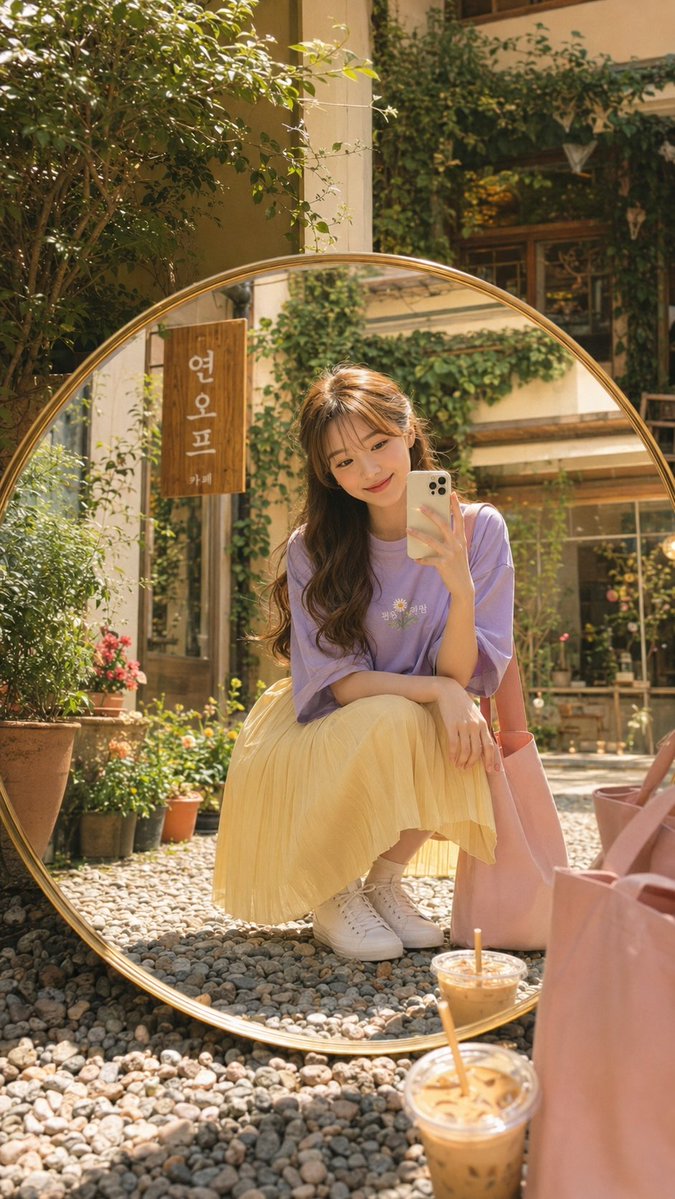
A highly specific JSON prompt for generating a photorealistic mirror selfie of a woman with a hyper-pronounced hourglass figure, focusing on unfiltered skin texture, detailed anatomy, and specific wardrobe (cropped black sweatshirt, high-cut thong bikini bottom), set in a bright modern bedroom. (free to use) — Free AI image template on PicX Studio.
{ "subject": { "ethnicity": "European Caucasian", "features": "Striking facial features, high cheekbones, straight nose, piercing eyes, long flowing blonde hair with natural highlights and voluminous texture.", "body": { "physique": "Hyper-pronounced hourglass silhouette with an athletic yet highly curvaceous build.", "torso": "Narrow, cinched waist with visible definition of the rectus abdominis and external obliques; large, firm mammary glands with natural cleavage projection.", "lower_body": "Hyper-developed gluteus maximus and medius creating very large, wide hips; high waist-to-hip ratio; toned adductors and quadriceps leading to bare feet.", "extremities": "Well-groomed bare feet, smooth skin texture, toes featuring clean, professional white nail polish; hands holding a smartphone.", "skin_texture": "Realistic dermis with visible pores, subtle skin folds, and natural imperfections; no beautify smoothing; uniform tanned complexion with fair undertones." } }, "wardrobe": { "top": "Solid matte black cropped long-sleeve sweatshirt; heavy cotton fabric texture; strictly plain with no logos and no text.", "bottom": "High-cut black thong bikini bottom featuring contrast white elastic piping along the edges; positioned high on the iliac crest to emphasize hip width.", "accessories": "Sleek smartphone in a plain, minimalist case; strictly no stickers, no decals, and no cartoon graphics." }, "pose_action": { "position": "Seated on a plush carpeted floor in front of a full-length mirror; legs spread in a V-shape with one knee slightly bent to accentuate the glutes and pelvic area.", "action": "Capturing a mirror selfie; gaze directed toward the phone screen; relaxed yet confident posture." }, "scene": { "environment": "Bright, airy modern bedroom.", "background": "Large bed with white linen sheets; multiple ruffled decorative pillows and shams in white and cream; neutral beige plush carpet texture.", "reflection_integrity": "Perfect spatial consistency between the subject and the mirror reflection." }, "lighting": { "setup": "High-key natural daylight flooding from a side window; soft-box effect; subtle ambient occlusion shadows in the fabric folds and body curves.", "highlights": "Soft specular highlights on the hair and skin to define muscle separation and volume." }, "camera": { "angle": "Eye-level mirror selfie perspective; wide-angle mobile lens simulation (approx. 24mm); sharp focus on the reflection.", "technical_specs": "9:16 aspect ratio; high resolution 8k; raw photography style; deep depth of field to keep the background texture visible but soft.", "negative_constraints": "no logos, no text, no stickers, no beautify smoothing, no extra limbs, no warped proportions, no socks, no footwear." } }
Use Mirror Selfie with Hyper-Pronounced Anatomy to plan an AI image around nano-banana-2 generation. Match the preview's composition first, then personalize the subject, setting, and mood for your own project.
Use the primary action to load the template settings in PicX Studio.
Adjust the subject and creative details for your destination.
Create the image, compare the result with the preview, and refine one variable at a time.
A continuous mix — similar concepts first, woven with same-model prompts and fresh picks from the catalog.
Choose the primary action to open PicX Studio with the available template settings. Review the model and format, personalize the creative direction, and generate when ready.
Yes. You can change the subject, setting, lighting, mood, format, and available model controls before creating your image.
This template is free to open and customize. Generation usage is shown in PicX Studio before you create.
Start with nano-banana-2, which is the model associated with this template. You can compare another compatible model for a different finish.
Follow a topic to a crawlable collection of related PicX Studio templates.
39,155 public templates available. Verified via the PicX Studio public templates API; refreshed hourly.
A continuous mix — similar concepts first, woven with same-model prompts and fresh picks from the catalog.