How do I use the Cinematic Fashion Portrait on a Paris Rooftop template?
Choose the primary action to open PicX Studio with the available template settings. Review the model and format, personalize the creative direction, and generate when ready.
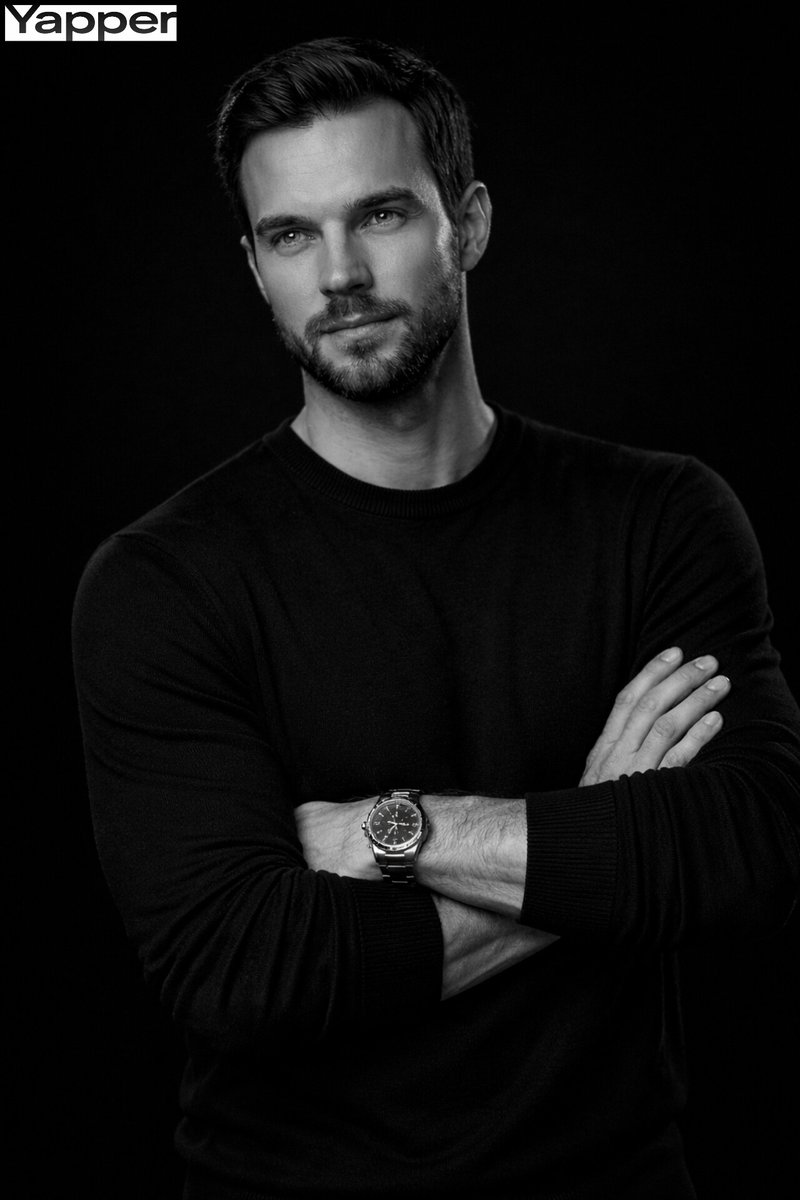
A detailed prompt for generating an ultra-realistic, cinematic fashion portrait of a stylish man on a Parisian rooftop, featuring two distinct lighting scenes: warm golden sunset and cool blue-hour twilight. Change the subject, setting, or lighting one variable at a time.

A cinematic, ultra-realistic fashion portrait of a stylish man on a Paris rooftop at sunset and twilight. He wears a tailored black blazer over a black shirt, minimal accessories, and has well-groomed stubble and voluminous swept-back hair. The Eiffel Tower rises in the background over classic Parisian rooftops. Top scene: warm golden sunset light, pastel sky with soft clouds and a few birds in flight, the man looking confidently to the side, elegant and contemplative. Bottom scene: blue-hour evening mood, city lights glowing, the man now wearing dark sunglasses and holding a glass of whiskey, calm and sophisticated. Shallow depth of field, sharp focus on subject, soft bokeh city background, luxury lifestyle aesthetic, editorial fashion photography, 85mm lens look, natural skin tones, high dynamic range, cinematic color grading, ultra-detailed, 8K quality.
Choose the primary action to open PicX Studio with the available template settings. Review the model and format, personalize the creative direction, and generate when ready.
Yes. You can change the subject, setting, lighting, mood, format, and available model controls before creating your image.
This template is free to open and customize. Generation usage is shown in PicX Studio before you create.
Start with Nano Banana 2, which is the model associated with this template. You can compare another compatible model for a different finish.
© 2026 PicX Studio. All rights reserved.

Follow a topic to a crawlable collection of related PicX Studio templates.
43,474 public templates available. Verified via the PicX Studio public templates API; refreshed hourly.

















![Naive doodle-style subject illustration — A doodle-style {argument name="subject" default="[subject]"}, naive lines, humorous shape exaggeration](https://pbs.twimg.com/media/G6Wl2YxbsAARB2b.jpg)