
How do I use the Soft-Glam Lingerie Editorial Portrait template?
Choose the primary action to open PicX Studio with the available template settings. Review the model and format, personalize the creative direction, and generate when ready.
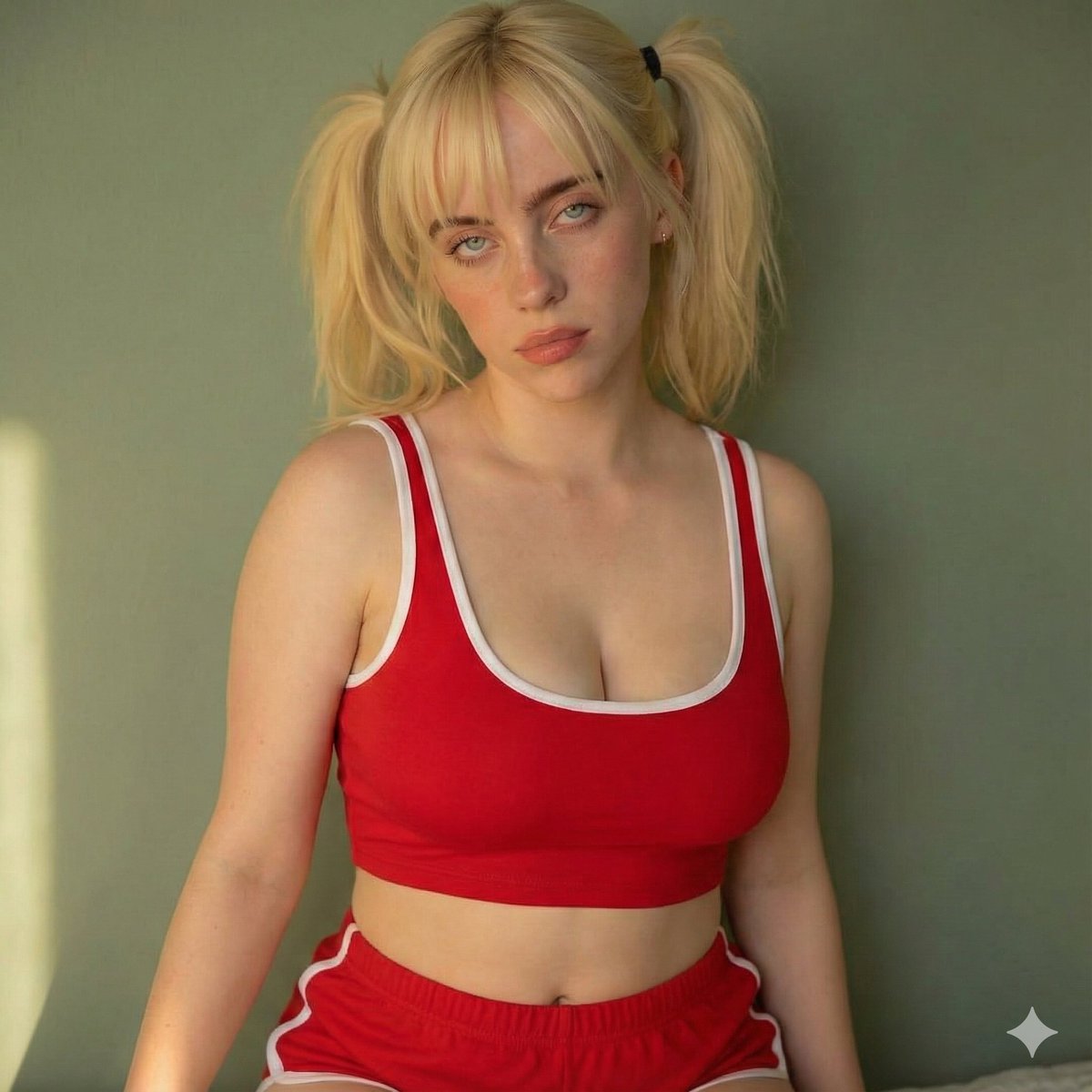
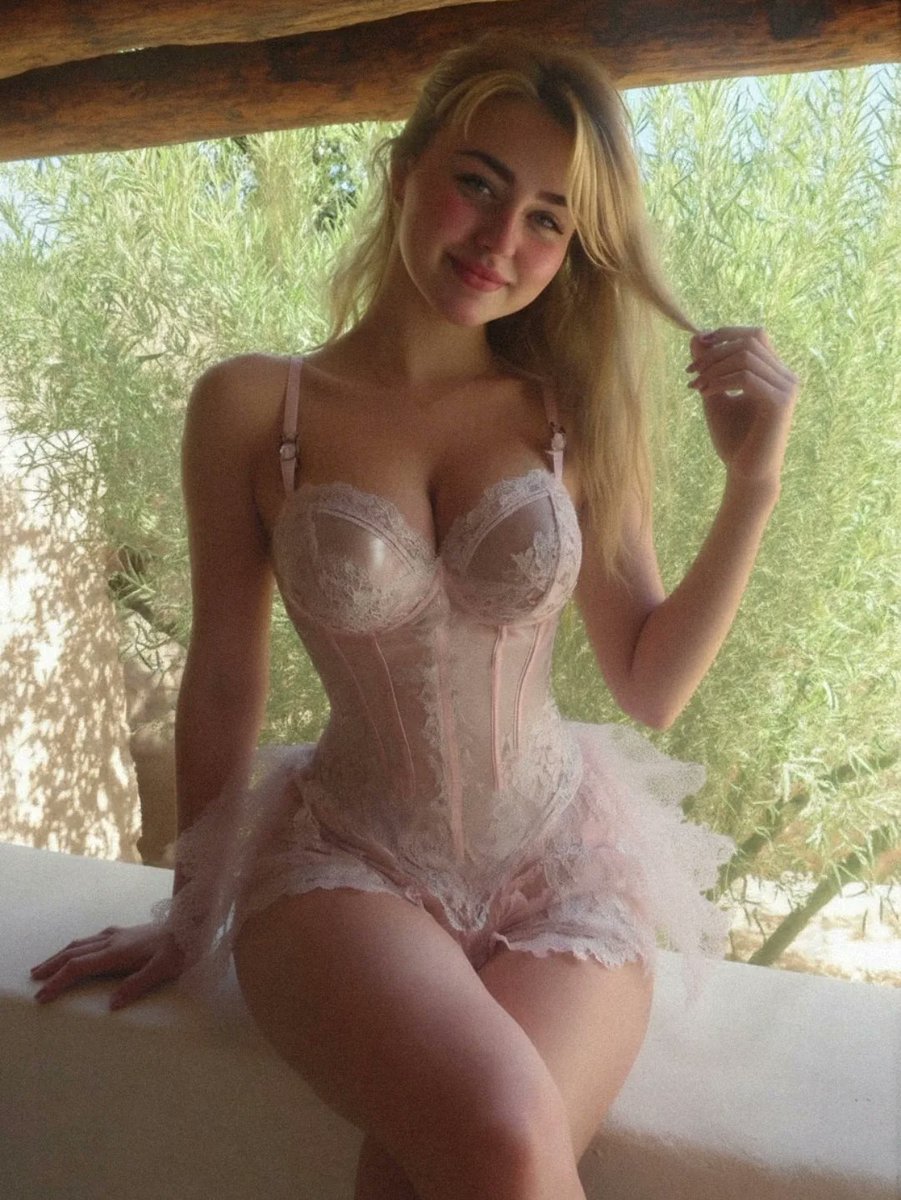
A highly structured JSON prompt for generating an ultra-photorealistic soft-glam editorial portrait of a woman in blush pink lace corset lingerie, seated on a rustic outdoor terrace during the warm golden hour, emphasizing shallow depth of field and high detail on fabric texture. (free to use) — Free AI image template on PicX Studio.
{ "type": "image_generation", "style": "ultra-photorealistic soft-glam editorial portrait", "resolution": "8K UHD", "aspect_ratio": "4:5 vertical portrait", "camera_settings": { "camera": "Full-frame DSLR", "lens": "85mm f/1.4 portrait lens", "aperture": "f/1.8", "shutter_speed": "1/200", "iso": 100, "focus": "sharp focus on face and upper torso, soft background blur" }, "lighting": { "type": "natural daylight", "direction": "side-lit from large open window", "quality": "soft, diffused sunlight", "color_temperature": "warm golden tone", "effect": "gentle highlights on skin, subtle shadows for depth, dreamy glow" }, "scene": { "location": "rustic outdoor terrace or balcony", "background_elements": [ "sunlit green foliage", "wooden roof beams", "soft natural landscape blur" ], "atmosphere": "warm, serene, romantic late-morning ambiance" }, "subject": { "gender": "female", "age": "young adult", "body_type": "slim with defined waist", "skin_tone": "fair with warm undertones", "hair": { "color": "blonde", "length": "long", "style": "loose, softly brushed, side-parted", "movement": "slightly flowing, casually held in one hand" }, "facial_expression": "gentle confident smile", "makeup": { "style": "natural soft glam", "details": [ "rosy blush", "soft pink lips", "light mascara", "subtle contouring" ] }, "pose": { "position": "seated on a ledge", "torso": "upright with slight curve to accentuate waist", "legs": "crossed naturally", "hand_placement": "one hand resting on surface, other lightly holding hair", "mood": "relaxed, poised, self-assured" } }, "wardrobe": { "outfit_type": "lace corset lingerie set", "color": "soft blush pink", "fabric": "delicate lace with sheer paneling", "details": [ "structured corset seams", "thin adjustable straps", "scalloped lace trim", "light layered tulle accent at hips" ], "texture_emphasis": "high detail on lace embroidery and fabric transparency" }, "composition": { "framing": "mid-thigh crop portrait", "rule_of_thirds": "subject centered with slight right offset", "depth_of_field": "shallow for cinematic separation", "aesthetic": "luxury lingerie campaign, romantic European summer vibe" }, "post_processing": { "color_grading": "warm pastel tones", "skin_retouching": "natural, minimal smoothing", "sharpening": "high detail on lace and facial features", "vignette": "subtle soft-edge vignette", "grain": "very light cinematic grain for softness" }, "quality_tags": [ "hyper-detailed", "photorealistic", "fashion editorial", "soft romantic lighting", "luxury campaign aesthetic" ] }
Use Soft-Glam Lingerie Editorial Portrait to plan an AI image around nano-banana-2 generation. Match the preview's composition first, then personalize the subject, setting, and mood for your own project.
Use the primary action to load the template settings in PicX Studio.
Adjust the subject and creative details for your destination.
Create the image, compare the result with the preview, and refine one variable at a time.
A continuous mix — similar concepts first, woven with same-model prompts and fresh picks from the catalog.
Choose the primary action to open PicX Studio with the available template settings. Review the model and format, personalize the creative direction, and generate when ready.
Yes. You can change the subject, setting, lighting, mood, format, and available model controls before creating your image.
This template is free to open and customize. Generation usage is shown in PicX Studio before you create.
Start with nano-banana-2, which is the model associated with this template. You can compare another compatible model for a different finish.
Follow a topic to a crawlable collection of related PicX Studio templates.
39,155 public templates available. Verified via the PicX Studio public templates API; refreshed hourly.
A continuous mix — similar concepts first, woven with same-model prompts and fresh picks from the catalog.