How do I use the Nightlife Selfie Flash Editorial Portrait template?
Choose the primary action to open PicX Studio with the available template settings. Review the model and format, personalize the creative direction, and generate when ready.
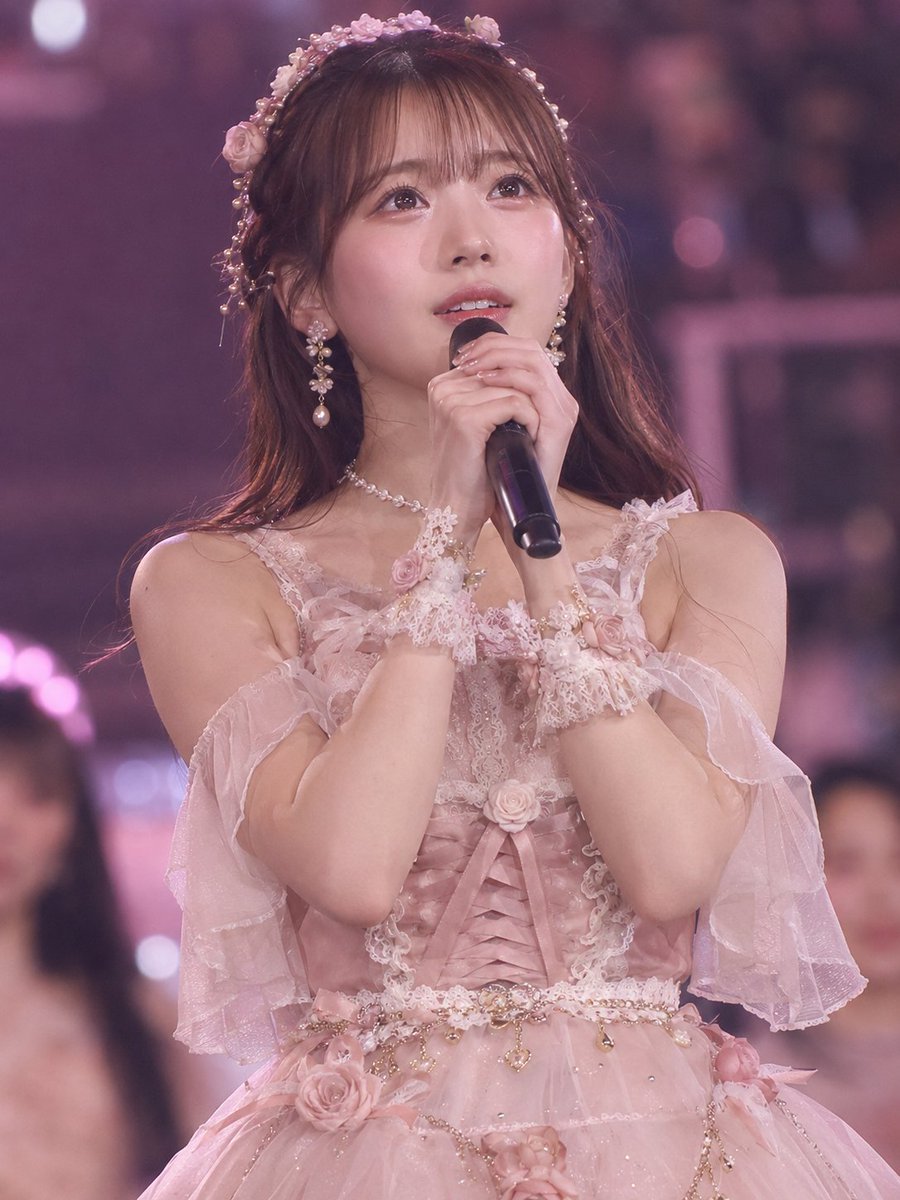
A highly specific JSON prompt for generating an ultra-photorealistic close-up selfie portrait taken at night using direct phone flash, achieving a candid but editorial look. It mandates strict face identity lock, details the subject's appearance (jet-black hair, pearl head chain), and specifies the lighting and background (dim lounge, bokeh highlights). (free to use) — Free AI image template on PicX Studio.
{ "generation_request": { "meta_data": { "tool": "NanoBanana Pro", "task_type": "photoreal_selfie_flash_nightlife_editorial", "version": "v1.0_PEARL_HEADCHAIN_SELFIE_FLASH_NO_AI_LOOK_NO_TEXT", "priority": "highest" }, "references": { "reference_image_1": { "source": "UPLOAD_REFERENCE_IMAGE (OPTIONAL)", "purpose": "FACE_IDENTITY_AND_GLAM_STYLE_LOCK", "strict_lock": true, "face_similarity_priority": "MAX", "no_identity_blending": true, "no_beautify": true, "no_age_shift": true, "preserve_skin_texture": true, "preserve_facial_proportions": true, "preserve_expression": true } }, "output_settings": { "aspect_ratio": "4:5", "orientation": "portrait", "resolution_target": "ultra_high_res", "render_style": "flash_candid_editorial", "sharpness": "flash_crisp_face_soft_background", "film_grain": "subtle_35mm", "color_grade": "warm_night_flash_neutral_skin", "dynamic_range": "natural_not_hdr", "skin_rendering": "real_texture_editorial_finish" }, "creative_prompt": { "scene_summary": "Ultra-photorealistic close-up selfie portrait at night with direct phone flash. A glamorous young woman with long straight jet-black hair looks into the camera with a confident, slightly pouty expression. She wears an intricate pearl-and-crystal head chain (net pattern) draped over the hairline with small dangling drops, plus long pearl drop earrings. Outfit is an elegant ivory shimmer halter dress with modest coverage and realistic fabric folds. The overall look is luxury nightlife, candid but editorial, with clean skin texture and perfect facial structure.", "environment": { "location": "dim indoor-outdoor lounge / villa entrance at night", "background": "dark wood beams, soft ambient practical lights, shallow depth of field, bokeh highlights", "lighting": "dominant direct phone flash as key, minimal ambient fill, realistic specular highlights on pearls" }, "subject": { "appearance": { "hair": "long straight black hair, glossy but natural, visible strands, no waxy look", "makeup": "soft glam, sharp eyeliner, defined brows, subtle blush, glossy nude lips, realistic pores", "skin": "real skin texture, no smoothing, no plastic finish" }, "accessories": { "headpiece": "pearl-and-crystal lattice head chain, symmetrical net pattern across the top of the head, small dangling pearl drops at the forehead and sides, realistic sparkle", "earrings": "long pearl drop earrings, elegant, realistic reflections" }, "wardrobe": { "dress": "ivory shimmer halter dress, elegant neckline, modest coverage, realistic drape and micro-glitter" }, "pose": "selfie angle, arms extended toward camera, shoulders relax" } } } }
Use Nightlife Selfie Flash Editorial Portrait to plan an AI image around nano-banana-2 generation. Match the preview's composition first, then personalize the subject, setting, and mood for your own project.
Use the primary action to load the template settings in PicX Studio.
Adjust the subject and creative details for your destination.
Create the image, compare the result with the preview, and refine one variable at a time.
A continuous mix — similar concepts first, woven with same-model prompts and fresh picks from the catalog.
Choose the primary action to open PicX Studio with the available template settings. Review the model and format, personalize the creative direction, and generate when ready.
Yes. You can change the subject, setting, lighting, mood, format, and available model controls before creating your image.
This template is free to open and customize. Generation usage is shown in PicX Studio before you create.
Start with nano-banana-2, which is the model associated with this template. You can compare another compatible model for a different finish.
Follow a topic to a crawlable collection of related PicX Studio templates.
39,155 public templates available. Verified via the PicX Studio public templates API; refreshed hourly.
A continuous mix — similar concepts first, woven with same-model prompts and fresh picks from the catalog.