Cinematic Fashion Editorial: Red Satin Dress at Sunset Villa
{
"generation_request": {
"meta_data": {
"tool": "NanoBanana Pro",
"task_type": "photoreal_cinematic_sunset_villa_fashion_editorial_poster_still",
"priority": "highest",
"language": "en",
"version": "v1.0_RED_SATIN_BACKLESS_VILLA_SEA_VIEW_NO_TEXT"
},
"output": {
"aspect_ratio": "4:5",
"resolution": "ultra_high",
"num_images": 4
},
"scene": {
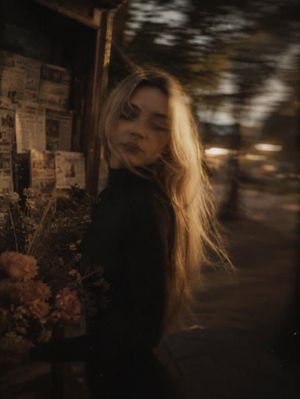
"concept": "A cinematic fashion portrait at a seaside villa terrace during golden hour. A woman in a backless red satin slip dress turns her head over her shoulder toward the camera. Elegant, minimal, sensual, and refined clean architecture, vast sea horizon, and soft sunset tones.",
"environment": "white Mediterranean villa balcony with clean lines, ocean horizon in the distance, green hills and trees below, open sky gradient",
"time_of_day": "golden hour approaching sunset",
"atmosphere": "clear air, gentle warmth, calm coastal serenity"
},
"subject": {
"age_appearance": "adult",
"expression": "poised, confident, subtly alluring",
"pose": "standing near the balcony edge, body turned away from camera, head turned back over shoulder, relaxed posture",
"hair": "dark hair in a messy bun with soft face-framing strands",
"wardrobe": "{argument name="dress color" default="red"} satin backless slip dress with thin spaghetti straps, smooth glossy drape",
"accessories": "small gold hoop earrings, delicate bracelets and rings",
"makeup": "classic glam with red lipstick, soft natural skin texture"
},
"camera": {
"camera_body": "Sony A7R V",
"lens": "85mm prime",
"aperture": "f/2.0",
"focus": "sharp on eyes and face, soft falloff across dress and background",
"framing": "vertical three-quarter portrait from behind, elegant negative space in sky",
"look": "clean high-end editorial realism"
},
"lighting": {
"key_light": "natural warm sunset light from horizon side",
"fill_light": "soft ambient sky fill",
"contrast": "medium",
"highlights": "controlled satin sheen on the dress, no blown whites"
},
"color_grading": {
"palette": "crimson red dress, soft pastel sky gradients, muted greens, clean white architecture, warm skin tones",
"film_emulation": "modern cinematic coastal editorial",
"grain": "very fine film grain",
"halation": "subtle glow on horizon and dress highlights"
},
"composition": {
"visual_hierarchy": "face + red dress as primary, ocean horizon as elegant secondary",
"lines": "balcony railing leading toward the subject",
"mood": "minimal luxury, Mediterranean romance"
},
"style_constraints": {
"photorealism": "maximum",
"cinematic_authenticity": true,
"editorial_quality": "high-end fashion film still",
"no_text": true,
"no_logos": true
},
"safety": {
"rating": "PG-13",
}






















![Naive doodle-style subject illustration — A doodle-style {argument name="subject" default="[subject]"}, naive lines, humorous shape exaggeration](https://pbs.twimg.com/media/G6Wl2YxbsAARB2b.jpg)













![h — []](/_next/image?url=https%3A%2F%2Fcdn.picxstudio.com%2Fuploads%2Fmpv-shot0023_fa4085d1-5ea0-499b-8556-59c316f027b7.png&w=828&q=100)