How do I use the 4-Panel High-Fashion Saree Collage template?
Choose the primary action to open PicX Studio with the available template settings. Review the model and format, personalize the creative direction, and generate when ready.
A detailed prompt for generating a 2x2 collage of four distinct, high-fashion glamour photographs featuring Mimi Chakraborty in a vibrant yellow satin saree. Change the subject, setting, or lighting one variable at a time.

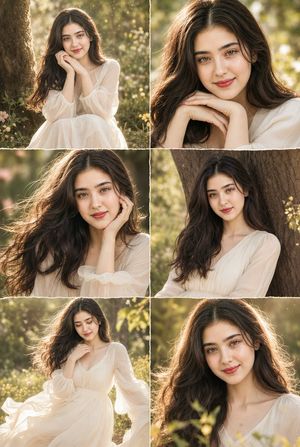
A 2x2 collage of four distinct, high-fashion glamour photographs featuring the subject in the images in her signature vibrant {argument name="saree color" default="yellow"} satin saree. The aesthetic is ultra-realistic, shot on a Sony A7R V with an 85mm f/1.2 lens to create a creamy, blurred urban background behind the balcony railing. • Top Left Frame: A mid-shot of her sitting in the dark green velvet armchair. She has both arms raised high, hands gracefully tucked behind her head to accentuate her toned armpits and smooth skin texture. The saree is draped low on her waist, highlighting her navel and midriff. Her expression is sultry with heavy-lidded eyes and a slight pout. • Top Right Frame: A close-up, dynamic angle from a slightly lower perspective. She is leaning back, her back arched against the chair's cushion. The high-shine fabric of the yellow blouse and saree catch the warm, golden-hour sunlight, creating sharp highlights and deep shadows that define her curves. • Bottom Left Frame: A full-body shot where she is reclining further, one leg slightly elevated to show the flow of the silk fabric. The pallu of the saree is draped loosely, revealing her waistline and navel. The lighting is cinematic rim lighting, separating her silhouette from the dark balcony. • Bottom Right Frame: A candid-style glamour shot. She is looking directly into the lens with an intense, provocative gaze. Her hair is wind-swept, and the skin rendering is hyper-detailed, showing realistic pores, subtle sweat, and a dewy makeup finish. The lighting across all four frames is consistent: a powerful key light from the side mimicking sunset, soft fill lighting to maintain detail in the shadows, and high-contrast color grading that makes the yellow saree pop against the moody, dark green and grey tones of the environment. The overall atmosphere is intimate, sensual, and sophisticated.
Choose the primary action to open PicX Studio with the available template settings. Review the model and format, personalize the creative direction, and generate when ready.
Yes. You can change the subject, setting, lighting, mood, format, and available model controls before creating your image.
This template is free to open and customize. Generation usage is shown in PicX Studio before you create.
Start with Nano Banana 2, which is the model associated with this template. You can compare another compatible model for a different finish.
Follow a topic to a crawlable collection of related PicX Studio templates.
43,474 public templates available. Verified via the PicX Studio public templates API; refreshed hourly.















![Naive doodle-style subject illustration — A doodle-style {argument name="subject" default="[subject]"}, naive lines, humorous shape exaggeration](https://pbs.twimg.com/media/G6Wl2YxbsAARB2b.jpg)





















![Lego Set Design Prompt Template — Create a Lego set for [place, movie, image reference], [type of set, adventure, architecture] set, include box and instruction](https://pbs.twimg.com/media/HCabsmiXIAEklYr.jpg)



![80-how-to-generate-ai-humans-that-look-100- — The Scene: A [high-quality/candid] lifestyle photo of a [description of person] doing [insert action…](/_next/image?url=https%3A%2F%2Fcdn.picxstudio.com%2Fuploads%2Fpost80_img0_68a04f23-0b83-43da-b58e-701e8e14c74b.jpg&w=828&q=100)
