
Cinematic Lifestyle Portrait on Urban Promenade
A structured prompt for generating an ultra-realistic, cinematic lifestyle portrait of a man on a modern urban riverside promenade.
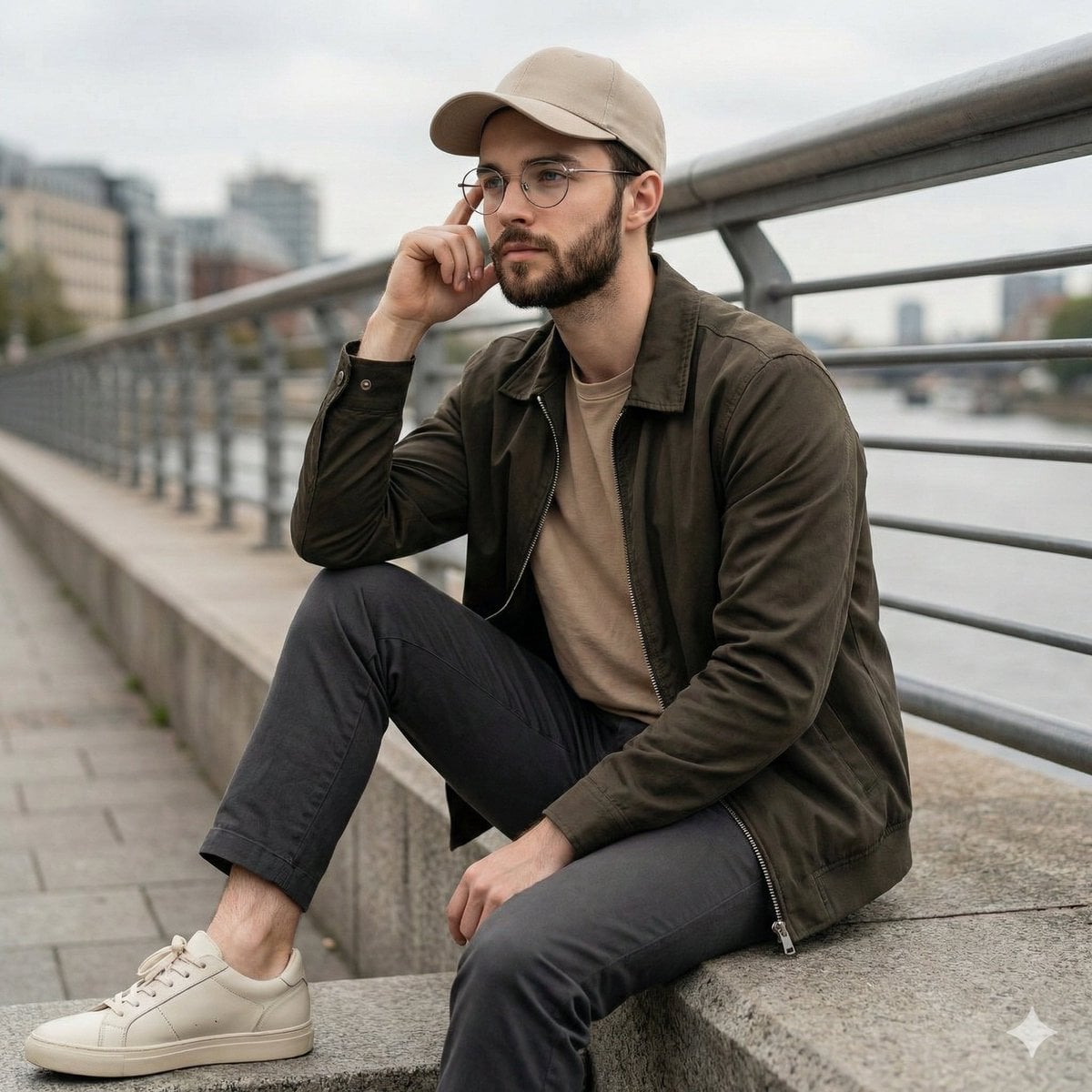
- Prompt included
- Model and format preset
- Free template
The prompt behind this image
Copy the exact prompt behind Cinematic Lifestyle Portrait on Urban Promenade, or open it in the studio and make it yours.
- Scene › Environment
- modern urban riverside promenade
- Scene › Ground Texture
- smooth stone pavement with subtle reflections
- Scene › Background Elements
- metal railing along river, soft-focus city buildings, overcast sky with diffused daylight
- Scene › Depth Of Field
- shallow, cinematic background blur
- Subject › Identity
- male_same_as_reference
- Subject › Age Range
- mid_20s
- Subject › Body Type
- slim_to_average
- Subject › Facial Features
- same as reference
- Subject › Expression
- calm, thoughtful, slightly distant gaze
- Subject › Eye Direction
- looking slightly off-camera
- Pose › Position
- seated on a low concrete ledge
- Pose › Legs
- one knee bent up, other leg relaxed downward
- Pose › Hand Pose
- elbow resting on knee, fingers lightly touching temple
- Pose › Body Language
- introspective and relaxed
- Outfit › Headwear
- plain neutral baseball cap without text
- Outfit › Top
- structured dark olive jacket over a light beige t-shirt
- Outfit › Bottom
- tailored charcoal chinos
- Outfit › Footwear
- minimal leather sneakers in off-white
- Outfit › Accessories
- thin chain necklace, simple ring on one finger, round eyeglasses with thin metal frame
- Lighting › Type
- natural soft daylight
- Lighting › Direction
- side-lit for gentle facial shadows
- Lighting › Mood
- moody but clean, editorial look
- Camera › Lens
- 50mm prime
- Camera › Aperture
- f/2.8
Raw JSON
{
  "scene": {
    "environment": "modern urban riverside promenade",
    "ground_texture": "smooth stone pavement with subtle reflections",
    "background_elements": [
      "metal railing along river",
      "soft-focus city buildings",
      "overcast sky with diffused daylight"
    ],
    "depth_of_field": "shallow, cinematic background blur"
  },

  "subject": {
    "identity": "male_same_as_reference",
    "age_range": "mid_20s",
    "body_type": "slim_to_average",
    "facial_features": "same as reference",
    "expression": "calm, thoughtful, slightly distant gaze",
    "eye_direction": "looking slightly off-camera"
  },

  "pose": {
    "position": "seated on a low concrete ledge",
    "legs": "one knee bent up, other leg relaxed downward",
    "hand_pose": "elbow resting on knee, fingers lightly touching temple",
    "body_language": "introspective and relaxed"
  },

  "outfit": {
    "headwear": "plain neutral baseball cap without text",
    "top": "structured dark olive jacket over a light beige t-shirt",
    "bottom": "tailored charcoal chinos",
    "footwear": "minimal leather sneakers in off-white",
    "accessories": [
      "thin chain necklace",
      "simple ring on one finger",
      "round eyeglasses with thin metal frame"
    ]
  },

  "lighting": {
    "type": "natural soft daylight",
    "direction": "side-lit for gentle facial shadows",
    "mood": "moody but clean, editorial look"
  },

  "camera": {
    "lens": "50mm prime",
    "aperture": "f/2.8",
    "angle": "eye-level, slightly angled from the side",
    "framing": "full-body portrait with environmental context"
  },

  "style": {
    "photography_type": "cinematic lifestyle portrait",
    "color_grading": "muted earthy tones with soft contrast",
    "sharpness": "high subject clarity, smooth background"
  },

  "quality_tags": [
    "ultra-realistic",
    "high detail",
    "natural skin texture",
    "professional photography",
    "editorial aesthetic"
  ]
}How to use Cinematic Lifestyle Portrait on Urban Promenade in 3 steps
- 1
Open
The prompt is already in the box next to the preview, with the template's model and format selected.
- 2…a portrait of your subject in softgolden-hour light, 85mm…
Personalize
Edit the subject and creative details for your destination.
- 3Generate
Generate
Press Generate — your image is created in PicX Studio, so you can compare it with the original and refine one variable at a time.
More like this
Templates with the same subject, style or setup. Open one to see its prompt.
Urban Photographer Lifestyle Portrait

Miniature Self Portrait Collage

Found Photograph: Us, 1970

80s Couple Studio Portrait

80s Bollywood Star

80s Golden Hour Cinema

Me in 1985

1985 Studio Portrait

Hyper-Realistic Minecraft POV Portrait

Rooftop Fisheye — Cat-Ear Balaclava at Golden Hour

A k.pop idol on the stage with mic

Rainy Café Window Moody Portrait
Make it yours
Cinematic Lifestyle Portrait on Urban Promenade works as-is. These are the safest ways to change it without losing the look.
Swap the setting
Keep the rest of the prompt and replace the location block. The current setting is “modern urban riverside promenade”.
Swap the light
One lighting change is enough to compare takes. Current light: “natural soft daylight”.
Change one field
Copy a single group, rewrite it, and generate again so you can see what that field is doing.
| If the result… | Why | Fix |
|---|---|---|
| The result drifts from the preview | Too many fields changed at once. | Reuse Cinematic Lifestyle Portrait on Urban Promenade as-is first, then change one group — subject, light, or setting. |
| Nano Banana 2 ignores part of the JSON | Some models flatten or skip nested keys. | Keep the same values and paste them as a short paragraph instead. |
More Nano Banana 2 templates
Other prompts made for Nano Banana 2.

Photorealistic Leaf Shaped Like a Dragon

K-Pop Idol Portrait Grid for Rapid Selection

Poetic Rain Forest Portrait During Golden Hour

Urban Street Portrait with Cartoon Inner Self Duo

Candid Nighttime Photo with Cat Prompt

High-Concept 3D Diorama Generation Prompt

Cinematic Futuristic Studio Portrait Template

Skincare Editorial Photography Collage Prompt

Hyper-Realistic Commercial Product Photography (Splash Effect)

Hyper-Realistic Nightclub Portrait Prompt
More image prompts
Fresh picks from across the catalog.

Cinematic Behind-the-Scenes VFX Artists Prompt
Victorian Tea Room Waiting Wallpaper
Black and White Street Photography Decisive Moment
10 Modern Glass HQ Building — California Series
Moody Cinematic Portrait on Snowy Mountain Ridge
4 types of 4‑panel manga about Nano Banana Pro

Modern Webinar Promotional Banner

Convert illustration to retro Game Boy Advance-style pixel art
Luxurious Royal Palace Portrait
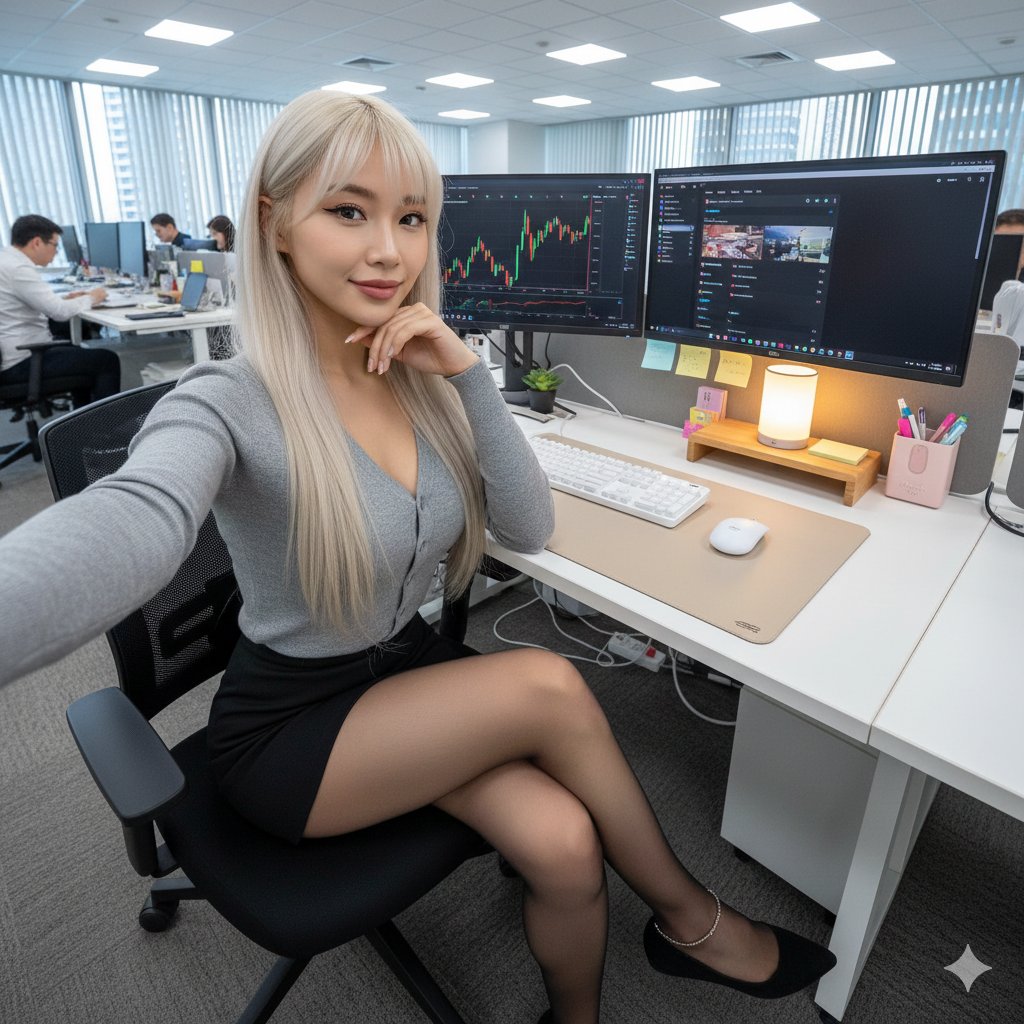
Corporate Office Trading Floor Selfie Prompt
Browse template categories
Cinematic Lifestyle Portrait on Urban Promenade questions
How do I use the Cinematic Lifestyle Portrait on Urban Promenade template?
Add your photo if the template asks for one, edit the prompt if you like — the template's model and format are already selected — and press Generate. Your version opens in PicX Studio.
Can I customize the Cinematic Lifestyle Portrait on Urban Promenade template?
Yes. You can change the subject, setting, lighting, mood, format, and available model controls before creating your image.
Is the Cinematic Lifestyle Portrait on Urban Promenade template free?
Opening and editing this template is free. Generating uses credits, shown on the Generate button when you are signed in.
Which AI model should I use?
Start with Nano Banana 2, which is the model associated with this template. You can compare another compatible model for a different finish.
Looking for something else? Browse all templates.

Your photo, any look
Thousands of ready templates for every top image and video model, from one credit balance.