
IMAGEGoogle DeepMind · from 12 credits / image
Google's text-to-image model, in three tiers
Imagen 4 AI Image Generator
Fast, Standard or Ultra. Five aspect ratios plus auto.
Imagen 4 is Google's dedicated text-to-image model, built for fine texture and better spelling. Pick Fast for volume, Standard for everyday work or Ultra when every detail of the prompt has to land.
- 1K–4K
Texture you can almost touch
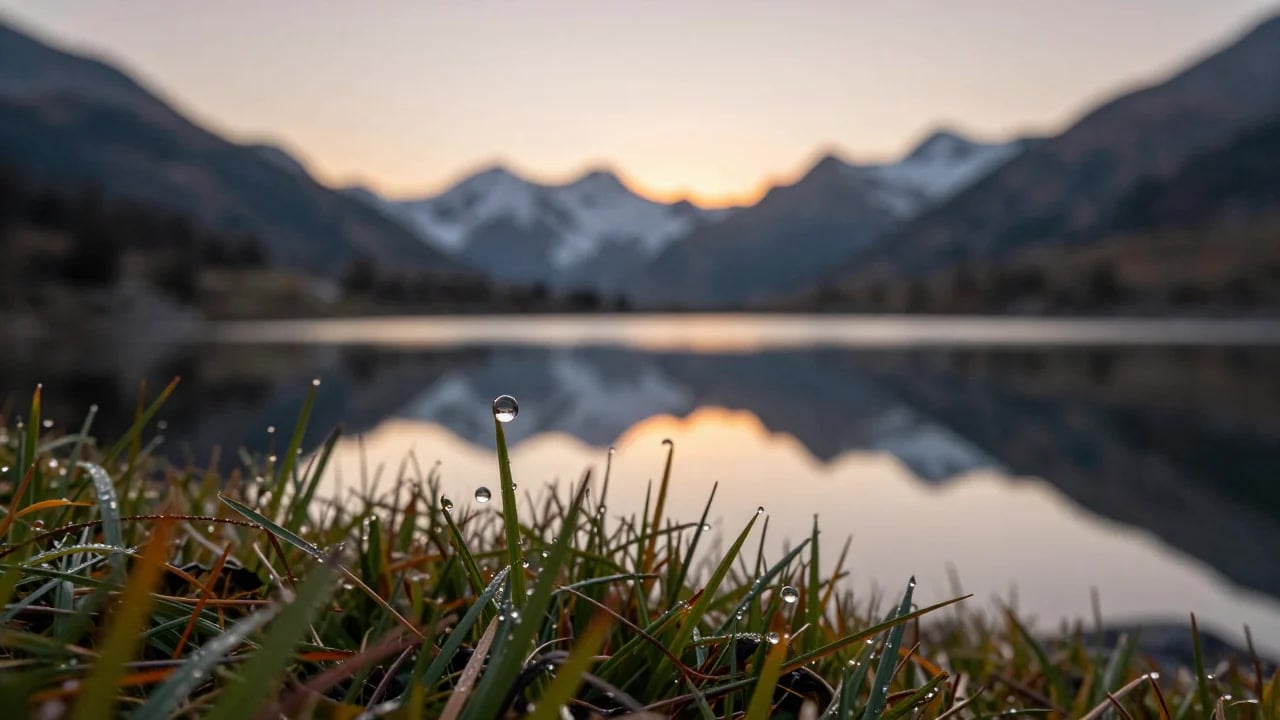
Small details hold up
Google built Imagen 4 to keep fine detail sharp: woven fabric, water droplets, fur. Write the material and the light into the prompt and it does the rest.
Words come out spelled right
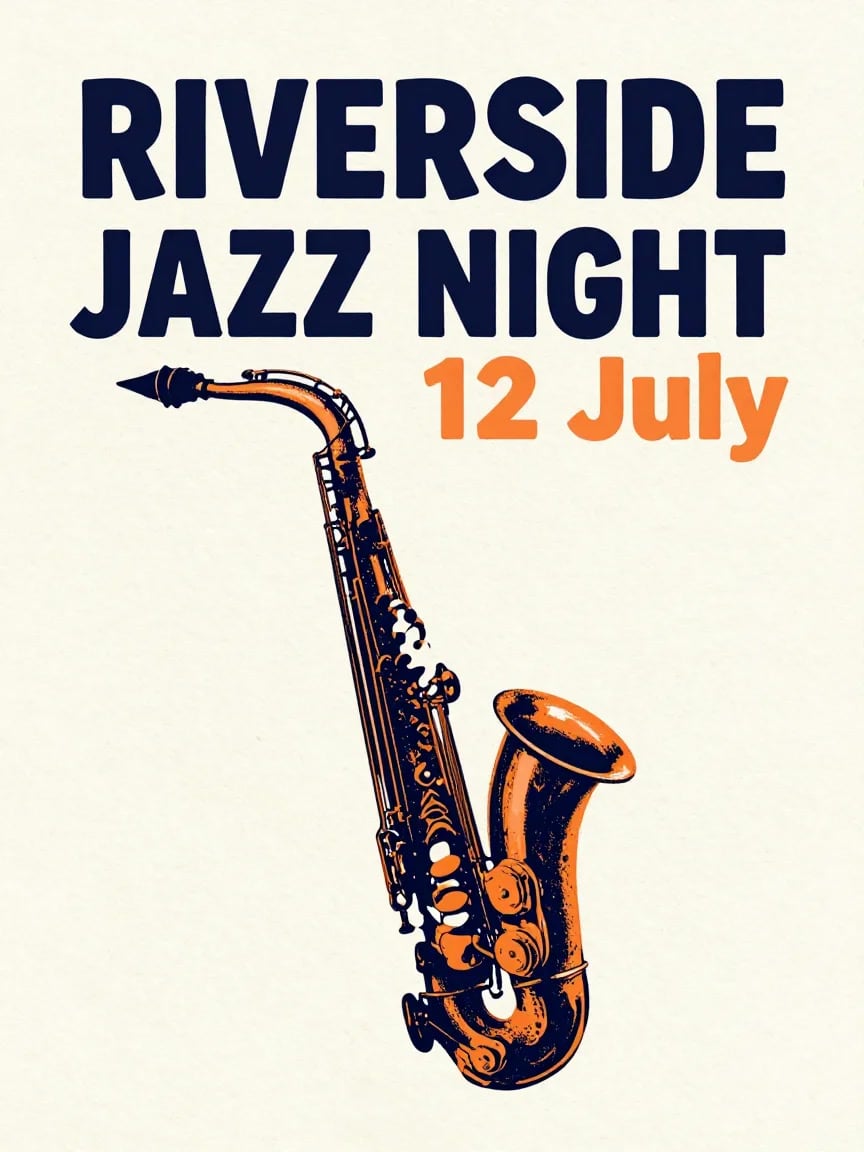
Better text rendering was a headline change over earlier Imagen models. Short headlines, dates and labels suit posters, greeting cards and comic panels. Keep the wording short and put it in quotes.
Ultra for crowded prompts
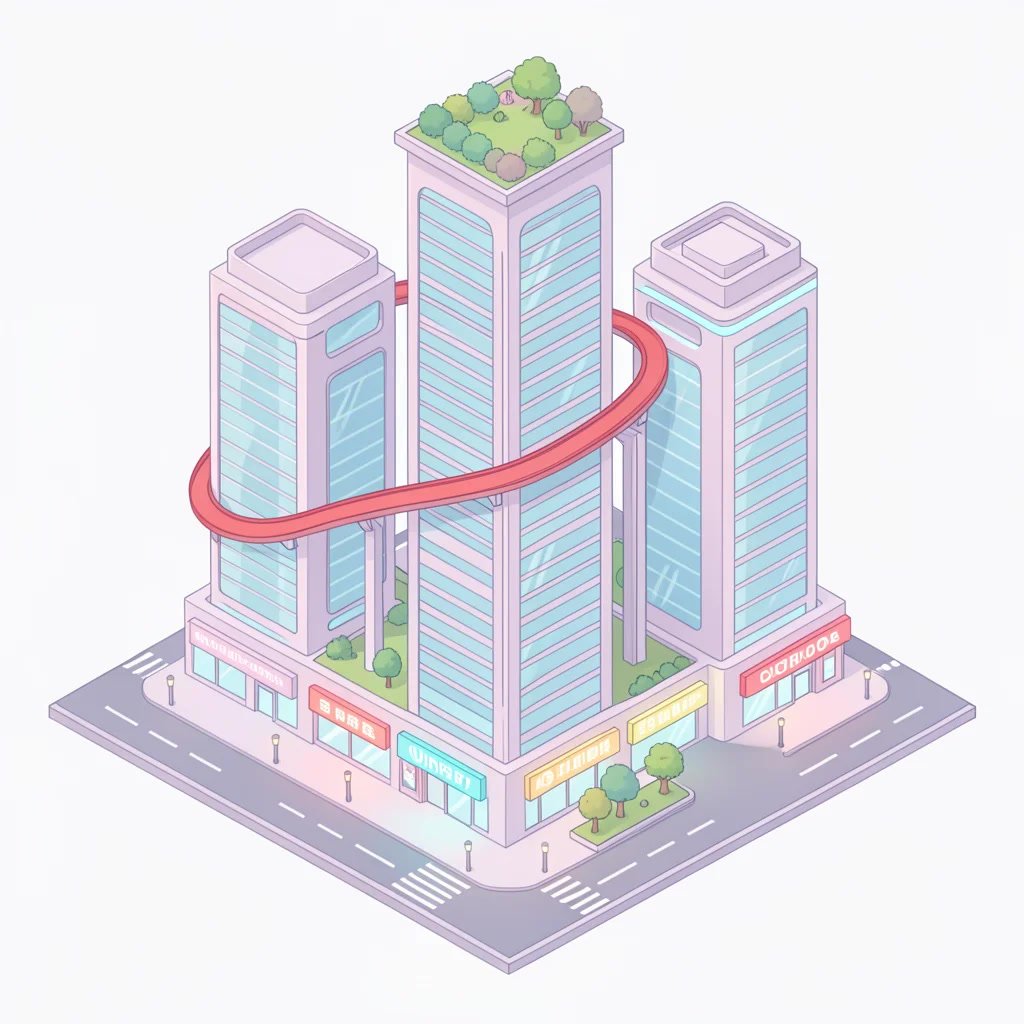
Google positions Ultra as the tier that follows a prompt most closely. Use it when you list exact counts, colours and positions and need all of them in the frame.
Imagen 4, from its maker
Official release video by Google DeepMind
Imagen 4
Fast, Standard or Ultra. Five aspect ratios plus auto.
Made for the work you ship
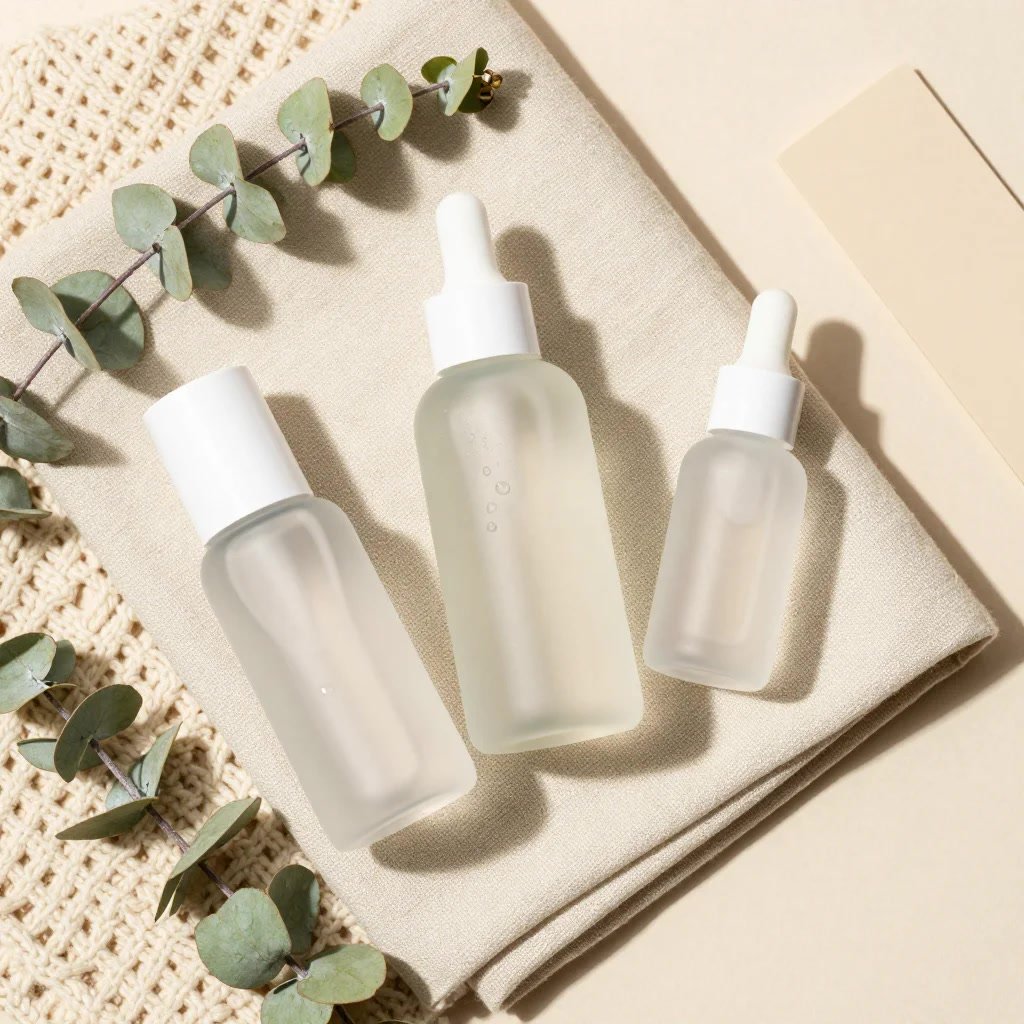
Product shots Packshots on linen, stone or wool, with the material reading true.
Posters and cards Event posters, greeting cards and covers with a short line of text.
Illustration Abstract, vector and isometric styles, not only photos.
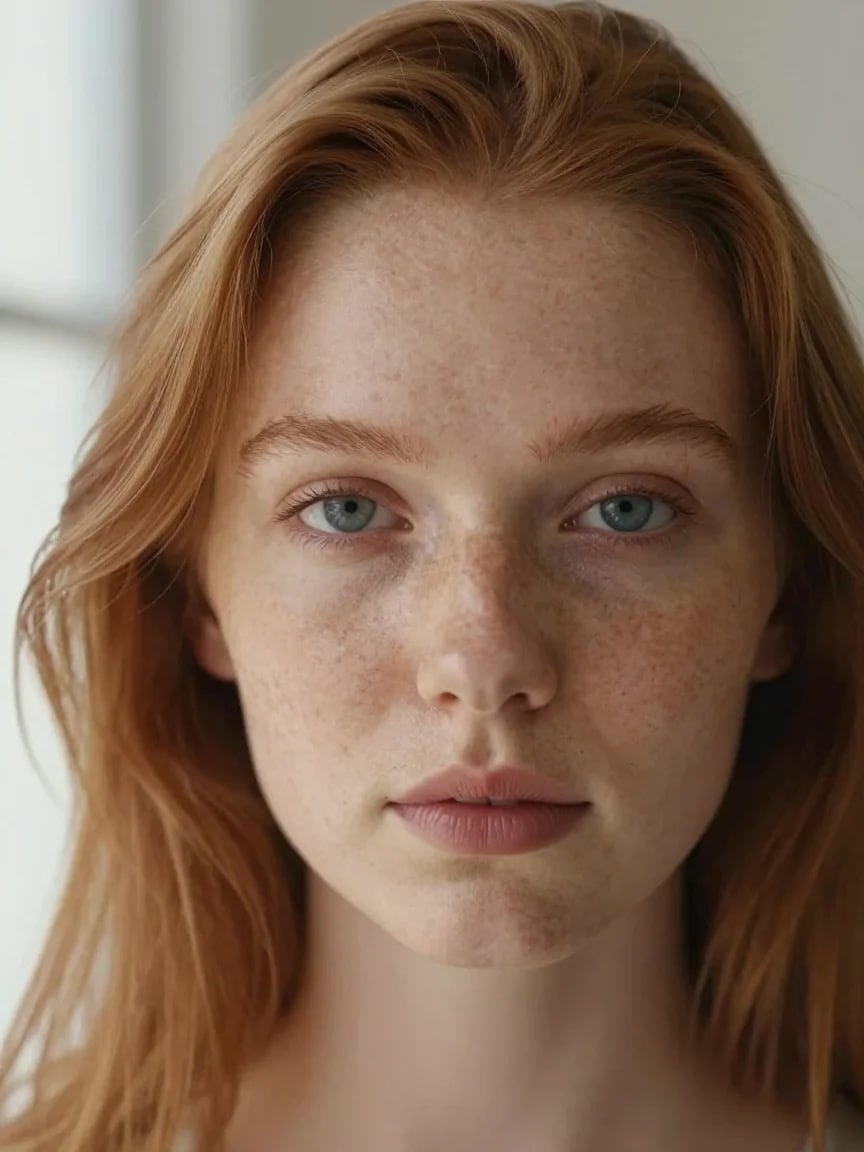
Portraits Skin texture, freckles and soft window light.
Nature and travel Landscapes and macro shots where water and light carry the image.
Why pick Imagen 4
- 3 tiersFast, Standard, UltraOne model, three trade-offs between speed and detail.
- DetailFabric, droplets, furThe textures Google singled out at launch.
- TextBetter spellingFor short words on cards, posters and comics.
- 5 + autoAspect ratios1:1, 4:3, 3:4, 16:9 and 9:16, or let it choose.
- SynthIDInvisible watermarkGoogle marks every Imagen 4 image as AI-made.
- No setupNo Google CloudNo API key or billing account. Just your PicX credits.
What Imagen 4 costs
Billed per image, at the resolution you pick. The same prices the generator shows before you run it.
- 1K12credits / imageOn Starter≈ 300 images / mo
- 2K24credits / imageOn Starter≈ 150 images / mo
- 4K35credits / imageOn Starter≈ 102 images / mo
Every model on every planCredits never expireSee plans
Pay for Imagen 4 with crypto
Buy credits with Bitcoin, USDT, USDC, ETH, Solana and more — no card, nothing auto-renews, packs from $5, and 15% extra credits on crypto payments.
Imagen 4 Fast, Standard or Ultra?
Same model family, same prompt box. The Quality setting picks the tier, and with it the speed, the detail and the price.
Imagen 4 only creates from text. To edit a photo or use reference images, use a Nano Banana model. Negative prompts and fixed seeds are not available on PicX yet. Live credit prices are in the pricing table.
How to use Imagen 4 in 3 steps
- 1
Describe the image
Imagen 4 works from text alone, so the prompt is everything: subject, material, light, lens or art style. Put any words you want printed in quotes and keep them short.
- 2
Choose the quality tier
Fast for quick drafts and batches, Standard for most finished work, Ultra when the prompt has many parts or the detail has to be at its best.
- 3
Pick a shape and generate
Choose square, landscape, portrait or auto, generate, then rework the prompt on the version you like. Iterating on Fast first keeps it cheap.
Imagen 4 prompts to copy
Real prompts and what they made. Copy one, or open it in the generator with the model already picked.
Alpine lake at sunrise
Macro of dew drops beading on alpine grass at the edge of a mirror-still mountain lake at sunrise, snowy peaks soft in the background, each drop catching the orange light, shallow depth of field, landscape photography
Skincare flat lay
Flat lay of three frosted-glass skincare bottles resting on folded oatmeal linen and a chunky cream wool knit, a few water droplets on the glass, eucalyptus sprigs, soft side light showing the weave, beige palette, product photography
Isometric city
Isometric illustration of one futuristic city block: exactly three towers, a rooftop garden on the tallest, a red monorail curving between them, five glowing shop signs at street level, a tiny park with two trees, clean vector style, pastel palette
Jazz festival poster
Screen-printed poster with the headline 'RIVERSIDE JAZZ NIGHT' in bold mid-century letters, a smaller line '12 July' underneath, a saxophone silhouette, orange and navy inks, visible paper grain
Templates to start from
Browse all templates







Imagen 4 questions
What is Imagen 4?
Imagen 4 is Google DeepMind's text-to-image model, unveiled at Google I/O 2025. Google highlighted sharper fine detail, such as fabric, water droplets and fur, much better spelling of text in images, and strength in both photoreal and abstract styles. It comes in three tiers: Fast, Imagen 4 (Standard) and Ultra.
What is the difference between Imagen 4 Fast, Standard and Ultra?
Fast is the quick, low-cost tier Google aimed at high-volume work. Standard is the flagship for everyday images and text. Ultra is the tier Google says gives the most detail and follows prompts most closely, and it costs the most. On PicX Studio you pick the tier with the Quality setting: Fast, Standard or Ultra.
Is Imagen 4 Nano Banana?
No. They are separate Google model lines. Imagen 4 is a dedicated text-to-image model. Nano Banana is the Gemini image family, which also edits photos you upload and works with reference images. Google now points Gemini API developers to Nano Banana as Imagen's replacement, but Imagen 4 still runs on PicX Studio.
Imagen 4 vs Nano Banana Pro: which is better?
It depends on the job. For a new image from a written prompt, Imagen 4 is a focused choice, and its Fast tier keeps drafts cheap. If you need to edit a photo, keep a face or product consistent, or work from reference images, use Nano Banana Pro or Nano Banana 2.1, because Imagen 4 on PicX takes text only.
Is Imagen 4 free?
Not on PicX Studio: all three tiers are paid in credits, charged per image. The cheapest way in is the Fast tier, so test a prompt there before you spend more on Standard or Ultra. Your sign-up gift is a single free image from Nano Banana 2, not from Imagen 4.
Is Imagen 4 in Gemini?
Imagen 4 arrived in the Gemini app at I/O 2025. Since then Google's AI Studio docs have moved Imagen to legacy status, say it is shut down in the Gemini API and tell developers to switch to Nano Banana. On PicX Studio you can still use all three Imagen 4 tiers, with no Google account or API key.
Imagen 4 vs Imagen 3: what changed?
Google's launch notes point to three things: clearer fine detail, much better text rendering, and output up to 2K in many aspect ratios. Google also announced a Fast variant it said would be up to 10 times faster than Imagen 3. Imagen 3 is not offered on PicX.
How do I write good Imagen 4 prompts?
Be concrete about the subject, the material, the light and the style, for example 'frosted glass on folded linen, soft side light'. Put any words you want in the image in quotes and keep them to a few words. For prompts with exact counts and positions, use Ultra. Draft on Fast, then switch tiers for the final.

Create with Imagen 4
Fast, Standard or Ultra. One prompt, pay per image.