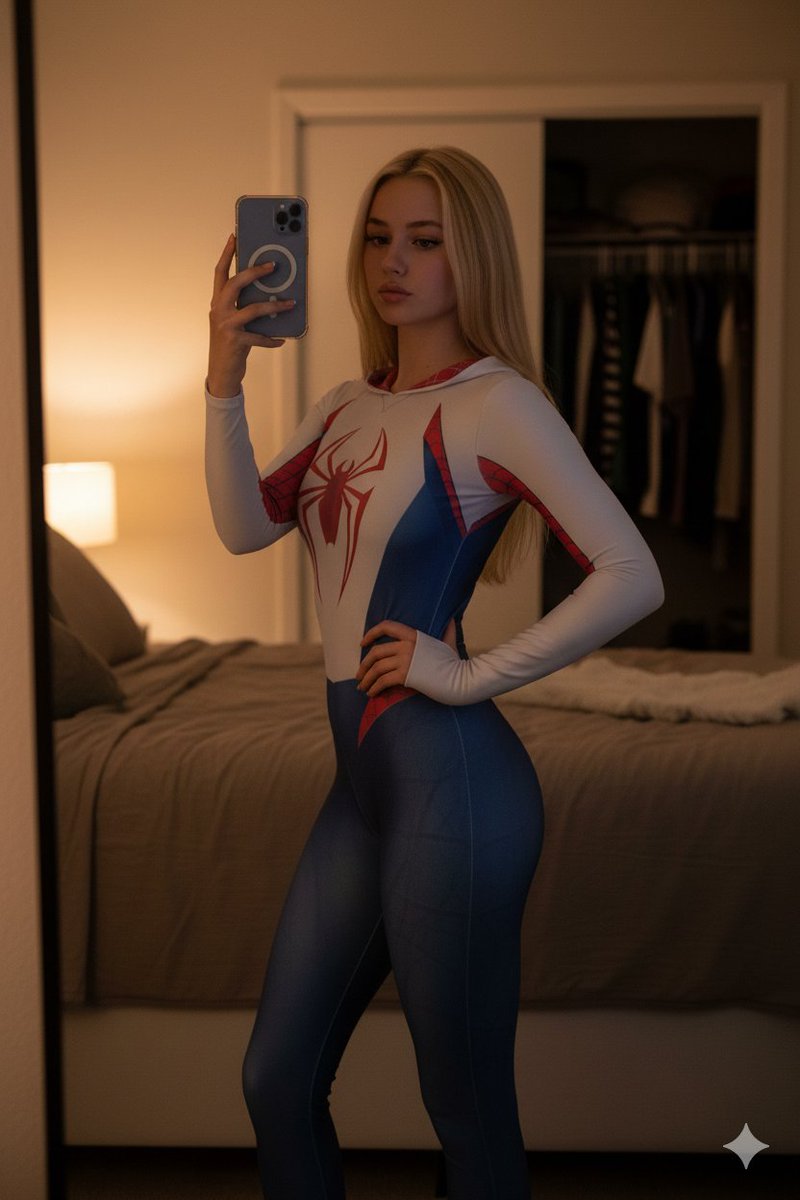
How do I use the Black Spider Girl Mirror Selfie Prompt template?
Choose the primary action to open PicX Studio with the available template settings. Review the model and format, personalize the creative direction, and generate when ready.
A detailed image generation prompt for creating a photorealistic, high-quality mirror selfie of a stunning woman dressed in a form-fitting black symbiote-inspired superhero bodysuit, featuring a prominent white spider emblem. Change the subject, setting, or lighting one variable at a time.

{ "shot": "A tight close-up mirror selfie", "subject": { "appearance": "a stunning woman", "hair": "{argument name="hair style" default="long wavy hair"}", "pose": "sitting casually sideways on a white bathroom vanity counter", "gaze": "looking at the mirror" }, "outfit": { "bodysuit": "form-fitting black symbiote-inspired superhero bodysuit with subtle dark web texturing", "emblem": "{argument name="emblem color and shape" default="prominent white spider emblem"} on the chest" }, "phone": { "device": "black smartphone", "case": "white spider logo case", "action": "holding it up to capture the reflection" }, "environment": { "location": "bathroom", "lighting": "dimly lit with warm, soft indoor lighting", "atmosphere": "intimate atmosphere with soft shadows", "visible_elements": "only a partial section of the white sink basin and counter surface visible at the bottom of the frame", "mirror": "mirror edges are cropped out of view" }, "aesthetic": "high quality, photorealistic, lo-fi social media aesthetic", "makeup": { "blush": "prominent soft pink blush on her cheeks", "finish": "glowy makeup", "highlighter": "on the tip of her nose", "lips": "slightly parted soft warm pink lips" }, "skin": "highly detailed skin texture", "lighting_detail": "even, invisible front illumination that softly brightens the face with neutral white light, no visible light source, no shadows, no reflections, no hotspots", "quality": "no blur" }
Choose the primary action to open PicX Studio with the available template settings. Review the model and format, personalize the creative direction, and generate when ready.
Yes. You can change the subject, setting, lighting, mood, format, and available model controls before creating your image.
This template is free to open and customize. Generation usage is shown in PicX Studio before you create.
Start with Nano Banana 2, which is the model associated with this template. You can compare another compatible model for a different finish.
© 2026 PicX Studio. All rights reserved.

Follow a topic to a crawlable collection of related PicX Studio templates.
43,474 public templates available. Verified via the PicX Studio public templates API; refreshed hourly.
Prompt stories that include this template.


![nano-banana-grwm-mirror-selfie-pink — Nano Banana 2
Prompt (JSON):
{
"type": "image_prompt",
"description": {
"subject": {
"main": "[NAME] com o](/_next/image?url=https%3A%2F%2Fcdn.picxstudio.com%2Fuploads%2Ftweet_img_10a_612da6f9-cf6d-417e-bdd5-cc1300d1d830.jpg&w=828&q=100)














![Naive doodle-style subject illustration — A doodle-style {argument name="subject" default="[subject]"}, naive lines, humorous shape exaggeration](https://pbs.twimg.com/media/G6Wl2YxbsAARB2b.jpg)











![Manga Street Racing Illustration — High-energy color manga-style street racing illustration of a modified {argument name="car model" default="[CAR MODEL]"} in {](https://cms-assets.youmind.com/media/1777280763143_qazho8_HGzxbT7bIAAO_6w.jpg)