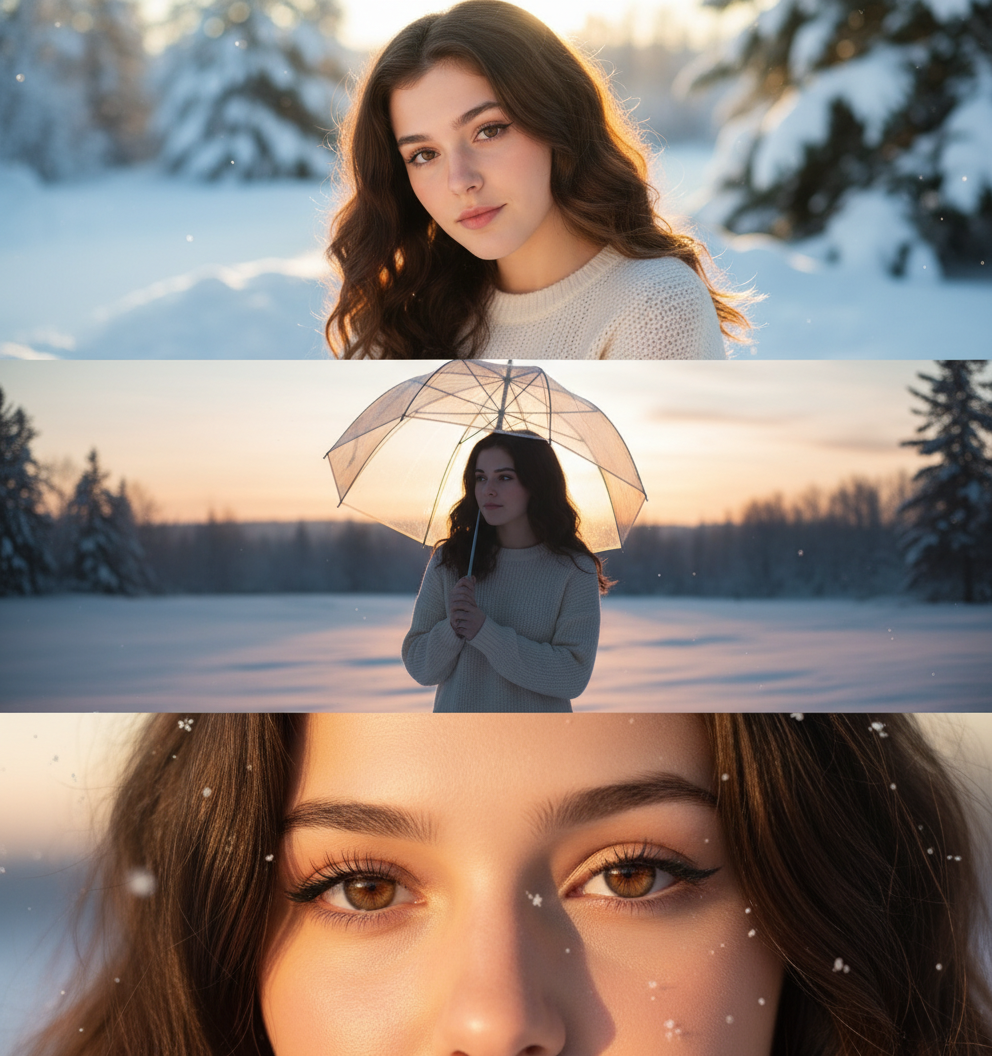
Winter Portrait Collage 2
Sample Prompt
“Ultra-realistic winter portrait collage of the uploaded image. Top panel: warm backlit close-up as the winter sun hits the snow behind her, soft rim light around her hair. Middle panel: full-body silhouette against the glowing snowy horizon, umbrella creating a soft halo effect. Bottom panel: close-up of her eyes illuminated by golden winter light, delicate airborne snowflakes visible
Use This Template
Click to start creating with this template
About Winter Portrait Collage 2
“Ultra-realistic winter portrait collage of the uploaded image. Top panel: warm backlit close-up as the winter sun hits the snow behind her, soft rim light around her hair. Middle panel: full-body silhouette against the glowing snowy horizon, umbrella creating a soft halo effect. Bottom panel: close-up of her eyes illuminated by golden winter light, delicate airborne snowflakes visible Features: 100% free. PicXStudio's AI-powered template for instant image generation.
This AI image template is designed to help you create professional Winter Portrait Collage 2 images quickly. Simply use the provided prompt as a starting point, customize it to your needs, and generate stunning AI images in seconds.