How do I use the Supernatural museum horror-comedy template?
Edit the prompt in the box under the preview — the template's model and format are already selected — and press Generate. Your version appears right on this page.
A long-form scripted prompt for a 15-second comedy scene featuring a pharaoh cat and a haunted museum exhibit.
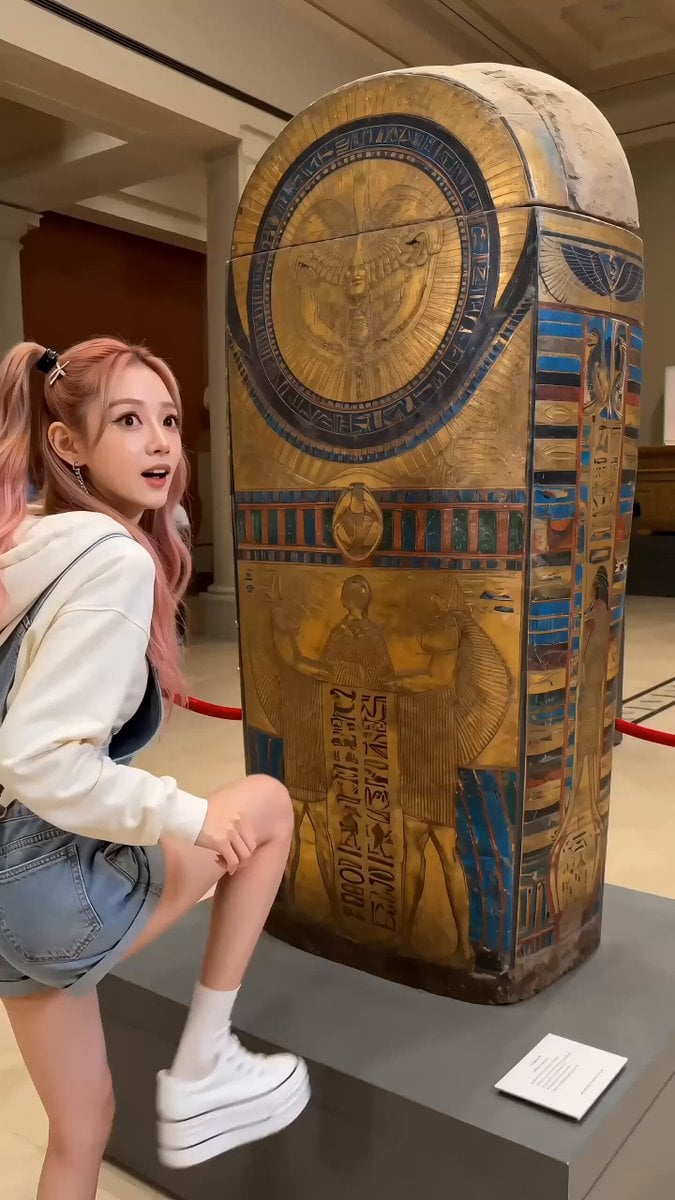
FORMAT: 15s / 155 BPM / MULTI-CUT / Seedance 2 / 3D supernatural museum comedy STYLE: Fast horror-comedy pacing, haunted museum atmosphere, exaggerated character animation, slapstick myth revival SUBJECTS: Orange cat pharaoh (arrogant, chaotic energy). White cat queen statue (regal, suddenly awakened, powerful). White rabbits (modern tourists, diverse reactions: panic, shouting, filming). ENVIRONMENT: The Metropolitan Museum of Art, Ancient Egypt wing → glass display cases, ancient artifacts, dim exhibition lighting → sudden blackout storm atmosphere inside museum MOOD: Calm museum → supernatural glitch → comedic possession chaos → authority restoration COLOR LOGIC: Warm museum gold → sudden cold blackout → glowing gold aura → normal neutral lighting restore CAMERA: Rapid cinematic cuts, handheld panic effect during blackout, dramatic push-ins for possession moment, whip pans for chase SCENE: 1. Wide shot. Metropolitan Museum Ancient Egypt gallery. Glass cases, statues, artifacts. White rabbits in casual tourist clothes calmly observing. 2. Insert shot. Ancient painting: orange cat wearing pharaoh attire, staring directly at viewer with arrogant expression. Nearby: white cat queen statue holding ceremonial staff, frozen and majestic. 3. Calm museum ambience. Tourists whisper. One rabbit says: “Wow… this place is creepy cool.” 4. Suddenly lightning outside. Thunder hits. Camera shakes slightly. 5. Lights flicker rapidly. Museum illumination stutters like a horror film. 6. Blackout. Full darkness. Rabbits scream: “What the hell?!” “This is not part of the exhibit!” Panic spreads. 7. In darkness, painting eyes of orange cat glow golden. Close-up: eyes ignite. 8. Painting ripples. Orange cat steps out of frame into real world like liquid canvas. 9. He stretches, looks around: “Finally… fresh air.” 10. He notices white cat queen statue. Walks over, waves hand in front of her face. 11. Orange cat sighs in relief: “Ah… so the queen is dead. I’m free now!” 12. He suddenly hugs random white rabbit tourists. One rabbit screams: “Sir?! Please don’t—” 13. Comedic escalation. Orange cat kisses a rabbit dressed as WWI nurse, holding her waist dramatically. Rabbit shouts: “I did NOT sign a consent form for this timeline!” 14. Flash of golden light. White cat queen statue reactivates, eyes glowing. She awakens mid-motion. 15. She sees chaos, enraged, yells: “ORANGE, what are you doing?!” 16. Instant reaction cut. Orange cat freezes, panics: “Oh no.” 17. He dives backward into the painting frame. White cat follows immediately, jumping in after him. 18. Lightning stops. Museum lights snap back to normal. Calm returns abruptly. 19. Final wide shot inside painting world: orange cat kneeling inside frame, terrified. White cat grabs his left ear firmly, dragging him down. She growls: “You ruined my museum, idiot.
FORMAT: 15s / 155 BPM / MULTI-CUT / Seedance 2 / 3D supernatural museum comedy STYLE: Fast horror-comedy pacing, haunted museum atmosphere, exaggerated character animation, slapstick myth revival SUBJECTS: Orange cat pharaoh (arrogant, chaotic energy). White cat queen statue (regal, suddenly awakened, powerful). White rabbits (modern tourists, diverse reactions: panic, shouting, filming). ENVIRONMENT: The Metropolitan Museum of Art, Ancient Egypt wing → glass display cases, ancient artifacts, dim exhibition lighting → sudden blackout storm atmosphere inside museum MOOD: Calm museum → supernatural glitch → comedic possession chaos → authority restoration COLOR LOGIC: Warm museum gold → sudden cold blackout → glowing gold aura → normal neutral lighting restore CAMERA: Rapid cinematic cuts, handheld panic effect during blackout, dramatic push-ins for possession moment, whip pans for chase SCENE: 1. Wide shot. Metropolitan Museum Ancient Egypt gallery. Glass cases, statues, artifacts. White rabbits in casual tourist clothes calmly observing. 2. Insert shot. Ancient painting: orange cat wearing pharaoh attire, staring directly at viewer with arrogant expression. Nearby: white cat queen statue holding ceremonial staff, frozen and majestic. 3. Calm museum ambience. Tourists whisper. One rabbit says: “Wow… this place is creepy cool.” 4. Suddenly lightning outside. Thunder hits. Camera shakes slightly. 5. Lights flicker rapidly. Museum illumination stutters like a horror film. 6. Blackout. Full darkness. Rabbits scream: “What the hell?!” “This is not part of the exhibit!” Panic spreads. 7. In darkness, painting eyes of orange cat glow golden. Close-up: eyes ignite. 8. Painting ripples. Orange cat steps out of frame into real world like liquid canvas. 9. He stretches, looks around: “Finally… fresh air.” 10. He notices white cat queen statue. Walks over, waves hand in front of her face. 11. Orange cat sighs in relief: “Ah… so the queen is dead. I’m free now!” 12. He suddenly hugs random white rabbit tourists. One rabbit screams: “Sir?! Please don’t—” 13. Comedic escalation. Orange cat kisses a rabbit dressed as WWI nurse, holding her waist dramatically. Rabbit shouts: “I did NOT sign a consent form for this timeline!” 14. Flash of golden light. White cat queen statue reactivates, eyes glowing. She awakens mid-motion. 15. She sees chaos, enraged, yells: “ORANGE, what are you doing?!” 16. Instant reaction cut. Orange cat freezes, panics: “Oh no.” 17. He dives backward into the painting frame. White cat follows immediately, jumping in after him. 18. Lightning stops. Museum lights snap back to normal. Calm returns abruptly. 19. Final wide shot inside painting world: orange cat kneeling inside frame, terrified. White cat grabs his left ear firmly, dragging him down. She growls: “You ruined my museum, idiot.
Edit the prompt in the box under the preview — the template's model and format are already selected — and press Generate. Your version appears right on this page.
Yes. You can change the subject, setting, lighting, mood, format, and available model controls before creating your video.
Opening and editing this template is free. Generating uses credits, shown on the Generate button when you are signed in.
Start with Seedance 2.0, which is the model associated with this template. You can compare another compatible model for a different finish.
Follow a topic to a crawlable collection of related PicX Studio templates.