How do I use the Destroyed Gwanghwamun Gate Cinematic Battle template?
Edit the prompt in the box under the preview — the template's model and format are already selected — and press Generate. Your version appears right on this page.
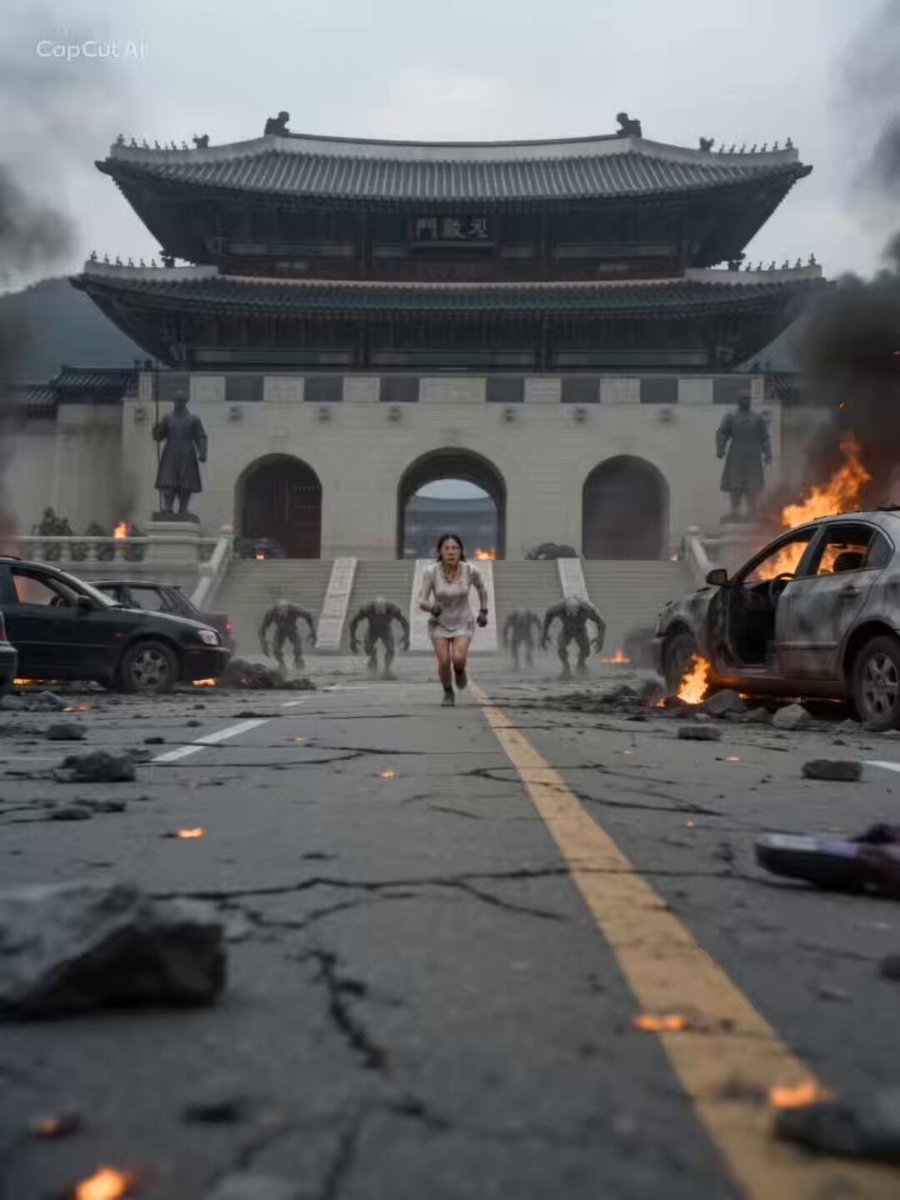
A detailed cinematic action sequence featuring a character in a modular exosuit fighting monsters in the ruins of a historic Korean landmark.
Ultra-realistic cinematic scene at a destroyed Gwanghwamun Gate. Cracked roads, burning vehicles, debris, and smoke fill the square. Damaged statues of Sejong the Great and Yi Sun-sin in background. Handheld camera, shallow depth, motion blur, heavy impacts, sparks, no fantasy effects. [Character] Asian female (exact match to @image_1), torn white dress, covered in dust, calm and focused. [Armor] Modular exosuit (purple + silver-teal from @image_2). Pieces fly in and lock with metallic precision, sparks, and impact sounds. [Enemies] Fast grey-black beasts with claws and glowing red eyes attacking from all sides. Shots (0–15s) 0–2s: Wide shot. Hero runs through ruins as monsters chase. Armor pieces approach fast. 2–6s: Boots, legs, waist, torso attach mid-run with metallic locks. 6–9s: Helmet seals. Purple energy glows. Camera orbits as enemies close in. 9–15s: Combat—punch sends one flying, second thrown into explosion, final hit creates ground shockwave. Hero ends in a half-kneeling pose.
Ultra-realistic cinematic scene at a destroyed Gwanghwamun Gate. Cracked roads, burning vehicles, debris, and smoke fill the square. Damaged statues of Sejong the Great and Yi Sun-sin in background. Handheld camera, shallow depth, motion blur, heavy impacts, sparks, no fantasy effects. [Character] Asian female (exact match to @image_1), torn white dress, covered in dust, calm and focused. [Armor] Modular exosuit (purple + silver-teal from @image_2). Pieces fly in and lock with metallic precision, sparks, and impact sounds. [Enemies] Fast grey-black beasts with claws and glowing red eyes attacking from all sides. Shots (0–15s) 0–2s: Wide shot. Hero runs through ruins as monsters chase. Armor pieces approach fast. 2–6s: Boots, legs, waist, torso attach mid-run with metallic locks. 6–9s: Helmet seals. Purple energy glows. Camera orbits as enemies close in. 9–15s: Combat—punch sends one flying, second thrown into explosion, final hit creates ground shockwave. Hero ends in a half-kneeling pose.
Edit the prompt in the box under the preview — the template's model and format are already selected — and press Generate. Your version appears right on this page.
Yes. You can change the subject, setting, lighting, mood, format, and available model controls before creating your video.
Opening and editing this template is free. Generating uses credits, shown on the Generate button when you are signed in.
Start with Seedance 2.0, which is the model associated with this template. You can compare another compatible model for a different finish.
Follow a topic to a crawlable collection of related PicX Studio templates.