How do I use the Cinematic Scale-Shifting Sequence template?
Edit the prompt in the box under the preview — the template's model and format are already selected — and press Generate. Your version appears right on this page.
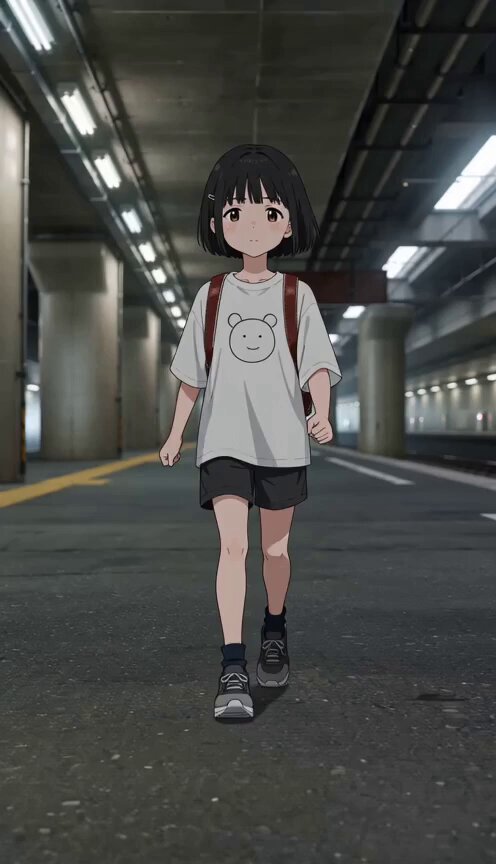
A detailed multi-shot timeline prompt for Seedance 2.0 featuring a Japanese schoolgirl undergoing multiple scale transitions while navigating a park environment.
photrealism movie style 0:00 – 0:02 EXT. PARK – DAY – TREE BRANCH A Japanese schoolgirl crouches on a branch— She launches forward decisively. Camera dives with her. 0:02 – 0:04 0:02 – 0:04 FREE FALL → PICNIC TABLE She drops fast toward a picnic table— IMPACT— The moment she hits— Scale snap: she’s now tiny (soda-can size). Table surface becomes a vast landscape with food and drinks. she imideatielly runs in the same direction she landed, between the food items at high speed 0:04 – 0:06 TABLE SURFACE – CONTINUOUS MOTION A bee rockets past— She lands onto its back fcing forward in riding position mid-flight— Scale snap: now same size as the bee. 0:06 – 0:09 BEE FLIGHT – HIGH SPEED The bee darts forward aggressively— She clings tight as they weave at high speed between the legs of people walking— Shoes slam down around them like obstacles. Wind blasts her hair back. 0:09 – 0:11 SLOW-MOTION SCENE She clings to the bee as they are flying through kids having a waterballon fight 0:11 – 0:12.5 normal speed the bee rockets trough the legs of a group of cheerleaders standing in a row 0:12.5 – 0:13.5 She jumps off the bee. Scale snap: now she is normal human size again she falls into the open arms of a male student and they are both same size now 0:13.5 – 0:15 she hugs the male student and winks at the camera
photrealism movie style 0:00 – 0:02 EXT. PARK – DAY – TREE BRANCH A Japanese schoolgirl crouches on a branch— She launches forward decisively. Camera dives with her. 0:02 – 0:04 0:02 – 0:04 FREE FALL → PICNIC TABLE She drops fast toward a picnic table— IMPACT— The moment she hits— Scale snap: she’s now tiny (soda-can size). Table surface becomes a vast landscape with food and drinks. she imideatielly runs in the same direction she landed, between the food items at high speed 0:04 – 0:06 TABLE SURFACE – CONTINUOUS MOTION A bee rockets past— She lands onto its back fcing forward in riding position mid-flight— Scale snap: now same size as the bee. 0:06 – 0:09 BEE FLIGHT – HIGH SPEED The bee darts forward aggressively— She clings tight as they weave at high speed between the legs of people walking— Shoes slam down around them like obstacles. Wind blasts her hair back. 0:09 – 0:11 SLOW-MOTION SCENE She clings to the bee as they are flying through kids having a waterballon fight 0:11 – 0:12.5 normal speed the bee rockets trough the legs of a group of cheerleaders standing in a row 0:12.5 – 0:13.5 She jumps off the bee. Scale snap: now she is normal human size again she falls into the open arms of a male student and they are both same size now 0:13.5 – 0:15 she hugs the male student and winks at the camera
Edit the prompt in the box under the preview — the template's model and format are already selected — and press Generate. Your version appears right on this page.
Yes. You can change the subject, setting, lighting, mood, format, and available model controls before creating your video.
Opening and editing this template is free. Generating uses credits, shown on the Generate button when you are signed in.
Start with Seedance 2.0, which is the model associated with this template. You can compare another compatible model for a different finish.
Follow a topic to a crawlable collection of related PicX Studio templates.