How do I use the Miniature City Flood Soundstage template?
Edit the prompt in the box under the preview — the template's model and format are already selected — and press Generate. Your version appears right on this page.
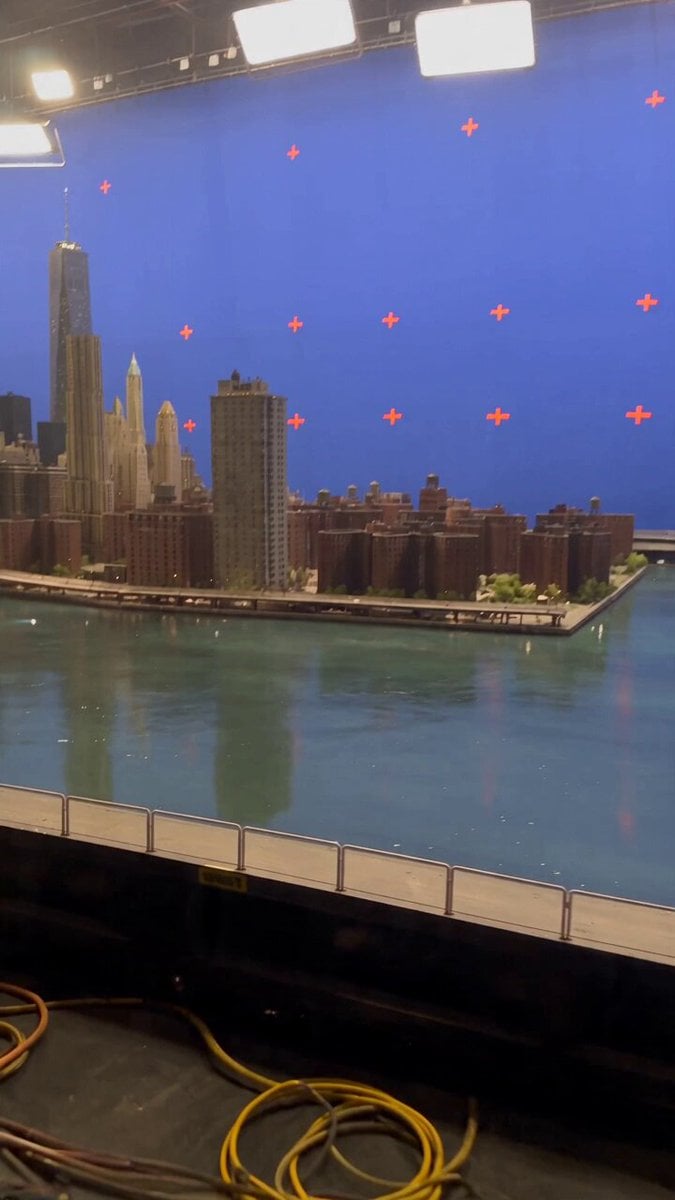
Seedance 2.5 prompt - Behind-the-scenes flood: miniature city in water tank on soundstage, sluice gate opens wiping out financial district.

A miniature city in a water tank on a soundstage, sluice gate opens, whole thing gets wiped out. The financial district towers stand between four and nine metres tall, and the crew walking the catwalks alongside them are dwarfed. The tank is set into the stage floor - never on a table, trestles, benches or any raised surface. The model buildings are taller than the crew, always. No references. Just prompt. The entire thing rides on scale - the model has to feel enormous, which means the crew have to read as tiny. Then you defend it, because the model will quietly shrink it into a tabletop diorama if you let it.
A miniature city in a water tank on a soundstage, sluice gate opens, whole thing gets wiped out. The financial district towers stand between four and nine metres tall, and the crew walking the catwalks alongside them are dwarfed. The tank is set into the stage floor - never on a table, trestles, benches or any raised surface. The model buildings are taller than the crew, always. No references. Just prompt. The entire thing rides on scale - the model has to feel enormous, which means the crew have to read as tiny. Then you defend it, because the model will quietly shrink it into a tabletop diorama if you let it.
Edit the prompt in the box under the preview — the template's model and format are already selected — and press Generate. Your version appears right on this page.
Yes. You can change the subject, setting, lighting, mood, format, and available model controls before creating your video.
Opening and editing this template is free. Generating uses credits, shown on the Generate button when you are signed in.
Choose a compatible model in PicX Studio based on the style, speed, and output controls your project needs.
Follow a topic to a crawlable collection of related PicX Studio templates.