How do I use the Butterfly Swarm to Ethereal Dancer Loop template?
Edit the prompt in the box under the preview — the template's model and format are already selected — and press Generate. Your version appears right on this page.
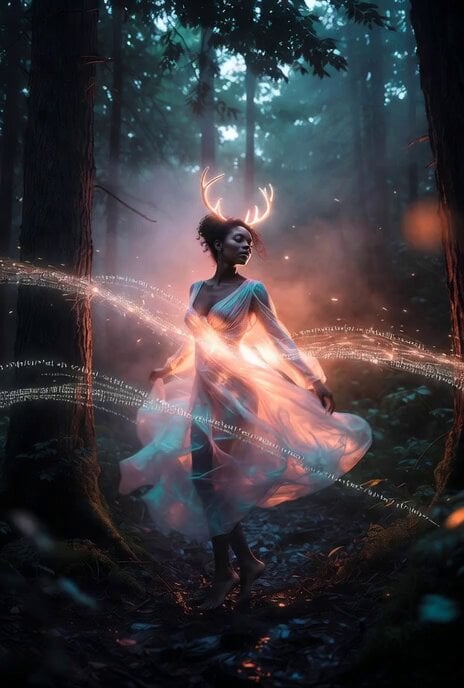
A stable cinematic prompt for Seedance 2.0 that features a swarm of butterflies materializing into a dancing woman before shattering back into butterflies for a seamless loop.
Cinematographic video, 8 seconds. Picking up from the swirling vortex of glowing blue morpho butterflies. The massive cloud of butterflies rapidly converges into a dark, foggy void. In a flash of ethereal light, the swarm materializes a stunning woman wearing an elegant deep-blue evening gown embroidered with shimmering butterflies. She possesses massive, majestic, glowing blue morpho wings. As she materializes, she begins a fluid, expressive contemporary dance. Her movements are graceful and emotive, with long, sweeping arm gestures that mimic the flow of the butterflies. The camera performs a slow, orbit around her, capturing the swirling fabric of her dress and the iridescent light from her wings. She performs a slow, elegant pirouette, her wings softly beating in sync with her dance. Just as the dance reaches its peak, she gracefully sweeps her wings forward, and her entire form instantly shatters back into a massive vortex of thousands of glowing blue butterflies that explode directly toward the camera lens, filling the entire screen. The final frame of the video is identical to the first frame, creating a perfect, seamless looping effect. Surreal masterpiece, hyper-realistic physics, 8k. RULES: THE WOMAN'S BODY MUST REMAIN A SOLID, STABLE 3D STRUCTURE. THERE MUST BE NO UNNATURAL DISTORTION OR DEFORMATION OF HER TORSO RELATIVE TO HER WINGS DURING THE CAMERA ORBIT.
Cinematographic video, 8 seconds. Picking up from the swirling vortex of glowing blue morpho butterflies. The massive cloud of butterflies rapidly converges into a dark, foggy void. In a flash of ethereal light, the swarm materializes a stunning woman wearing an elegant deep-blue evening gown embroidered with shimmering butterflies. She possesses massive, majestic, glowing blue morpho wings. As she materializes, she begins a fluid, expressive contemporary dance. Her movements are graceful and emotive, with long, sweeping arm gestures that mimic the flow of the butterflies. The camera performs a slow, orbit around her, capturing the swirling fabric of her dress and the iridescent light from her wings. She performs a slow, elegant pirouette, her wings softly beating in sync with her dance. Just as the dance reaches its peak, she gracefully sweeps her wings forward, and her entire form instantly shatters back into a massive vortex of thousands of glowing blue butterflies that explode directly toward the camera lens, filling the entire screen. The final frame of the video is identical to the first frame, creating a perfect, seamless looping effect. Surreal masterpiece, hyper-realistic physics, 8k. RULES: THE WOMAN'S BODY MUST REMAIN A SOLID, STABLE 3D STRUCTURE. THERE MUST BE NO UNNATURAL DISTORTION OR DEFORMATION OF HER TORSO RELATIVE TO HER WINGS DURING THE CAMERA ORBIT.
Edit the prompt in the box under the preview — the template's model and format are already selected — and press Generate. Your version appears right on this page.
Yes. You can change the subject, setting, lighting, mood, format, and available model controls before creating your video.
Opening and editing this template is free. Generating uses credits, shown on the Generate button when you are signed in.
Start with Seedance 2.0, which is the model associated with this template. You can compare another compatible model for a different finish.
Follow a topic to a crawlable collection of related PicX Studio templates.