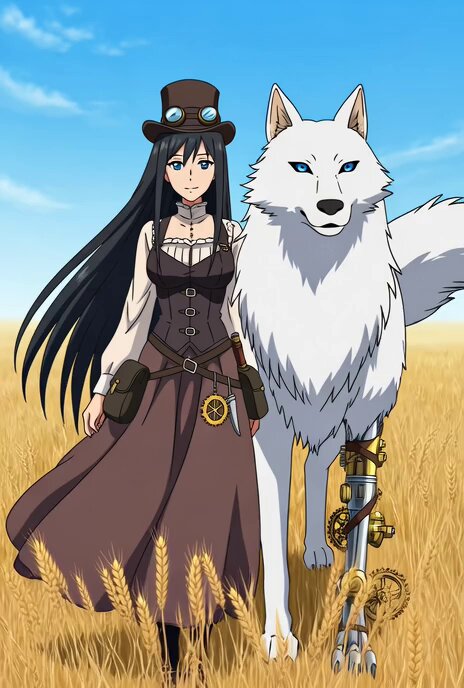
How do I use the Steampunk Aviator Girl vs Mechanical Wolf template?
Edit the prompt in the box under the preview — the template's model and format are already selected — and press Generate. Your version appears right on this page.
A high-energy steampunk animation prompt featuring a girl fleeing from a mechanical wolf in a sky bazaar with stylized visuals.
A bold little girl in a crimson aviator hood, brass goggles, and a satchel of clockwork tools swings into frame in the first two seconds from a dirigible mooring rope as a bronze-fanged mechanical wolf with piston legs bursts through the wall of a sky-bazaar behind her, instantly creating the hook, and the cartoon becomes a fast steampunk fairy-tale action ride through airship docks, gear markets, steam bridges, rooftop rails, and clockwork elevators where the girl fights back with gadgets, grappling lines, exploding tea tins, and spring-loaded tricks while the machine wolf crashes through copper pipes, leaps between rooftops, tears up catwalks, and keeps forcing bigger airborne stunts, all in richly detailed stylized steampunk animation with brass textures, exaggerated motion arcs, warm steam glow, and playful high-energy action, and just as she reaches grandmother's airborne cottage and uses a final wrench throw to disable the wolf its chest hatch pops open and a tiny terrified real wolf cub is found operating the machine from inside.
A bold little girl in a crimson aviator hood, brass goggles, and a satchel of clockwork tools swings into frame in the first two seconds from a dirigible mooring rope as a bronze-fanged mechanical wolf with piston legs bursts through the wall of a sky-bazaar behind her, instantly creating the hook, and the cartoon becomes a fast steampunk fairy-tale action ride through airship docks, gear markets, steam bridges, rooftop rails, and clockwork elevators where the girl fights back with gadgets, grappling lines, exploding tea tins, and spring-loaded tricks while the machine wolf crashes through copper pipes, leaps between rooftops, tears up catwalks, and keeps forcing bigger airborne stunts, all in richly detailed stylized steampunk animation with brass textures, exaggerated motion arcs, warm steam glow, and playful high-energy action, and just as she reaches grandmother's airborne cottage and uses a final wrench throw to disable the wolf its chest hatch pops open and a tiny terrified real wolf cub is found operating the machine from inside.
Edit the prompt in the box under the preview — the template's model and format are already selected — and press Generate. Your version appears right on this page.
Yes. You can change the subject, setting, lighting, mood, format, and available model controls before creating your video.
Opening and editing this template is free. Generating uses credits, shown on the Generate button when you are signed in.
Start with Seedance 2.0, which is the model associated with this template. You can compare another compatible model for a different finish.
Follow a topic to a crawlable collection of related PicX Studio templates.