
Car Guardian Mechanical Transformation Vlog
A cinematic vlog-style prompt where a performance car transforms into a towering humanoid guardian to protect its driver.
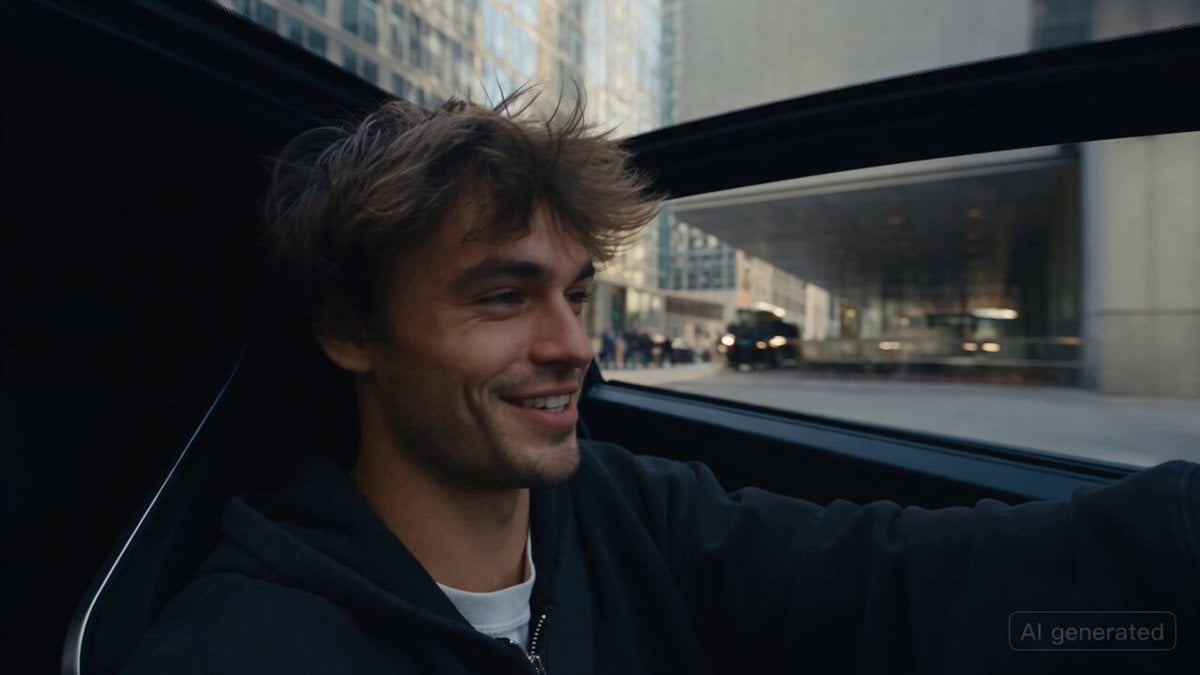
- Prompt included
- Model and format preset
- Free template
The prompt behind this video
Copy the exact prompt behind Car Guardian Mechanical Transformation Vlog, or open it in the studio and make it yours.
CAMERA: Handheld action-camera vlog aesthetic, first-person/selfie POV. The young driver holds the camera inside his vehicle. Natural hand shake, imperfect framing, sudden movements, realistic autofocus, occasional motion blur. The camera itself is never visible. LOOK: Photorealistic cinematic footage, realistic metal reflections, natural lighting, detailed mechanical surfaces, subtle motion blur, believable physics, realistic urban environment. STYLE: Raw, spontaneous action vlog with original sci-fi technology. The scene feels like an unexpected real-life event captured on camera. Mechanical transformation is detailed and believable, with pistons, rotating joints, hydraulic systems, sliding panels and mechanical sounds. Completely original vehicle and machine design; no resemblance to existing movie, game, comic, or franchise characters. CHARACTER: A young man in his 20s wearing casual modern streetwear. He is the owner and driver of the vehicle. Natural appearance and realistic expressions. VEHICLE: An original futuristic black-and-silver performance car with a unique body design, custom headlights, aerodynamic panels and no logos or recognizable branding. The vehicle contains a hidden autonomous mechanical guardian system. SETTING: A busy modern city road with traffic, buildings, pedestrians, streetlights and parked vehicles. Natural daylight and realistic city ambience. SEQUENCE: 1. 0–2 sec: Selfie POV inside the moving car. The young man casually drives through the city while talking to the camera. “Everything was completely normal…” 2. 3–4 sec: Suddenly, a mysterious impact occurs nearby. Vehicles stop and people react naturally. He quickly turns the camera toward the disturbance. 3. 5–6 sec: Another impact hits near his car. The vehicle shakes violently. Warning lights appear on the dashboard while the driver looks confused and frightened. 4. 7–8 sec: The car's hidden mechanical system activates. Interior panels move, the dashboard changes, and powerful mechanical sounds begin. The exterior body starts separating into multiple original mechanical sections. 5. 9–10 sec: The vehicle transforms into a completely original towering humanoid guardian machine. Wheels rotate into articulated legs, body panels reposition into armor, and two powerful mechanical arms unfold. Realistic hydraulics, gears and pistons. 6. 11–12 sec: The driver's seat automatically launches him away from the vehicle as an emergency safety mechanism. He lands safely on the road while looking back in disbelief. 7. 13–14 sec: The guardian machine rapidly reaches down and catches him safely before he falls. It places him behind its armored body, protecting its owner. 8. 15 sec: Final dramatic shot from the driver's POV: the enormous original guardian machine stands between him and the threat. It turns toward the danger while the c
How to use Car Guardian Mechanical Transformation Vlog in 3 steps
- 1
Open
The prompt is already in the box next to the preview, with the template's model and format selected.
- 2…a portrait of your subject in softgolden-hour light, 85mm…
Personalize
Edit the subject and creative details for your destination.
- 3Generate
Generate
Press Generate — your video is created in PicX Studio, so you can compare it with the original and refine one variable at a time.
More like this
Templates with the same subject, style or setup. Open one to see its prompt.
Watch to Mechanical Butterfly Transformation Prompt

Mechanical Merlion Transformation ASMR

Mediterranean Coffee Run Vlog - Seedance 2.5

Mysterious Home Exploration Vlog - Seedance 2.5

Magical Room Transformation - Seedance 2.5

Dark Tokusatsu Transformation - Seedance 2.5

Realistic Morning Routine Lifestyle Vlog - Seedance 2.5

Handheld Tokyo Travel Vlog - Seedance 2.5

Nostalgic MiniDV Convenience Store Vlog - Seedance 2.5

Mediterranean Morning Coffee Run Vlog (Seedance 2.5)

RX-7 to Mech Transformation Cyberpunk

Mechanical Flower Bloom Brand Film
Make it yours
Car Guardian Mechanical Transformation Vlog works as-is. These are the safest ways to change it without losing the look.
Change one field
Copy a single group, rewrite it, and generate again so you can see what that field is doing.
Keep the frame, change the subject
Hold the composition and light of Car Guardian Mechanical Transformation Vlog, then swap wardrobe, props or the person for a new take.
| If the result… | Why | Fix |
|---|---|---|
| The result drifts from the preview | Too many fields changed at once. | Reuse Car Guardian Mechanical Transformation Vlog as-is first, then change one group — subject, light, or setting. |
| The model over-stylizes the scene | The prose prompt leaves finish and camera underspecified. | Add one camera or lighting sentence and stay on Seedance 2.0. |
More Seedance 2.0 templates
Other prompts made for Seedance 2.0.

Comical Martial Arts Punch Scene

Maglev Train Action Sequence

Martial Arts Fight Sequence

Wuxia Protection and Trust Script

Vintage Korean Arcade MiniDV Vlog

Mercedes 190 SL Luxury Ad

Rainy Night Supernatural Reverse Comedy Video Script

Amazon Civilization Discovery

Futuristic South Asian City Transformation

Cozy Luxury Cafe Commercial
More video prompts
Fresh picks from across the catalog.
The Moment It Sees Him (Close-up Shot)
School Monster Transformation Battle

Neon Cardinal Birds Swooping
Cinematic Invisible Woman Storyboard
Audi A7 Morning Commute Commercial
Family Balloon Flight with Static Elements

Luxury Skincare Cinematic Ad
Fantasy Comedy Slap From Painting
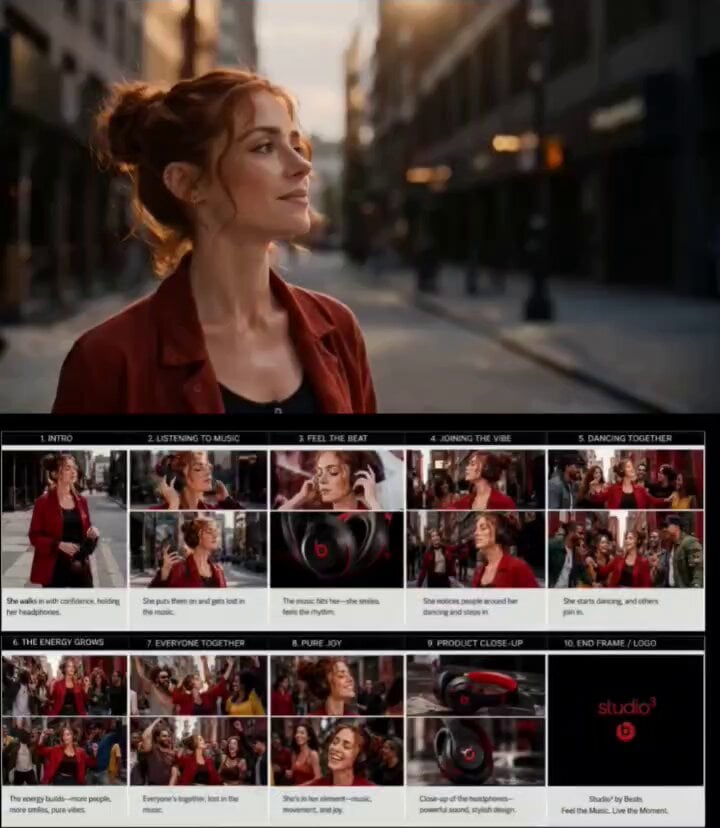
Urban Street Dance Commercial
Beat-Synced Routine Video Prompt with Character Reference
Browse template categories
Car Guardian Mechanical Transformation Vlog questions
How do I use the Car Guardian Mechanical Transformation Vlog template?
Add your photo if the template asks for one, edit the prompt if you like — the template's model and format are already selected — and press Generate. Your version opens in PicX Studio.
Can I customize the Car Guardian Mechanical Transformation Vlog template?
Yes. You can change the subject, setting, lighting, mood, format, and available model controls before creating your video.
Is the Car Guardian Mechanical Transformation Vlog template free?
Opening and editing this template is free. Generating uses credits, shown on the Generate button when you are signed in.
Which AI model should I use?
Start with Seedance 2.0, which is the model associated with this template. You can compare another compatible model for a different finish.
Looking for something else? Browse all templates.

Your photo, any look
Thousands of ready templates for every top image and video model, from one credit balance.