How do I use the Harbor Break Run Cinematic Pursuit template?
Edit the prompt in the box under the preview — the template's model and format are already selected — and press Generate. Your version appears right on this page.
A highly structured, multi-shot prompt for Seedance 2.0 detailing a 15-second cinematic pursuit sequence in an industrial harbor setting.
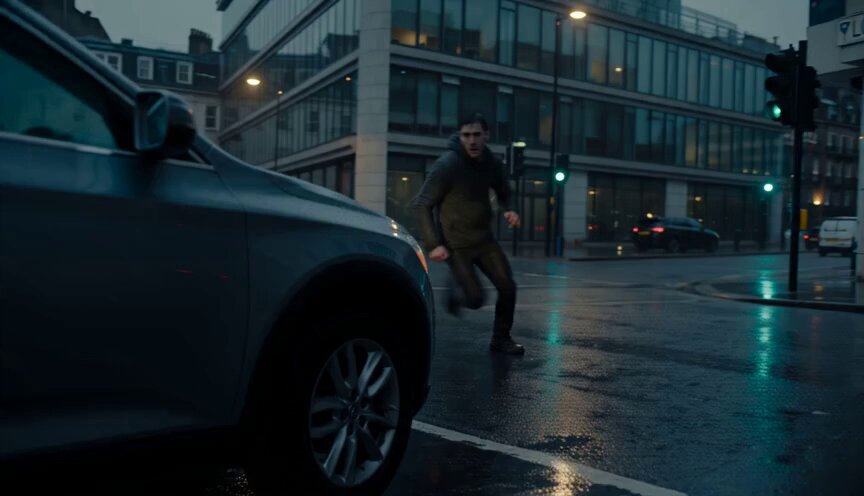
Harbor Break Run FORMAT: 15s / 6 SHOTS / grounded cinematic pursuit / no dialogue STYLE: Industrial harbor at blue hour, wet concrete, sodium-vapor lamps, soft fog, practical lens flares, restrained color palette, photoreal 35mm Shot 01 (0:00-0:02) A slow aerial drop into a working harbor reveals a single matte-black speeder blasting along a rain-dark service road between stacked containers and cranes. Shot 02 (0:02-0:04) The camera settles low behind the tail, close enough to feel the rear suspension vibrate; orange dock lights smear across the wet body panels. Shot 03 (0:04-0:07) A truck reverses unexpectedly across the lane, forcing the rider into a tight swerve through a narrow gap between a forklift and container corner. Shot 04 (0:07-0:10) The path cuts under a crane arm and through hanging chains, with droplets and sparks flicking off the speeder as it scrapes the edge of a steel barrier. Shot 05 (0:10-0:13) The camera pulls ahead for a front three-quarter angle as the rider exits the dock maze and skims beside open black water, city lights flickering across the surface. Shot 06 (0:13-0:15) One final bend reveals the full harbor skyline behind the rider; the speeder shoots down the pier into mist and sodium glow.
Harbor Break Run FORMAT: 15s / 6 SHOTS / grounded cinematic pursuit / no dialogue STYLE: Industrial harbor at blue hour, wet concrete, sodium-vapor lamps, soft fog, practical lens flares, restrained color palette, photoreal 35mm Shot 01 (0:00-0:02) A slow aerial drop into a working harbor reveals a single matte-black speeder blasting along a rain-dark service road between stacked containers and cranes. Shot 02 (0:02-0:04) The camera settles low behind the tail, close enough to feel the rear suspension vibrate; orange dock lights smear across the wet body panels. Shot 03 (0:04-0:07) A truck reverses unexpectedly across the lane, forcing the rider into a tight swerve through a narrow gap between a forklift and container corner. Shot 04 (0:07-0:10) The path cuts under a crane arm and through hanging chains, with droplets and sparks flicking off the speeder as it scrapes the edge of a steel barrier. Shot 05 (0:10-0:13) The camera pulls ahead for a front three-quarter angle as the rider exits the dock maze and skims beside open black water, city lights flickering across the surface. Shot 06 (0:13-0:15) One final bend reveals the full harbor skyline behind the rider; the speeder shoots down the pier into mist and sodium glow.
Edit the prompt in the box under the preview — the template's model and format are already selected — and press Generate. Your version appears right on this page.
Yes. You can change the subject, setting, lighting, mood, format, and available model controls before creating your video.
Opening and editing this template is free. Generating uses credits, shown on the Generate button when you are signed in.
Start with Seedance 2.0, which is the model associated with this template. You can compare another compatible model for a different finish.
Follow a topic to a crawlable collection of related PicX Studio templates.