How do I use the Cinematic Corridor Walk and Transformation template?
Edit the prompt in the box under the preview — the template's model and format are already selected — and press Generate. Your version appears right on this page.
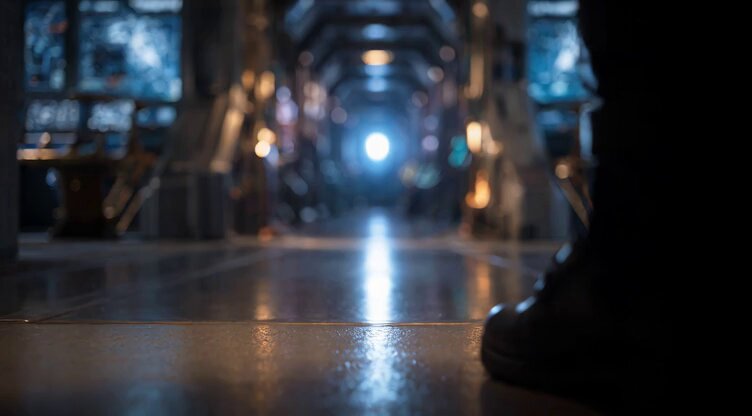
A complex video prompt for a continuous zoom-out following a woman in a ceremonial corridor, featuring environment transformation and stable pacing.
Hold the woman in a solitary rear-view walk as she moves alone down the long black reflective ceremonial corridor. Keep her black-gold couture, flowing hair, jewelry, and the luxurious corridor composition stable and premium. Her stride must remain perfectly steady from start to finish, never speeding up or slowing down. Use one continuous smooth zoom-out only, gradually revealing more of the corridor and deepening the feeling that she is walking through the terms of an unseen bargain. Keep the monumental shadowed statue behind her visible in the distance, but completely still, never chasing or advancing. As the camera withdraws, suspended shadow loops and hanging linework become clearer, and the reflective floor slowly resolves into thin gold route seams beneath her steps. Let each footfall trigger a subtle transformation without breaking her pace: nearby loops refine into ordered lines, floor reflections sharpen, and the passage quietly rewrites itself around her with controlled elegance. The emotional tone should feel intimate, dangerous, and inevitable rather than horrific — like a private bargain that is already turning in her favor. End with her still walking forward at the same measured pace while the corridor has widened into a more legible gold-lit path around her. Elegant, ominous, premium cinematic motion only.
Hold the woman in a solitary rear-view walk as she moves alone down the long black reflective ceremonial corridor. Keep her black-gold couture, flowing hair, jewelry, and the luxurious corridor composition stable and premium. Her stride must remain perfectly steady from start to finish, never speeding up or slowing down. Use one continuous smooth zoom-out only, gradually revealing more of the corridor and deepening the feeling that she is walking through the terms of an unseen bargain. Keep the monumental shadowed statue behind her visible in the distance, but completely still, never chasing or advancing. As the camera withdraws, suspended shadow loops and hanging linework become clearer, and the reflective floor slowly resolves into thin gold route seams beneath her steps. Let each footfall trigger a subtle transformation without breaking her pace: nearby loops refine into ordered lines, floor reflections sharpen, and the passage quietly rewrites itself around her with controlled elegance. The emotional tone should feel intimate, dangerous, and inevitable rather than horrific — like a private bargain that is already turning in her favor. End with her still walking forward at the same measured pace while the corridor has widened into a more legible gold-lit path around her. Elegant, ominous, premium cinematic motion only.
Edit the prompt in the box under the preview — the template's model and format are already selected — and press Generate. Your version appears right on this page.
Yes. You can change the subject, setting, lighting, mood, format, and available model controls before creating your video.
Opening and editing this template is free. Generating uses credits, shown on the Generate button when you are signed in.
Start with Grok Imagine, which is the model associated with this template. You can compare another compatible model for a different finish.
Follow a topic to a crawlable collection of related PicX Studio templates.