How do I use the Woman at Waterfall Sunrise Video Prompt template?
Edit the prompt in the box under the preview — the template's model and format are already selected — and press Generate. Your version appears right on this page.
A detailed 10-second video prompt for Grok Imagine describing a young woman standing on the edge of a massive waterfall at sunrise, including specific camera movements, visual details (16k resolution, ultra-detailed…
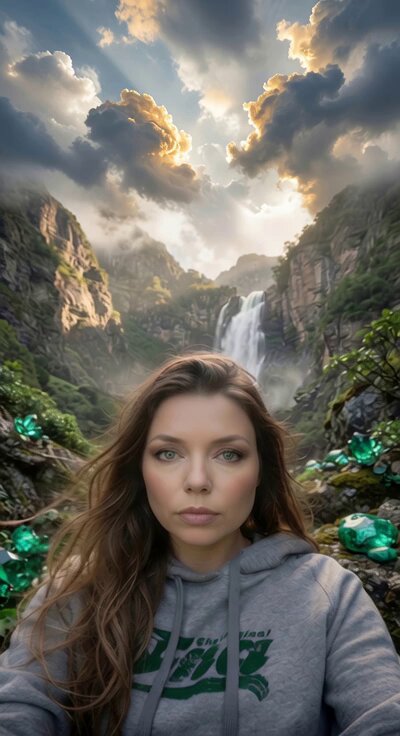
A young woman standing on the edge of a massive waterfall at sunrise, water thundering down hundreds of meters below, mist rising like clouds, golden sunlight breaking through and creating rainbows in the spray, her hair and dress moving in the wind, ultra-detailed textures – water droplets, fabric flowing, mist particles, realistic epic nature style, dramatic color palette of deep greens, whites and golden sunrise, 16k resolution. Animation (10 seconds): STRONG START – At 0–2 seconds sudden burst as she steps to the very edge and wind hits her. At 3 seconds the camera begins a powerful forward push-in toward her. Final 4 seconds: the push rises gently upward revealing the full scale of the waterfall and sunrise, ending with powerful hold on her standing strong against the elements. Soundtrack: Thunderous waterfall roar at start, layered with wind and rising orchestral strings, building to triumphant climax.
A young woman standing on the edge of a massive waterfall at sunrise, water thundering down hundreds of meters below, mist rising like clouds, golden sunlight breaking through and creating rainbows in the spray, her hair and dress moving in the wind, ultra-detailed textures – water droplets, fabric flowing, mist particles, realistic epic nature style, dramatic color palette of deep greens, whites and golden sunrise, 16k resolution. Animation (10 seconds): STRONG START – At 0–2 seconds sudden burst as she steps to the very edge and wind hits her. At 3 seconds the camera begins a powerful forward push-in toward her. Final 4 seconds: the push rises gently upward revealing the full scale of the waterfall and sunrise, ending with powerful hold on her standing strong against the elements. Soundtrack: Thunderous waterfall roar at start, layered with wind and rising orchestral strings, building to triumphant climax.
Edit the prompt in the box under the preview — the template's model and format are already selected — and press Generate. Your version appears right on this page.
Yes. You can change the subject, setting, lighting, mood, format, and available model controls before creating your video.
Opening and editing this template is free. Generating uses credits, shown on the Generate button when you are signed in.
Start with Grok Imagine, which is the model associated with this template. You can compare another compatible model for a different finish.
Follow a topic to a crawlable collection of related PicX Studio templates.