How do I use the Tesseract Star Cube Incursion Video Prompt template?
Edit the prompt in the box under the preview — the template's model and format are already selected — and press Generate. Your version appears right on this page.
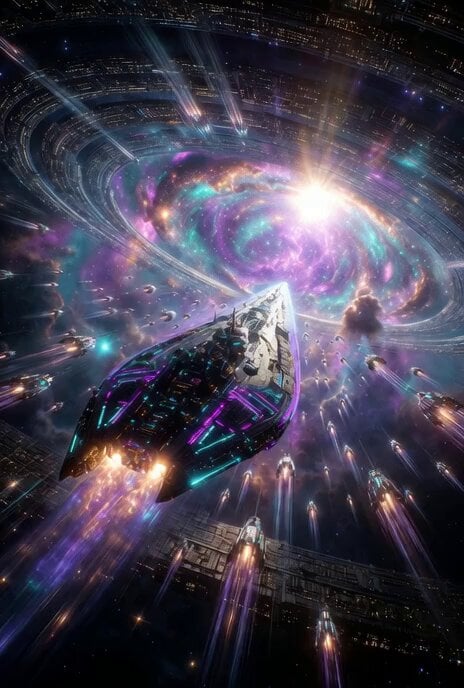
A Grok Imagine prompt for generating a breathtaking cinematic video of a colossal, crystalline tesseract star cube violently manifesting above a cyberpunk megacity, causing reality to fracture with dramatic lighting and…
A breathtaking cinematic view of a tesseract star cube incursion. A colossal four-dimensional hypercube violently manifests as an intricate stellated star cube covered in thousands of razor-sharp crystalline spikes, translucent iridescent surfaces etched with swirling galaxies and nebulae inside, and thirty-two pulsing plasma edges glowing electric cyan, violet, and searing gold. It rips through a massive spacetime rift above a sprawling cyberpunk megacity at midnight, causing skyscrapers to twist unnaturally and levitate while gravity-defying debris swirls in zero-G chaos. Reality fractures like shattered glass with crackling energy arcs, quantum particles, and rainbow light leaks exploding outward. Dramatic low-angle view looking up as the titanic god-like structure looms over the neon-lit metropolis. Epic cosmic horror atmosphere with intense volumetric god rays piercing the rift, swirling energy tendrils, and dramatic lens flares. Hyper-detailed impossible 4D geometry, photorealistic yet surreal, ultra HD 8K octane render
A breathtaking cinematic view of a tesseract star cube incursion. A colossal four-dimensional hypercube violently manifests as an intricate stellated star cube covered in thousands of razor-sharp crystalline spikes, translucent iridescent surfaces etched with swirling galaxies and nebulae inside, and thirty-two pulsing plasma edges glowing electric cyan, violet, and searing gold. It rips through a massive spacetime rift above a sprawling cyberpunk megacity at midnight, causing skyscrapers to twist unnaturally and levitate while gravity-defying debris swirls in zero-G chaos. Reality fractures like shattered glass with crackling energy arcs, quantum particles, and rainbow light leaks exploding outward. Dramatic low-angle view looking up as the titanic god-like structure looms over the neon-lit metropolis. Epic cosmic horror atmosphere with intense volumetric god rays piercing the rift, swirling energy tendrils, and dramatic lens flares. Hyper-detailed impossible 4D geometry, photorealistic yet surreal, ultra HD 8K octane render
Edit the prompt in the box under the preview — the template's model and format are already selected — and press Generate. Your version appears right on this page.
Yes. You can change the subject, setting, lighting, mood, format, and available model controls before creating your video.
Opening and editing this template is free. Generating uses credits, shown on the Generate button when you are signed in.
Start with Grok Imagine, which is the model associated with this template. You can compare another compatible model for a different finish.
Follow a topic to a crawlable collection of related PicX Studio templates.