
Fantasy Comedy Magical Painting Scene
A detailed video prompt for a fantasy comedy scene where a character interacts with a living painting, featuring specific timing and visual effects instructions for Seedance 2.0.
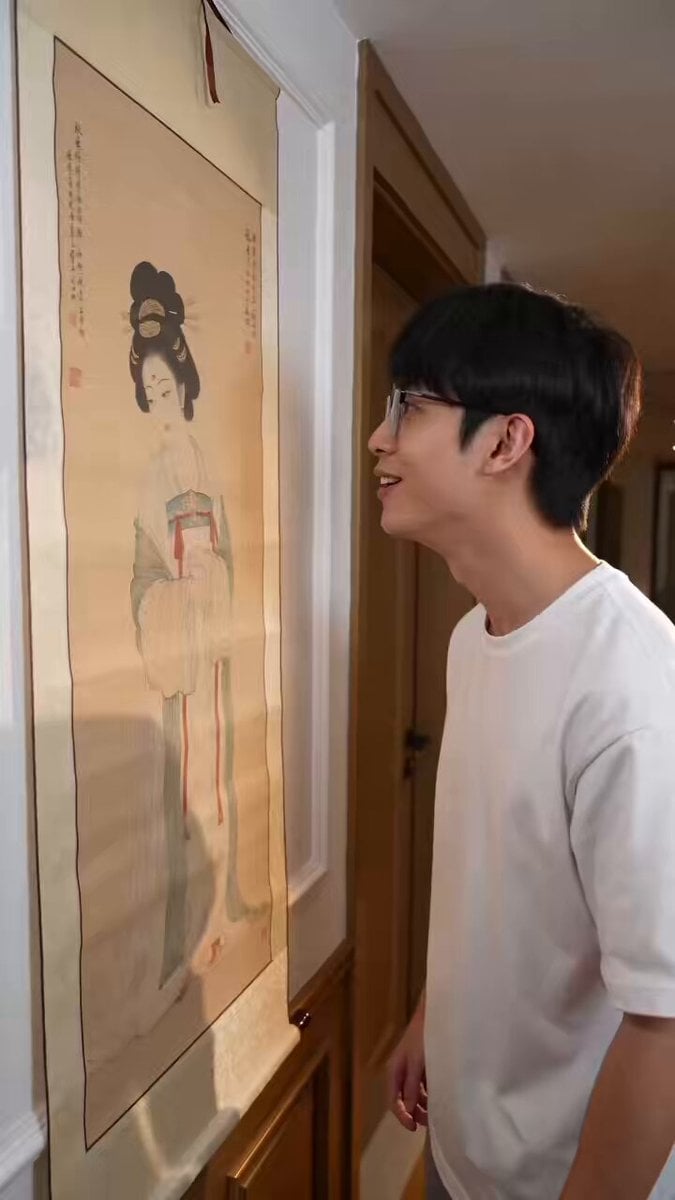
- Prompt included
- Model and format preset
- Free template
The prompt behind this video
Copy the exact prompt behind Fantasy Comedy Magical Painting Scene, or open it in the studio and make it yours.
【风格】真人实拍奇幻喜剧短剧(Live-Action Fantasy Comedy),写实生活流质感,写实特效(Photorealistic VFX),8K超清,竖屏9:16,2人出镜 【时长】15秒 【场景】场景A:家中走廊,墙上挂一幅传统中式卷轴挂轴,画上是女主的古典工笔仕女画像,室内暖色自然灯光;场景B:现代客厅+开放式厨房,室内明亮灯光 【角色】男主、女主(画中工笔仕女形象与女主为同一人) [00:00-00:06] 镜头1:亲画挨打(The Slap Hook) 手持镜头轻微晃动,中近景:男主站在挂轴前满脸笑意地欣赏画中仕女,嘟起嘴唇慢慢凑近,亲吻画中女子的脸颊并停留一秒。 突然,画中女主的手臂从画里自然地探伸出来——手臂穿出画面的过程连贯流畅,出画部分即刻呈现真实皮肤与真实衣袖质感,与画面无缝衔接、毫不突兀——狠狠扇了男主一记耳光,随即顺势收回画中,画像恢复静止。 男主的头被打得偏向一边、身体后仰,捂着脸颊退后一步,先瞪大眼睛震惊,随即表情变成又惊又喜。 【台词/对白口型指导】男主捂着脸惊讶地说:"哇塞,还能这样?" 音效:清脆响亮的耳光声。 [00:06-00:11] 镜头2:拉人出画(Pull Her Out) 同一走廊同一机位,手持镜头:男主兴奋地把双手伸进挂轴,抓住画中人的手腕往外拉——女主整个人被从画里拉出来:出画部分即刻变为真人,拥有真实的立体体积、真实皮肤与襦裙布料垂坠感,光影与走廊暖光一致;画内未出的部分保持平面工笔质感,过渡自然流畅,写实与奇幻无缝衔接。 她上半身探出画外,被男主抓着手腕整个人拉出卷轴、双脚落地,皱眉挣扎、满脸气恼;身后挂轴上的人像消失,变成空白画纸。 【台词/对白口型指导】女主气恼地喊:"快放开我,你这个臭流氓!" 音效:布料摩擦声+挣扎声。 [00:11-00:15] 镜头3:躺平大笑(Lazy Ending) 硬切到现代客厅,固定镜头中景:男主惬意地瘫坐在沙发上,怀里抱着一袋薯片往嘴里塞,仰头开怀大笑;茶几上摆着一碗薯片和一盘炒好的菜。 背景开放式厨房:女主站在灶台前手持锅铲炒菜,背对镜头,生活喜剧氛围。 音效:男主爽朗的笑声+锅铲翻炒声。
How to use Fantasy Comedy Magical Painting Scene in 3 steps
- 1
Open
The prompt is already in the box next to the preview, with the template's model and format selected.
- 2…a portrait of your subject in softgolden-hour light, 85mm…
Personalize
Edit the subject and creative details for your destination.
- 3Generate
Generate
Press Generate — your video is created in PicX Studio, so you can compare it with the original and refine one variable at a time.
More like this
Templates with the same subject, style or setup. Open one to see its prompt.
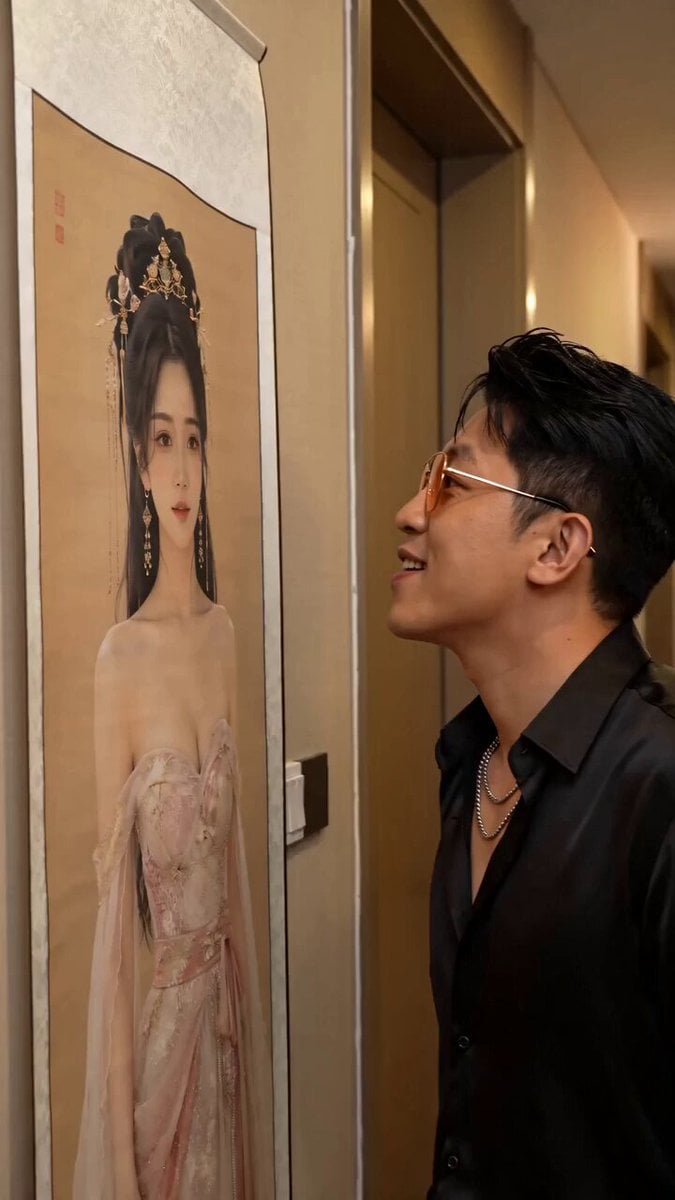
Fantasy Comedy Slap From Painting

Magical Room Transformation - Seedance 2.5
Viking in Modern America Comedy - Seedance 2.5
Modern Urban Fantasy Comedy Storyboard
Comedy Coke Bottle Prank Reel — Kling 3.0 O3 Pro

Dragon Rider Cinematic Flight — Seedance 2.5

Forest Fantasy Girl Short Film

Necromancer Battlefield Orbit

Cartoon Donut Heist Bakery Chase
Magical Living Painting Fashion Video
Magical Autonomous Painting Atelier
Magical Elf Kingdom Fantasy Journey
Make it yours
Fantasy Comedy Magical Painting Scene works as-is. These are the safest ways to change it without losing the look.
Change one field
Copy a single group, rewrite it, and generate again so you can see what that field is doing.
Keep the frame, change the subject
Hold the composition and light of Fantasy Comedy Magical Painting Scene, then swap wardrobe, props or the person for a new take.
| If the result… | Why | Fix |
|---|---|---|
| The result drifts from the preview | Too many fields changed at once. | Reuse Fantasy Comedy Magical Painting Scene as-is first, then change one group — subject, light, or setting. |
| The model over-stylizes the scene | The prose prompt leaves finish and camera underspecified. | Add one camera or lighting sentence and stay on Seedance 2.0. |
More Seedance 2.0 templates
Other prompts made for Seedance 2.0.

Comical Martial Arts Punch Scene

Maglev Train Action Sequence

Martial Arts Fight Sequence

Wuxia Protection and Trust Script

Vintage Korean Arcade MiniDV Vlog

Mercedes 190 SL Luxury Ad

Rainy Night Supernatural Reverse Comedy Video Script

Amazon Civilization Discovery

Futuristic South Asian City Transformation

Cozy Luxury Cafe Commercial
More video prompts
Fresh picks from across the catalog.
Japanese Coming-of-Age Cinematic Film
Abstract High Fashion Photo Prompt
Street Musician Magical Realism Film

Mega Crocodile Cargo Plane Action
Classic Slasher Horror Storyboard
Alpine Inn Daily Chores Scene
Woman Flying from Butterfly Bench
1980s Gritty Film Noir Mafia Scene
Cartoon Monster Dog in Jungle Prompt
Galloping horse with fireworks video prompt
Browse template categories
Fantasy Comedy Magical Painting Scene questions
How do I use the Fantasy Comedy Magical Painting Scene template?
Add your photo if the template asks for one, edit the prompt if you like — the template's model and format are already selected — and press Generate. Your version opens in PicX Studio.
Can I customize the Fantasy Comedy Magical Painting Scene template?
Yes. You can change the subject, setting, lighting, mood, format, and available model controls before creating your video.
Is the Fantasy Comedy Magical Painting Scene template free?
Opening and editing this template is free. Generating uses credits, shown on the Generate button when you are signed in.
Which AI model should I use?
Start with Seedance 2.0, which is the model associated with this template. You can compare another compatible model for a different finish.
Looking for something else? Browse all templates.

Your photo, any look
Thousands of ready templates for every top image and video model, from one credit balance.