
Steampunk Action Hero Combat
An incredibly detailed prompt for a high-impact, fast-paced steampunk combat scene featuring a mechanical-armed hero in an industrial factory setting with specific camera and physics instructions.

- Prompt included
- Model and format preset
- Free template
The prompt behind this video
Copy the exact prompt behind Steampunk Action Hero Combat, or open it in the studio and make it yours.
Ultra-realistic cinematic steampunk action. Fast-paced, high-impact combat with explosive burst movement. All motion uses instant acceleration (0 → max speed immediately) and hard stops on impact (no easing in/out). Each action completes within 0.2–0.5 seconds. No slow motion, no floaty animation, no smooth cinematic drifting, no extended motion arcs. Camera behavior is aggressive and reactive: whip pans, fast tracking with slight handheld jitter, and micro camera shake on every impact. The camera never stays static longer than 1 second. Impact style is violent and heavy. Enemies are launched, not pushed. Metal deformation is clearly visible with directional spark bursts. Visual effects include natural motion blur driven by speed, heat distortion from the claws, and steam reacting dynamically to movement. Lighting is high contrast, industrial, with strong dramatic highlights. Main character: a young adult male wearing a white long-sleeve shirt with rolled sleeves, brown suspenders and matching pants, rugged boots, and a single-lens steampunk monocle. Both arms are mechanical (white and gold). His face is clearly visible in sharp focus with detailed skin texture and visible pores. Environment: a large indoor steampunk factory with massive pipes, steam vents, hanging chains, and metal platforms. Steam bursts constantly. Chains move subtly. Foreground pipes and chains are used to create depth during motion. Enemies: 4–6 heavy steampunk robots. They move slowly by default but react instantly when hit. They are launched with force, showing visible dents, deformation, and sparks. Weapon (strict rule): plasma claws extend from both clenched fists. No hand opening, no charge-up, no transformation. Deployment is instant (under 0.2 seconds) with a sharp mechanical snap. Visual style: hot white core with orange glow and slight heat distortion. Scene timeline: 0.0 – 2.0 Wide factory shot with aggressive steam bursts. Camera tilts down and pushes in quickly. The character swings down from a chain and lands hard within 0.3 seconds, creating an outward explosion of sparks. The camera tracks downward with slight shake on impact. 2.0 – 4.0 Robots close in from three directions. Handheld medium shot with unstable, reactive motion. The character attacks instantly: an explosive punch (0.3 seconds) launches a robot sideways into a pipe with a visible dent and sparks. A fast rotational kick (under 0.4 seconds) slams another robot into hanging chains. The character continuously repositions using quick steps and pivots, never idle. 4.0 – 5.0 (key moment) Camera whip pan. Micro pause under 0.3 seconds. Plasma claws deploy instantly from both clenched fists with a snap under 0.2 seconds, no charge or delay. The camera aggressively pushes in toward the hands, shifts angle slightly, then immediately pulls back. 5.0 – 8.0 The character performs a burst dash (under 0.5 seconds) past large pipes. Side tracking
How to use Steampunk Action Hero Combat in 3 steps
- 1
Open
The prompt is already in the box next to the preview, with the template's model and format selected.
- 2…a portrait of your subject in softgolden-hour light, 85mm…
Personalize
Edit the subject and creative details for your destination.
- 3Generate
Generate
Press Generate — your video is created in PicX Studio, so you can compare it with the original and refine one variable at a time.
More like this
Templates with the same subject, style or setup. Open one to see its prompt.
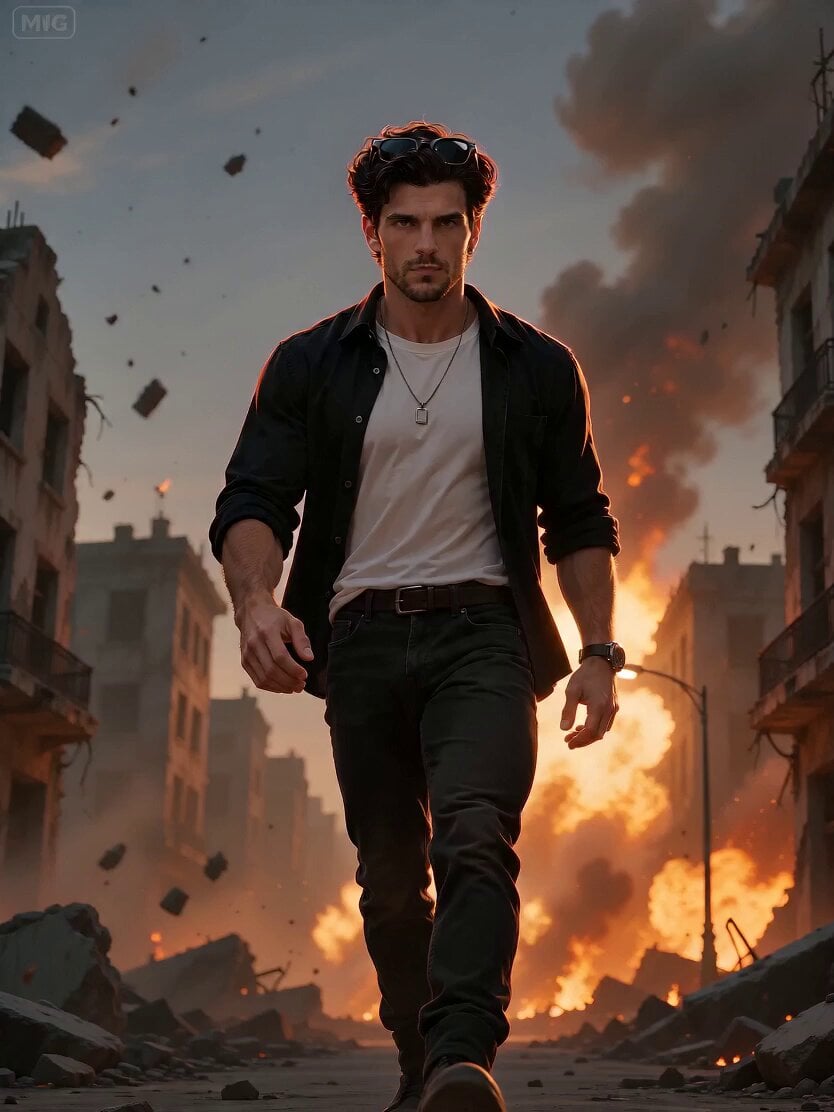
Cinematic Action Hero Combat Sequence
Action Hero Combat Scene
Steampunk Momotaro Live Action Video
Steampunk Clockwork Odyssey
Paris Superhero Action Script
Industrial Action Hero Shot
Celestial Hero Transformation Combat

Cyberpunk Male Hero Action Sequence
Hollywood Teal and Orange Action Hero
Cinematic Epic Rooster Action Hero Video Prompt

Walking Factory with Rebel on Hoverbike - Wasteland

Cat Opera Hero Action Sequence
Make it yours
Steampunk Action Hero Combat works as-is. These are the safest ways to change it without losing the look.
Change one field
Copy a single group, rewrite it, and generate again so you can see what that field is doing.
Keep the frame, change the subject
Hold the composition and light of Steampunk Action Hero Combat, then swap wardrobe, props or the person for a new take.
| If the result… | Why | Fix |
|---|---|---|
| The result drifts from the preview | Too many fields changed at once. | Reuse Steampunk Action Hero Combat as-is first, then change one group — subject, light, or setting. |
| The model over-stylizes the scene | The prose prompt leaves finish and camera underspecified. | Add one camera or lighting sentence and stay on Seedance 2.0. |
More Seedance 2.0 templates
Other prompts made for Seedance 2.0.

Comical Martial Arts Punch Scene

Maglev Train Action Sequence

Martial Arts Fight Sequence

Wuxia Protection and Trust Script

Vintage Korean Arcade MiniDV Vlog

Ancient Roman Celestial Flight

Mercedes 190 SL Luxury Ad

Rainy Night Supernatural Reverse Comedy Video Script

Amazon Civilization Discovery

Futuristic South Asian City Transformation
More video prompts
Fresh picks from across the catalog.
Cinematic Anime Action Sequence

Neon Circuit Board Sequence

Elephant and Kitten River Rescue
Beat-Driven Fashion Transformation Sequence
Minimalist Tokyo Office Morning Routine
Anime Girl on Rainy Night Train

Female Golfer Realistic Outdoor Shot

Giant Crocodile River Attack
From Loneliness to Hope Cinematic Story
Adam and Steve in Eden Parody
Browse template categories
Steampunk Action Hero Combat questions
How do I use the Steampunk Action Hero Combat template?
Add your photo if the template asks for one, edit the prompt if you like — the template's model and format are already selected — and press Generate. Your version opens in PicX Studio.
Can I customize the Steampunk Action Hero Combat template?
Yes. You can change the subject, setting, lighting, mood, format, and available model controls before creating your video.
Is the Steampunk Action Hero Combat template free?
Opening and editing this template is free. Generating uses credits, shown on the Generate button when you are signed in.
Which AI model should I use?
Start with Seedance 2.0, which is the model associated with this template. You can compare another compatible model for a different finish.
Looking for something else? Browse all templates.

Your photo, any look
Thousands of ready templates for every top image and video model, from one credit balance.