How do I use the Serene Bathroom Shower Portrait template?
Choose the primary action to open PicX Studio with the available template settings. Review the model and format, personalize the creative direction, and generate when ready.
A photorealistic prompt for generating a serene image of a woman with freckles in a modern bathroom, featuring detailed water droplets and a clean, bright atmos
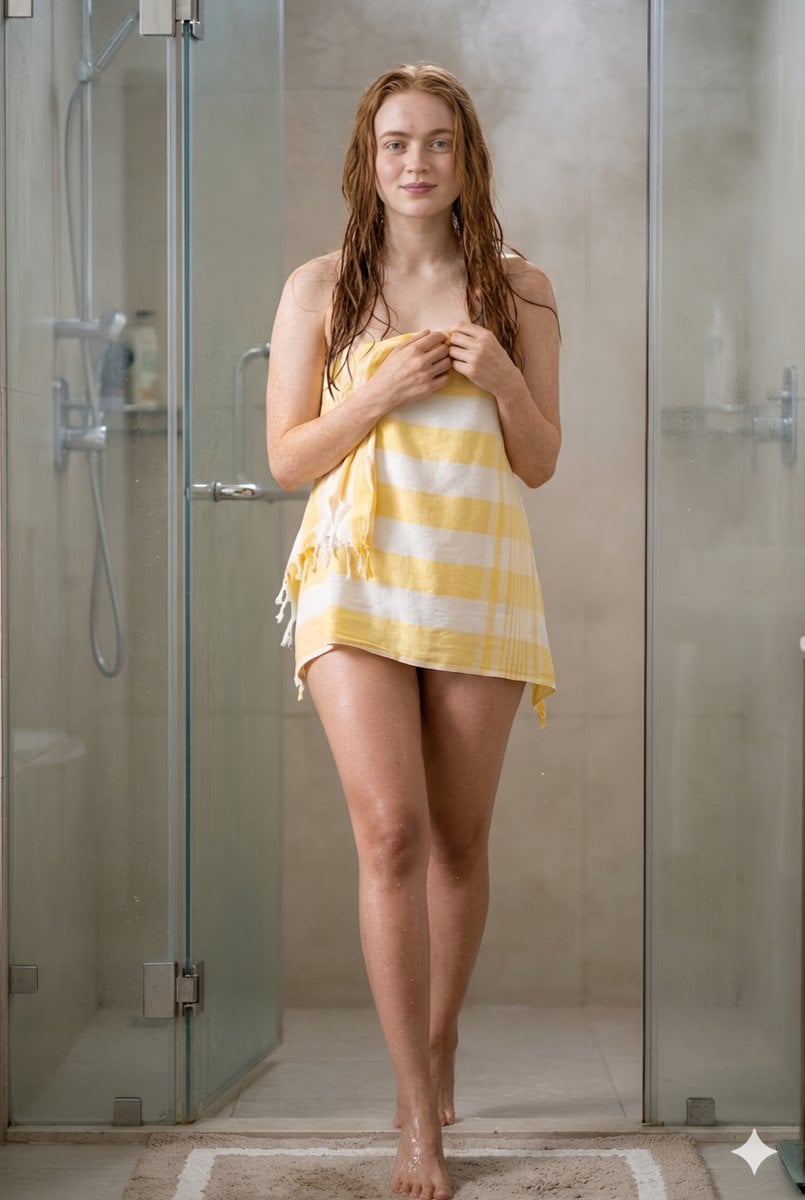
A young woman with {argument name="skin details" default="fair skin covered in light freckles"} stands barefoot in a modern bathroom shower area, her long wavy reddish-brown hair wet and cascading over her shoulders and back as if just after a shower. She has striking light-colored eyes and a gentle expression while looking directly at the viewer. She is wrapped modestly in a {argument name="towel style" default="yellow and white horizontally striped towel"} with fringed edges that covers her from her chest down to mid-thigh, holding the top of the towel securely with both hands near her collarbone. Her skin has visible water droplets, and she stands on a {argument name="bath mat" default="beige bath mat"} with white borders placed on light-colored tiled flooring in front of a glass-enclosed shower stall featuring metal fixtures, a handheld showerhead, and neutral beige tiled walls in the background. The lighting is bright and even, creating a clean, serene atmosphere.
Choose the primary action to open PicX Studio with the available template settings. Review the model and format, personalize the creative direction, and generate when ready.
Yes. You can change the subject, setting, lighting, mood, format, and available model controls before creating your image.
This template is free to open and customize. Generation usage is shown in PicX Studio before you create.
Start with Nano Banana 2, which is the model associated with this template. You can compare another compatible model for a different finish.
Follow a topic to a crawlable collection of related PicX Studio templates.