How do I use the Ultra-Realistic Night Street Portrait template?
Choose the primary action to open PicX Studio with the available template settings. Review the model and format, personalize the creative direction, and generate when ready.
An iPhone-style photography prompt that uses facial features from a reference to create an authentic nighttime urban portrait.
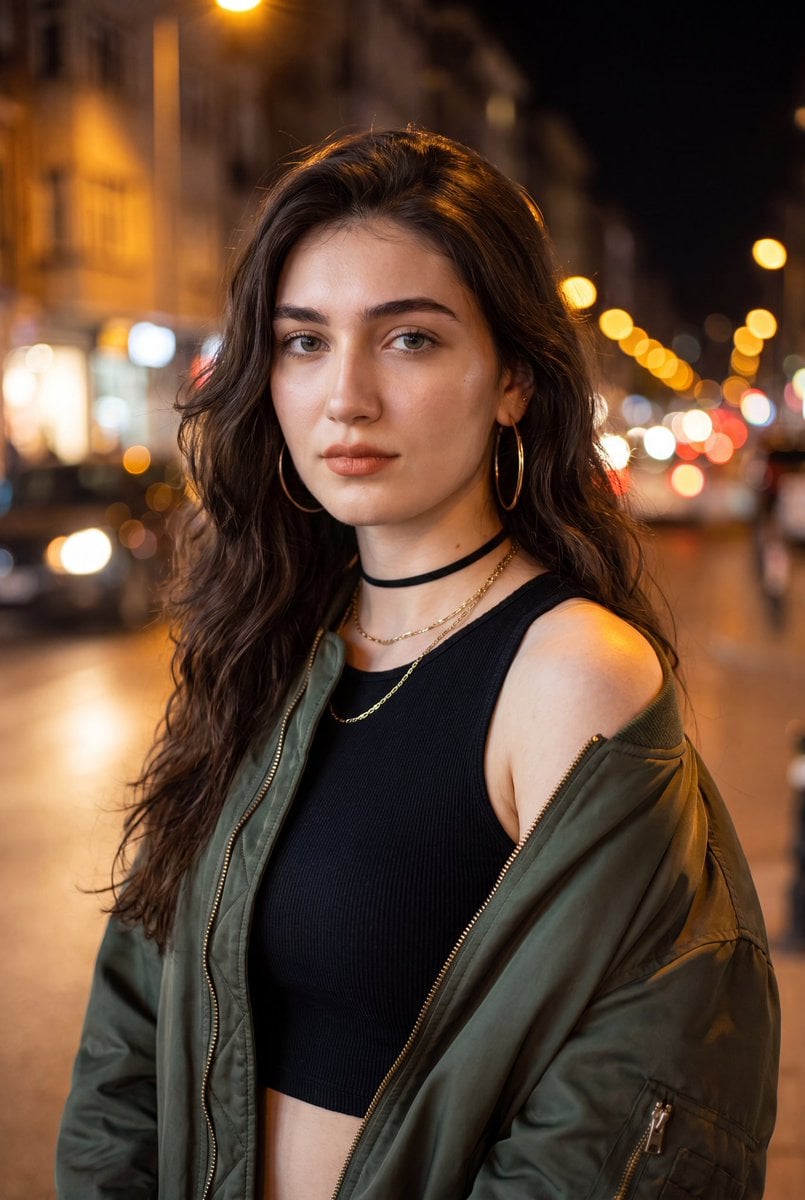
Use the facial features from the reference image exactly. Ultra-realistic iPhone portrait photo of a {argument name="subject" default="young woman"}, photographed on a city street at night. She has a defined jawline, striking eyes, long dark lashes, sharp brows, a small straight nose, and natural soft full lips. Voluminous dark brown wavy hair falls over her shoulders. She wears a {argument name="outfit" default="fitted black ribbed crop top, an oversized dark bomber jacket slipping naturally off one shoulder"}, large gold hoop earrings, a black choker, and a delicate layered chain necklace. Makeup: Clear skin, perfectly groomed eyebrows, elegantly defined eyeliner, rosy peach blush, peach-brown lips, and highlighter to accentuate her features. Shot as a medium close-up on an iPhone 16 Pro, vertical framing, slight angle toward the camera, direct eye contact, relaxed confident expression. Warm streetlights create soft golden highlights across her face and shoulder, while the background melts into natural amber bokeh from distant city lights. Real skin texture, visible pores, authentic lighting falloff, realistic fabric details, natural hair strands, shallow depth of field, candid editorial street photography. Photorealistic, indistinguishable from a real photograph, DSLR-level detail, no CGI, no digital art look, no illustration, no painting, no anime, no beauty-filter effect, genuine smartphone camera realism.
Choose the primary action to open PicX Studio with the available template settings. Review the model and format, personalize the creative direction, and generate when ready.
Yes. You can change the subject, setting, lighting, mood, format, and available model controls before creating your image.
This template is free to open and customize. Generation usage is shown in PicX Studio before you create.
Start with Nano Banana 2, which is the model associated with this template. You can compare another compatible model for a different finish.
Follow a topic to a crawlable collection of related PicX Studio templates.