How do I use the Golden Hour Window Reflection Portrait template?
Choose the primary action to open PicX Studio with the available template settings. Review the model and format, personalize the creative direction, and generate when ready.
A cinematic and moody portrait of a woman sitting by a window during golden hour, featuring linear patterned shadows.
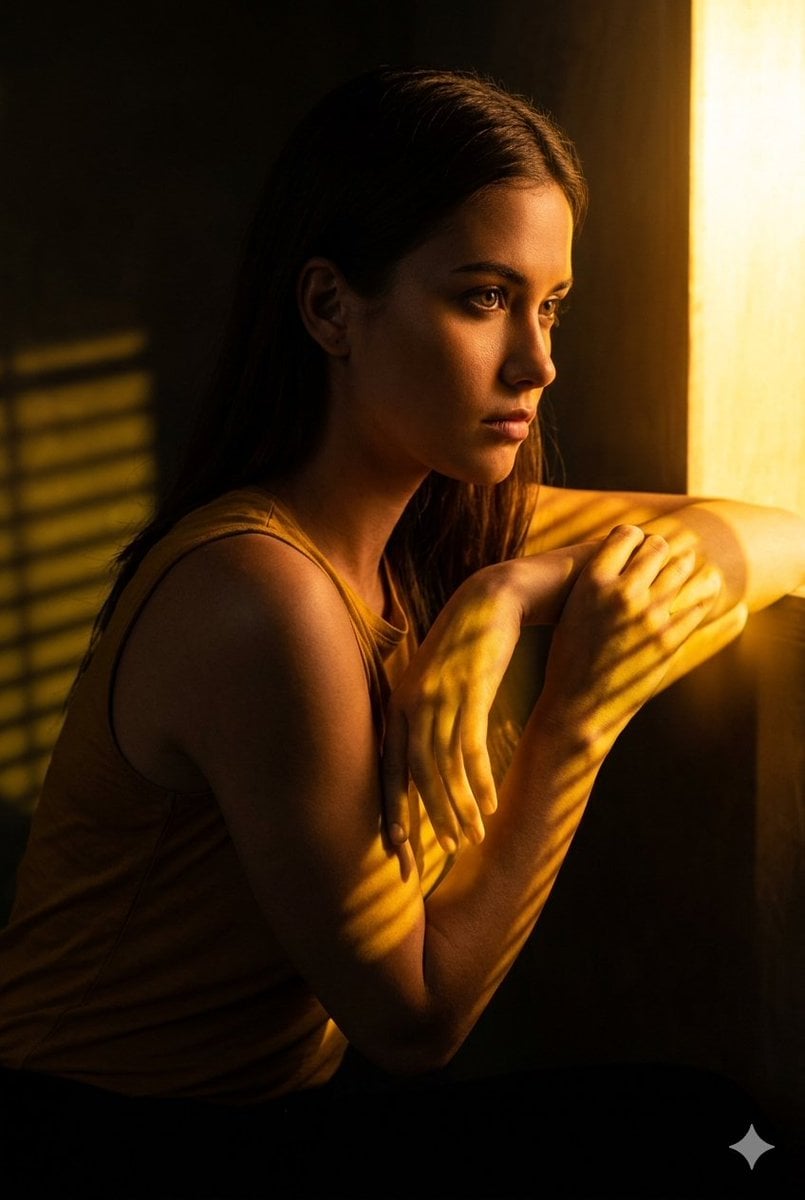
A cinematic, moody portrait of a young woman with long, dark straight hair sitting in a dimly lit room, looking thoughtfully out of a window. Warm, golden sunlight streams through window blinds, casting dramatic, patterned linear shadows across her face, arms, and {argument name="clothing" default="ochre-colored tank top"}. She is in a side profile view, leaning forward with her arms crossed gently in front of her, her expression pensive and introspective. The background is dark and shadowed, creating a strong chiaroscuro effect that emphasizes the rich, amber glow of the golden hour light hitting her skin. The overall atmosphere is quiet, melancholic, and deeply intimate, captured with soft focus and high-contrast professional photography.
Choose the primary action to open PicX Studio with the available template settings. Review the model and format, personalize the creative direction, and generate when ready.
Yes. You can change the subject, setting, lighting, mood, format, and available model controls before creating your image.
This template is free to open and customize. Generation usage is shown in PicX Studio before you create.
Start with Nano Banana 2, which is the model associated with this template. You can compare another compatible model for a different finish.
Follow a topic to a crawlable collection of related PicX Studio templates.