How do I use the Anime Boy and Piplup Adventure Sheet template?
Choose the primary action to open PicX Studio with the available template settings. Review the model and format, personalize the creative direction, and generate when ready.
A heartwarming anime-style collage prompt featuring the adventures and daily bond between a young man and a Piplup.
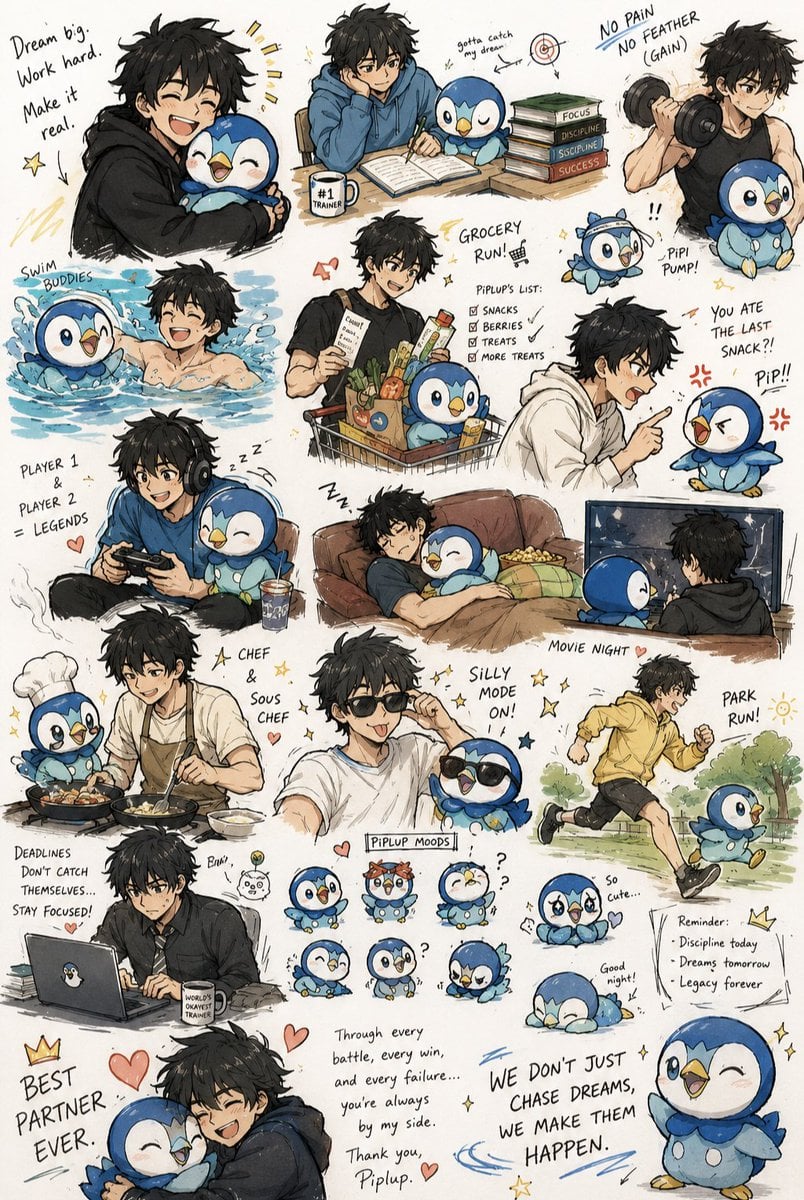
A heartwarming, slice-of-life anime-style illustration sheet depicting the daily adventures and close bond between a {argument name="character" default="young man"} and his Pokémon partner, {argument name="pokemon" default="Piplup"}. The {argument name="character" default="young man"} has messy, dark black hair and an athletic build, appearing in various casual outfits like hoodies, t-shirts, and a workout tank top. Piplup is depicted with highly expressive, cute, and sometimes comical expressions. The image is a collage of multiple wholesome and motivational scenes scattered across the canvas, accompanied by handwritten-style text captions. The scenes include: the duo hugging tightly with the text "Dream big. Work hard. Make it real."; studying together at a desk with a stack of books; working out with a dumbbell where Piplup wears a headband; swimming together happily; going on a grocery run with Piplup sitting in the shopping cart; the man playfully scolding Piplup for eating the last snack; gaming together with a controller; napping soundly on a couch; cooking in the kitchen as a chef and sous chef; wearing matching sunglasses in a "silly mode" pose; jogging together in a park; and the man working intensely on a laptop. The bottom features a collection of small "Piplup Moods" showing different cute facial expressions, alongside a touching closing message that reads, "Through every battle, every win, and every failure... you're always by my side. Thank you, Piplup. WE DON'T JUST CHASE DREAMS, WE MAKE THEM HAPPEN." The overall art style is sketchy yet polished, with warm, soft coloring and an inspiring, uplifting atmosphere focused on friendship, discipline, and partnership.
Choose the primary action to open PicX Studio with the available template settings. Review the model and format, personalize the creative direction, and generate when ready.
Yes. You can change the subject, setting, lighting, mood, format, and available model controls before creating your image.
This template is free to open and customize. Generation usage is shown in PicX Studio before you create.
Start with Nano Banana 2, which is the model associated with this template. You can compare another compatible model for a different finish.
Follow a topic to a crawlable collection of related PicX Studio templates.