How do I use the Retro Eclectic Pigtail Fashion Portrait template?
Choose the primary action to open PicX Studio with the available template settings. Review the model and format, personalize the creative direction, and generate when ready.
A vibrant, vintage-inspired portrait of a woman in a gingham dress surrounded by pop art and neon signs, capturing a playful and rustic hangout vibe.
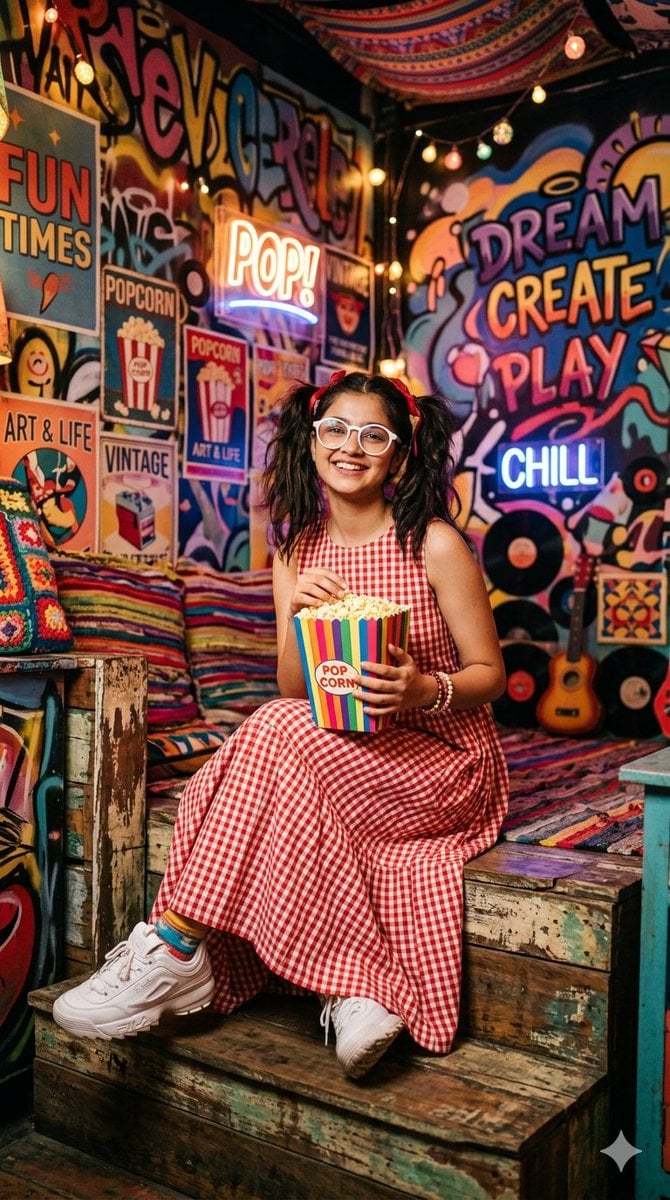
A cheerful {argument name="subject" default="young woman"}, with her {argument name="hair style" default="dark hair in two high pigtails"} accented by red bows and wearing round, white-framed glasses, is captured in a vibrant, eclectic, and retro-themed space. She is dressed in a {argument name="dress" default="red and white gingham checkered sleeveless dress"}, tiered and midi-length, paired with chunky white sneakers and colorful patterned socks. The background is a dense, colorful tapestry of vintage-inspired graffiti, pop art posters, string lights, and neon signs, including one that reads 'POP!' and another 'CHILL,' alongside a large 'DREAM CREATE PLAY' mural and old vinyl records. In various poses, she holds and eats from a colorful striped box of 'POPCORN', touches her pigtails with both hands, is seen standing, and is smiling directly at the camera, surrounded by cozy textiles, a ukulele, and retro decor. The overall setting is a charmingly cluttered, rustic, and playful hangout, lit by warm, ambient lights.
Choose the primary action to open PicX Studio with the available template settings. Review the model and format, personalize the creative direction, and generate when ready.
Yes. You can change the subject, setting, lighting, mood, format, and available model controls before creating your image.
This template is free to open and customize. Generation usage is shown in PicX Studio before you create.
Start with Nano Banana 2, which is the model associated with this template. You can compare another compatible model for a different finish.
Follow a topic to a crawlable collection of related PicX Studio templates.