How do I use the Minimalist Indoor Portrait Photography template?
Choose the primary action to open PicX Studio with the available template settings. Review the model and format, personalize the creative direction, and generate when ready.
A high-resolution indoor portrait prompt focusing on realistic textures like wet-look hair and freckles against a clean, modern architectural background.
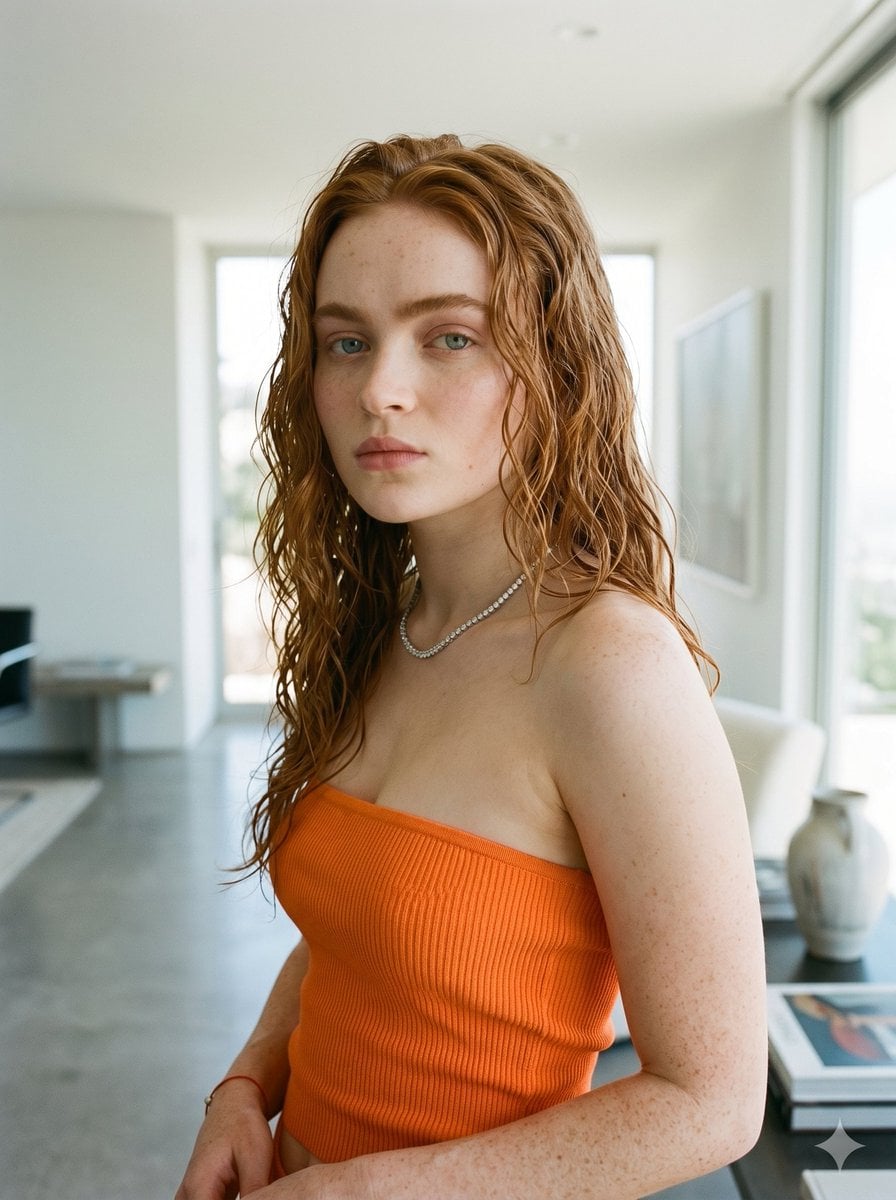
A high-resolution portrait photograph of {argument name="person" default="Sadie Sink"} indoors, looking directly at the camera with a neutral expression. She has long, wet-look wavy red hair cascading down her shoulders and visible freckles on her face and arms. She is wearing a bright {argument name="clothing color" default="orange"} ribbed strapless tube top and a delicate silver tennis necklace. The background is a bright, modern, minimalist room with concrete flooring, a large glass window, a white couch, and art frames, all softly blurred to create depth.
Choose the primary action to open PicX Studio with the available template settings. Review the model and format, personalize the creative direction, and generate when ready.
Yes. You can change the subject, setting, lighting, mood, format, and available model controls before creating your image.
This template is free to open and customize. Generation usage is shown in PicX Studio before you create.
Start with Nano Banana 2, which is the model associated with this template. You can compare another compatible model for a different finish.
Follow a topic to a crawlable collection of related PicX Studio templates.