How do I use the Cinematic Golden Elevator Portrait template?
Choose the primary action to open PicX Studio with the available template settings. Review the model and format, personalize the creative direction, and generate when ready.
A high-end cinematic portrait of a man in a black suit inside a luxurious gold elevator, emphasizing reflections and mysterious lighting.
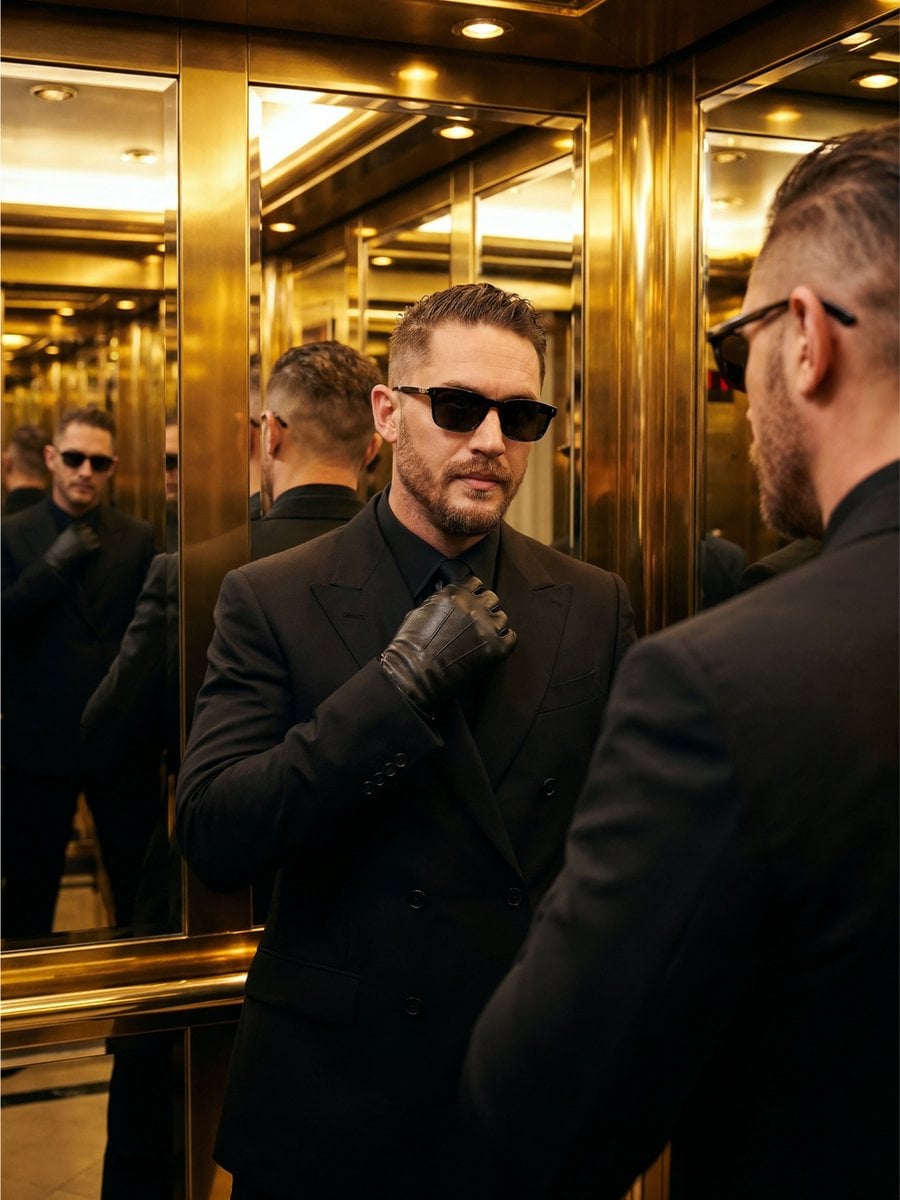
Use the uploaded reference image as the exact identity reference. Preserve the same face shape, eyes, nose, lips, beard, haircut, age, skin texture, facial proportions, and overall masculine identity. Do not redesign the face. Create an ultra-realistic cinematic portrait of the same man standing inside a luxurious hotel elevator with mirrored golden walls. He wears a {argument name="outfit color" default="black"} double-breasted suit, black shirt, dark sunglasses, and leather gloves. He slightly adjusts his tie while looking at his own reflection, but his eyes are still visible toward the camera through the mirror. His expression is calm, arrogant, elegant, and mysterious. Background: gold elevator interior, mirror reflections, soft luxury lighting, subtle cinematic distortion from reflections. Lighting: warm golden overhead lights, sharp suit texture, high-end fashion editorial mood. Composition: vertical 4:5, symmetrical framing, multiple reflections but only one main face should remain clear. No text, no logo, no watermark.
Choose the primary action to open PicX Studio with the available template settings. Review the model and format, personalize the creative direction, and generate when ready.
Yes. You can change the subject, setting, lighting, mood, format, and available model controls before creating your image.
This template is free to open and customize. Generation usage is shown in PicX Studio before you create.
Start with Nano Banana 2, which is the model associated with this template. You can compare another compatible model for a different finish.
Follow a topic to a crawlable collection of related PicX Studio templates.