How do I use the Cross-Hatched Ink Portrait template?
Choose the primary action to open PicX Studio with the available template settings. Review the model and format, personalize the creative direction, and generate when ready.
A classic artistic prompt for a high-detail pen and ink portrait, utilizing cross-hatching and charcoal washes for a traditional monochromatic look on parchment
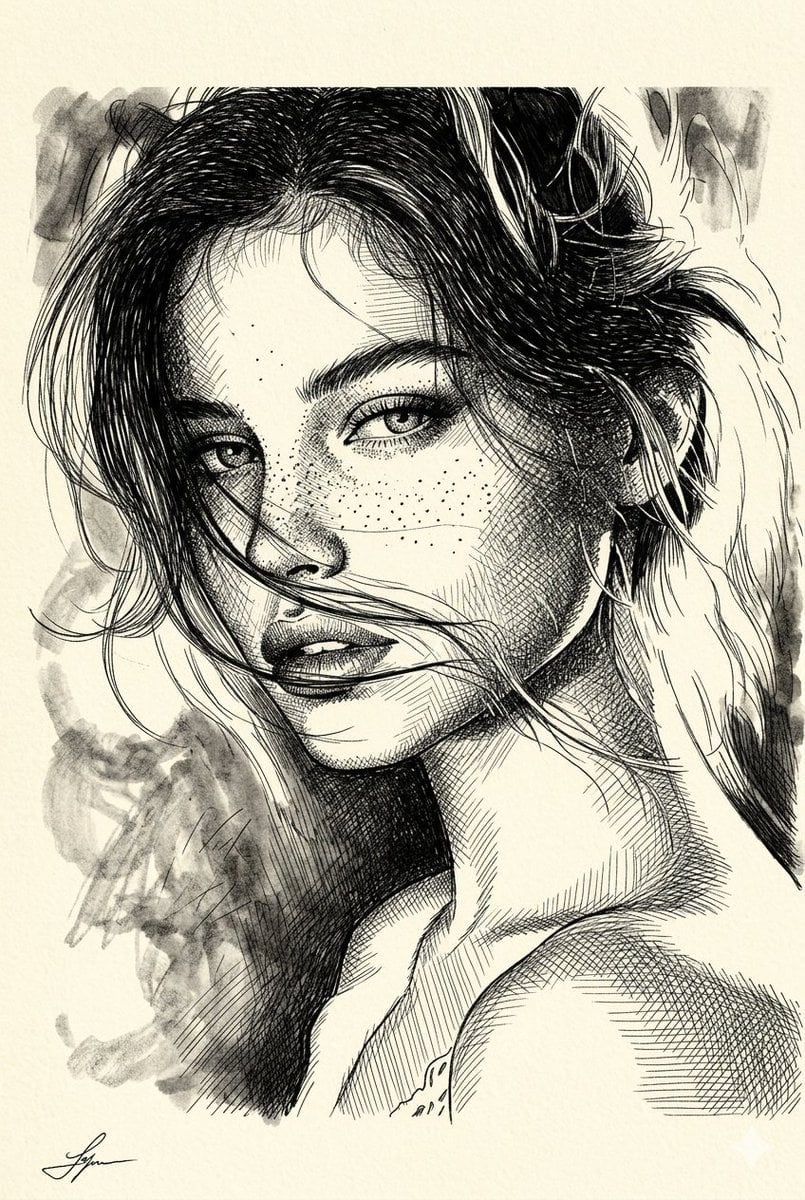
A high-detail pen and ink portrait of a {argument name="subject" default="young woman with freckles"}. The style uses heavy cross-hatching and fine line work to create depth and shadow. Incorporate {argument name="hair style" default="messy, wind-swept hair"} with loose strands crossing the face. Background features soft, smudged charcoal washes and ink splatters. Black ink on a {argument name="paper texture" default="cream-colored textured paper or parchment"}. Sharp, intense gaze, monochromatic.
Choose the primary action to open PicX Studio with the available template settings. Review the model and format, personalize the creative direction, and generate when ready.
Yes. You can change the subject, setting, lighting, mood, format, and available model controls before creating your image.
This template is free to open and customize. Generation usage is shown in PicX Studio before you create.
Start with Nano Banana 2, which is the model associated with this template. You can compare another compatible model for a different finish.
Follow a topic to a crawlable collection of related PicX Studio templates.