How do I use the Realistic Grocery Shopping Vlog Sequence template?
Edit the prompt in the box under the preview — the template's model and format are already selected — and press Generate. Your version appears right on this page.
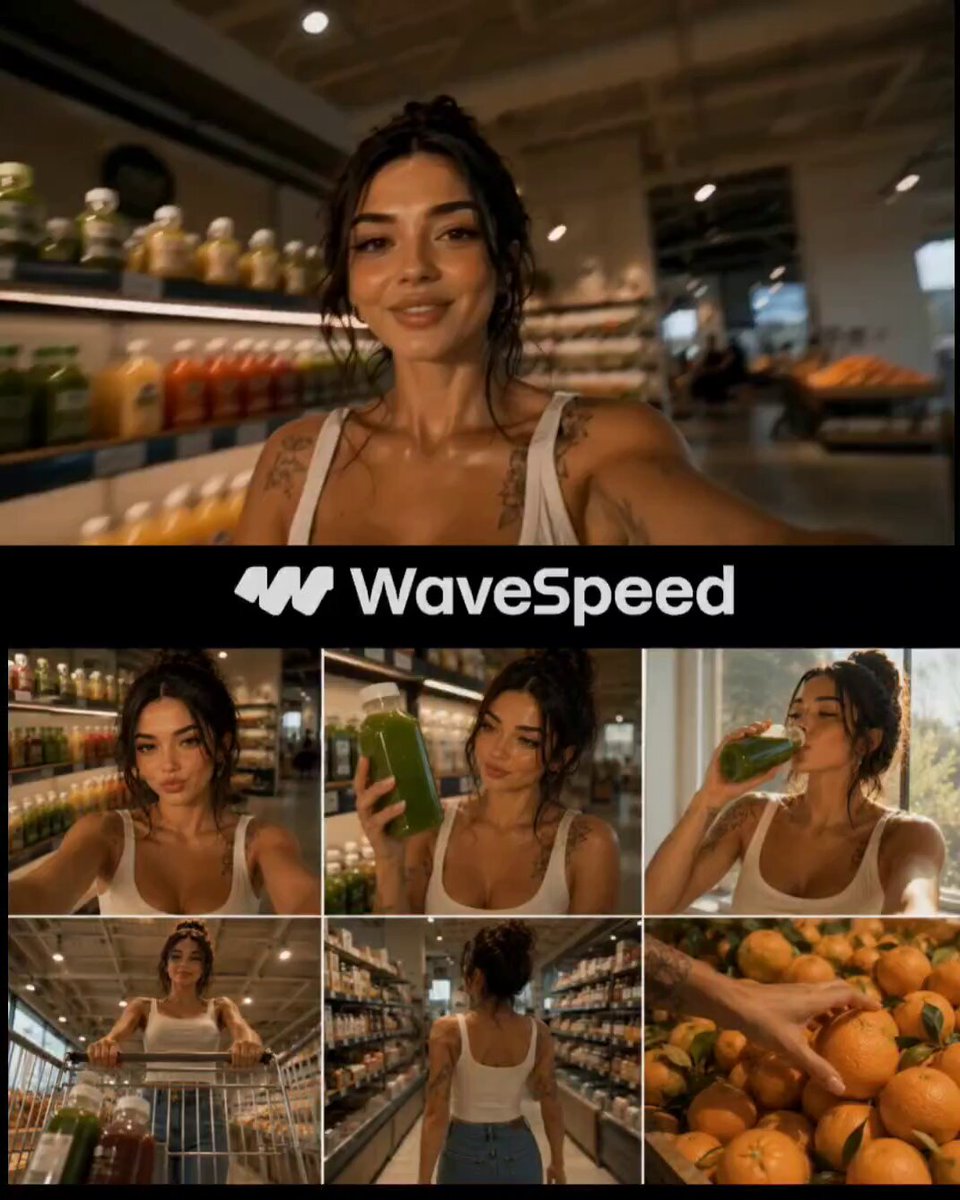
A cinematic video prompt for an ultra-realistic grocery shopping vlog featuring a consistent Japanese female character, including selfie shots and POV footage.
Reference Character: Use the same Japanese woman from the reference image throughout the entire video. Maintain her facial features, hairstyle, body proportions, beige fitted crop top, olive green leggings, and white sneakers with perfect character consistency. Do not change her appearance in any scene. Style: Ultra-realistic cinematic grocery shopping vlog, handheld smartphone camera, natural lighting, realistic movement, soft supermarket lighting, 4K HDR, shallow depth of field, authentic social media aesthetic. Duration: 15 seconds Sequence: 0–2s: Selfie vlog outside the supermarket entrance while holding a shopping cart, smiling naturally before walking inside. 2–4s: POV shot pushing the shopping cart through the fresh produce aisle. 4–6s: Close-up of her picking fresh strawberries, oranges, and herbs, placing them into the cart. 6–8s: Medium shot selecting healthy pantry staples from the shelves and adding them to the cart. 8–10s: Taking yogurt and healthy drinks from the refrigerator section and placing them into the cart. 10–12s: Top-down cinematic shot revealing the cart filled with colorful healthy groceries. 12–14s: Rear tracking shot as she pushes the cart through the aisle, briefly looking back and smiling. 14–15s: Final selfie shot proudly showing the full grocery cart with a warm smile before ending the vlog. Camera: Handheld smartphone vlog, realistic micro camera shake, smooth walking motion, natural autofocus breathing, cinematic framing, seamless transitions between scenes. Output: Photorealistic, highly detailed, natural human motion, no text, no subtitles, no logos, no watermarks, perfect character consistency across all scenes.
Reference Character: Use the same Japanese woman from the reference image throughout the entire video. Maintain her facial features, hairstyle, body proportions, beige fitted crop top, olive green leggings, and white sneakers with perfect character consistency. Do not change her appearance in any scene. Style: Ultra-realistic cinematic grocery shopping vlog, handheld smartphone camera, natural lighting, realistic movement, soft supermarket lighting, 4K HDR, shallow depth of field, authentic social media aesthetic. Duration: 15 seconds Sequence: 0–2s: Selfie vlog outside the supermarket entrance while holding a shopping cart, smiling naturally before walking inside. 2–4s: POV shot pushing the shopping cart through the fresh produce aisle. 4–6s: Close-up of her picking fresh strawberries, oranges, and herbs, placing them into the cart. 6–8s: Medium shot selecting healthy pantry staples from the shelves and adding them to the cart. 8–10s: Taking yogurt and healthy drinks from the refrigerator section and placing them into the cart. 10–12s: Top-down cinematic shot revealing the cart filled with colorful healthy groceries. 12–14s: Rear tracking shot as she pushes the cart through the aisle, briefly looking back and smiling. 14–15s: Final selfie shot proudly showing the full grocery cart with a warm smile before ending the vlog. Camera: Handheld smartphone vlog, realistic micro camera shake, smooth walking motion, natural autofocus breathing, cinematic framing, seamless transitions between scenes. Output: Photorealistic, highly detailed, natural human motion, no text, no subtitles, no logos, no watermarks, perfect character consistency across all scenes.
Edit the prompt in the box under the preview — the template's model and format are already selected — and press Generate. Your version appears right on this page.
Yes. You can change the subject, setting, lighting, mood, format, and available model controls before creating your video.
Opening and editing this template is free. Generating uses credits, shown on the Generate button when you are signed in.
Start with Seedance 2.0, which is the model associated with this template. You can compare another compatible model for a different finish.
Follow a topic to a crawlable collection of related PicX Studio templates.