How do I use the Handheld Smartphone Road Trip Montage template?
Edit the prompt in the box under the preview — the template's model and format are already selected — and press Generate. Your version appears right on this page.
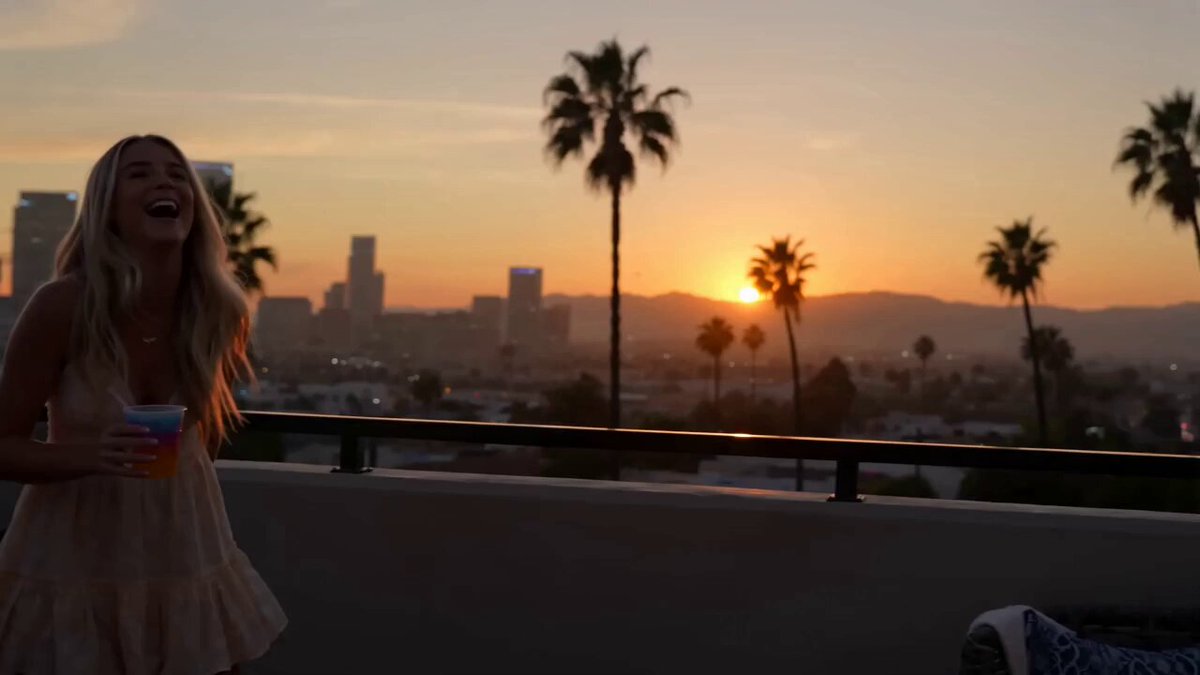
A realistic video prompt for a handheld smartphone-style montage of a road trip pit stop, featuring jump cuts, authentic motion, and character consistency using a reference image.
Super casual real smartphone home video footage, road trip pit stop at a scenic roadside spot, natural mobile phone camera with slight authentic handheld shake, normal frame rate with smooth natural motion, rapidfire montage with quick jump cuts every 1-2 seconds, unpolished authentic phone recording of friends stretching, snacking and taking photos by the car, pure raw home video feel, no cinematic polish. Use the provided reference photo as the strict ONLY visual reference for the main woman. Maintain her exact appearance with zero deviation. Generate a mixed group of friends around her at the roadside stop, car and open road visible. 0-2.5s: Shaky rapid cuts main woman laughing while leaning on the car, wind blowing, quick flashes of scenic road view. 2.5-5s: Abrupt jump cuts close-up of her sipping a cold drink, then friends unpacking snacks from the car. 5-7.5s: Fast shaky she chats animatedly pointing at the view, friends laughing around her. 7.5-10s: Quick cut close-up playful smile toward camera, then jump to group taking a silly group photo. 10-12.5s: Abrupt edit everyone gathered near the car hood, sharing chips and music playing casually. 12.5-15s: Final rapid transition main woman relaxed against the car, soft smile, calm road trip memory ending with gentle phone sway. Natural smartphone video quality, slight handheld shake, smooth motion, authentic physics, stable main character consistency, no pro effects.
Super casual real smartphone home video footage, road trip pit stop at a scenic roadside spot, natural mobile phone camera with slight authentic handheld shake, normal frame rate with smooth natural motion, rapidfire montage with quick jump cuts every 1-2 seconds, unpolished authentic phone recording of friends stretching, snacking and taking photos by the car, pure raw home video feel, no cinematic polish. Use the provided reference photo as the strict ONLY visual reference for the main woman. Maintain her exact appearance with zero deviation. Generate a mixed group of friends around her at the roadside stop, car and open road visible. 0-2.5s: Shaky rapid cuts main woman laughing while leaning on the car, wind blowing, quick flashes of scenic road view. 2.5-5s: Abrupt jump cuts close-up of her sipping a cold drink, then friends unpacking snacks from the car. 5-7.5s: Fast shaky she chats animatedly pointing at the view, friends laughing around her. 7.5-10s: Quick cut close-up playful smile toward camera, then jump to group taking a silly group photo. 10-12.5s: Abrupt edit everyone gathered near the car hood, sharing chips and music playing casually. 12.5-15s: Final rapid transition main woman relaxed against the car, soft smile, calm road trip memory ending with gentle phone sway. Natural smartphone video quality, slight handheld shake, smooth motion, authentic physics, stable main character consistency, no pro effects.
Edit the prompt in the box under the preview — the template's model and format are already selected — and press Generate. Your version appears right on this page.
Yes. You can change the subject, setting, lighting, mood, format, and available model controls before creating your video.
Opening and editing this template is free. Generating uses credits, shown on the Generate button when you are signed in.
Start with Seedance 2.0, which is the model associated with this template. You can compare another compatible model for a different finish.
Follow a topic to a crawlable collection of related PicX Studio templates.