How do I use the Roller Skater Handrail Stunt template?
Edit the prompt in the box under the preview — the template's model and format are already selected — and press Generate. Your version appears right on this page.
A descriptive multi-shot prompt for a roller skating stunt attempt that leads to a physically realistic fall, emphasizing physics and natural movement.
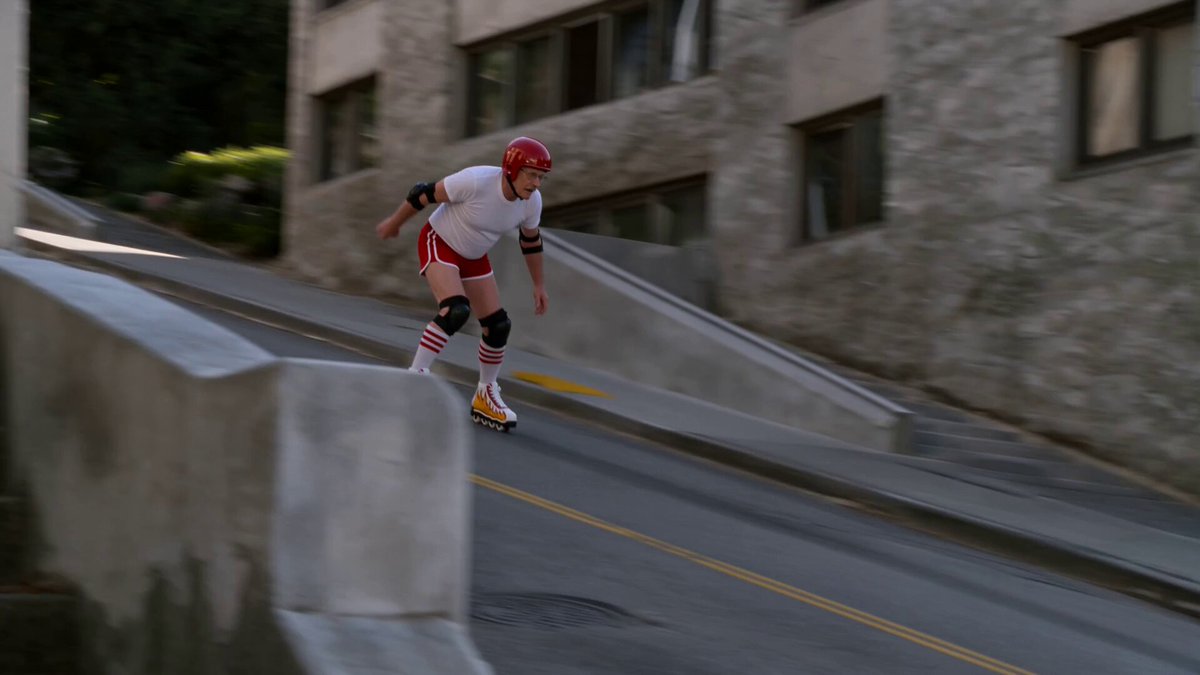
A wide cinematic landscape shot of a large outdoor concrete staircase beside a massive modern building covered with tall rectangular glass panels. Warm late afternoon sunlight creates realistic golden highlights and long shadows across the stairs and open concrete plaza. A broad sloping silver metal handrail runs diagonally down the center of the staircase toward the camera. A young female roller skater stands near the upper-right side of the stairs, wearing an oversized mustard-yellow sweatshirt with a red graphic on the chest, fitted black pants, a white baseball cap, and white quad roller skates with subtle pink details. Her long brown ponytail moves naturally in the breeze. 0–3 seconds: One continuous stationary smartphone-style wide shot. The skater rolls carefully into position at the top of the sloping rail, looks down its length, bends her knees and raises her arms, preparing for the stunt. A few distant people sit casually on the stairs in the background. 3–6 seconds: She gathers confidence, rolls forward and crouches lower. Her wheels vibrate realistically over the stone surface. She jumps upward, turning her body slightly sideways, attempting to land both roller skates on top of the wide rail. 6–9 seconds: She lands in a deep crouch on the rail and begins sliding downward. For a brief moment the stunt appears successful. Her arms stretch outward for balance, her sweatshirt flutters, her ponytail swings and the roller skates scrape realistically against the metal. 9–12 seconds: Her weight suddenly shifts to one side. One skate slips from the rail, causing her hips to rotate awkwardly. She grabs at the rail but cannot recover. She slides sideways, tumbles off the lower end and falls onto the flat concrete plaza. Her white cap flies off and bounces nearby. Use convincing gravity, momentum, body weight and natural protective arm movements. 12–15 seconds: She completes a small shoulder roll and ends lying on her side beside the staircase, one knee bent and one leg extended. Her loose hair spreads across the ground while the cap rests a short distance away. She remains still for a moment, then gives a tiny embarrassed movement showing that she is unharmed. The camera continues recording without cutting. Photorealistic human anatomy, authentic roller-skating movement, physically accurate fall, realistic fabric and hair simulation, natural facial reactions, documentary style exposure, subtle handheld micro shake, crisp environmental detail, believable sunlight and shadows, real-world motion blur, 30 fps, no cinematic slow motion, no camera cuts. Audio: quiet outdoor city ambience, roller wheels rumbling over stone, brief metal scraping sound during the slide, clothing movement, a realistic soft impact and the cap tapping against the pavement. Avoid: serious injury, blood, exaggerated violence, impossible acrobatics, floating body, rubber lim
A wide cinematic landscape shot of a large outdoor concrete staircase beside a massive modern building covered with tall rectangular glass panels. Warm late afternoon sunlight creates realistic golden highlights and long shadows across the stairs and open concrete plaza. A broad sloping silver metal handrail runs diagonally down the center of the staircase toward the camera. A young female roller skater stands near the upper-right side of the stairs, wearing an oversized mustard-yellow sweatshirt with a red graphic on the chest, fitted black pants, a white baseball cap, and white quad roller skates with subtle pink details. Her long brown ponytail moves naturally in the breeze. 0–3 seconds: One continuous stationary smartphone-style wide shot. The skater rolls carefully into position at the top of the sloping rail, looks down its length, bends her knees and raises her arms, preparing for the stunt. A few distant people sit casually on the stairs in the background. 3–6 seconds: She gathers confidence, rolls forward and crouches lower. Her wheels vibrate realistically over the stone surface. She jumps upward, turning her body slightly sideways, attempting to land both roller skates on top of the wide rail. 6–9 seconds: She lands in a deep crouch on the rail and begins sliding downward. For a brief moment the stunt appears successful. Her arms stretch outward for balance, her sweatshirt flutters, her ponytail swings and the roller skates scrape realistically against the metal. 9–12 seconds: Her weight suddenly shifts to one side. One skate slips from the rail, causing her hips to rotate awkwardly. She grabs at the rail but cannot recover. She slides sideways, tumbles off the lower end and falls onto the flat concrete plaza. Her white cap flies off and bounces nearby. Use convincing gravity, momentum, body weight and natural protective arm movements. 12–15 seconds: She completes a small shoulder roll and ends lying on her side beside the staircase, one knee bent and one leg extended. Her loose hair spreads across the ground while the cap rests a short distance away. She remains still for a moment, then gives a tiny embarrassed movement showing that she is unharmed. The camera continues recording without cutting. Photorealistic human anatomy, authentic roller-skating movement, physically accurate fall, realistic fabric and hair simulation, natural facial reactions, documentary style exposure, subtle handheld micro shake, crisp environmental detail, believable sunlight and shadows, real-world motion blur, 30 fps, no cinematic slow motion, no camera cuts. Audio: quiet outdoor city ambience, roller wheels rumbling over stone, brief metal scraping sound during the slide, clothing movement, a realistic soft impact and the cap tapping against the pavement. Avoid: serious injury, blood, exaggerated violence, impossible acrobatics, floating body, rubber lim
Edit the prompt in the box under the preview — the template's model and format are already selected — and press Generate. Your version appears right on this page.
Yes. You can change the subject, setting, lighting, mood, format, and available model controls before creating your video.
Opening and editing this template is free. Generating uses credits, shown on the Generate button when you are signed in.
Start with Seedance 2.0, which is the model associated with this template. You can compare another compatible model for a different finish.
Follow a topic to a crawlable collection of related PicX Studio templates.