How do I use the Water Park to Parliament Prank Video template?
Edit the prompt in the box under the preview — the template's model and format are already selected — and press Generate. Your version appears right on this page.
A detailed storyboard prompt for a comedic video where a woman slides through a water park and unexpectedly emerges into the formal setting of a national parliament hall, featuring cinematic lighting and water…
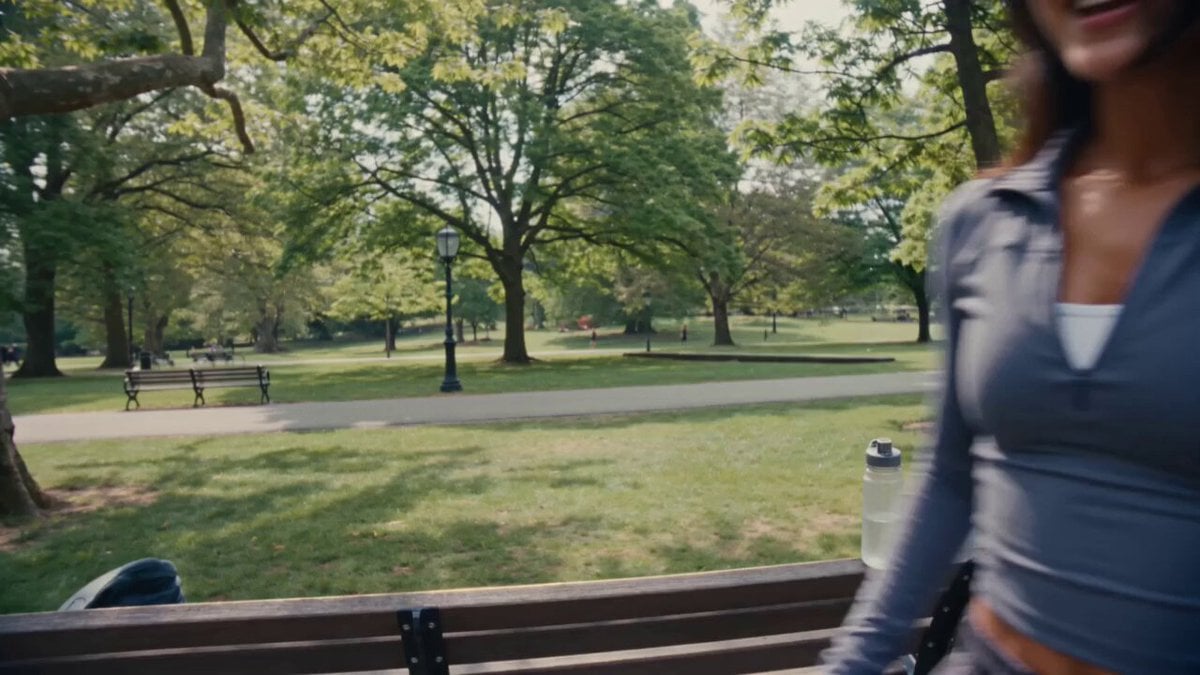
参照画像の人物を1人の主人公として使用。主人公は参照画像と同一人物の成人女性。顔立ち、髪型、髪色、体型、雰囲気を忠実に維持する。衣装はシンプルで上品なデザインのビキニ水着。フォトリアル、映画品質、超高精細、自然な肌の質感、リアルな水のシミュレーション、シネマティックライティング、HDR、物理ベースレンダリング、24fps、15秒、16:9。 0〜3秒 大型ウォーターパーク。 主人公はウォータースライダーのスタート地点で笑顔。 期待に胸を膨らませながらスタッフに手を振り、勢いよく滑り始める。 カメラは主人公を正面や斜め前から追い、表情を中心に撮影。 水しぶき、髪が風になびく様子、躍動感のあるカメラワーク。 明るく楽しい夏の雰囲気。 3〜9秒 POV(一人称)視点へ切り替わる。 主人公の伸ばした脚だけが画面下部に見えている。 高速で筒状のウォータースライダーを滑走。 外は一切見えず、完全に密閉されたチューブ。 水流が勢いよく流れ、左右へ大きくバンクしながら進む。 青や白の照明が高速で流れ、スピード感を演出。 カメラには水滴が付き、リアルな疾走感。 最後に出口から強い光が差し込む。 9〜12秒 出口から勢いよく飛び出す。 着水した場所は国会の本会議場。 広い議場、整然と並ぶ議席、演壇、会議中の厳かな雰囲気。 主人公は滑り終えて立ち上がるが、周囲を見回し、 「え……?」という表情で自分の状況を理解する。 議場中の人々が一斉に主人公へ視線を向ける。 カメラは引きのワイドショット。 12〜15秒 主人公は大慌て。 両手で顔を覆ったり、周囲を見回したり、 出口を探して右往左往。 コミカルで映画のようなリアクション。 議場の人々は驚きながら見守るだけで、混乱や危険な状況にはならない。 最後は主人公が恥ずかしそうに小走りで画面外へ逃げていくところで終了。 ⸻ 映像スタイル * フォトリアル映画品質 * 自然な人物アニメーション * 高品質な水シミュレーション * リアルな濡れた髪・肌・水滴表現 * ダイナミックなカメラワーク * コメディ映画のようなテンポ * 明るくユーモラスな雰囲気 * 文字・字幕・ロゴ・ウォーターマークなし * 顔崩れ・手指崩れ・衣装崩れなし * 人物の一貫性を最後まで維持 * PG相当の健全でコミカルな演出 制約 実在する政治家は登場しない。 登場人物は全て架空の人物にする。
参照画像の人物を1人の主人公として使用。主人公は参照画像と同一人物の成人女性。顔立ち、髪型、髪色、体型、雰囲気を忠実に維持する。衣装はシンプルで上品なデザインのビキニ水着。フォトリアル、映画品質、超高精細、自然な肌の質感、リアルな水のシミュレーション、シネマティックライティング、HDR、物理ベースレンダリング、24fps、15秒、16:9。 0〜3秒 大型ウォーターパーク。 主人公はウォータースライダーのスタート地点で笑顔。 期待に胸を膨らませながらスタッフに手を振り、勢いよく滑り始める。 カメラは主人公を正面や斜め前から追い、表情を中心に撮影。 水しぶき、髪が風になびく様子、躍動感のあるカメラワーク。 明るく楽しい夏の雰囲気。 3〜9秒 POV(一人称)視点へ切り替わる。 主人公の伸ばした脚だけが画面下部に見えている。 高速で筒状のウォータースライダーを滑走。 外は一切見えず、完全に密閉されたチューブ。 水流が勢いよく流れ、左右へ大きくバンクしながら進む。 青や白の照明が高速で流れ、スピード感を演出。 カメラには水滴が付き、リアルな疾走感。 最後に出口から強い光が差し込む。 9〜12秒 出口から勢いよく飛び出す。 着水した場所は国会の本会議場。 広い議場、整然と並ぶ議席、演壇、会議中の厳かな雰囲気。 主人公は滑り終えて立ち上がるが、周囲を見回し、 「え……?」という表情で自分の状況を理解する。 議場中の人々が一斉に主人公へ視線を向ける。 カメラは引きのワイドショット。 12〜15秒 主人公は大慌て。 両手で顔を覆ったり、周囲を見回したり、 出口を探して右往左往。 コミカルで映画のようなリアクション。 議場の人々は驚きながら見守るだけで、混乱や危険な状況にはならない。 最後は主人公が恥ずかしそうに小走りで画面外へ逃げていくところで終了。 ⸻ 映像スタイル * フォトリアル映画品質 * 自然な人物アニメーション * 高品質な水シミュレーション * リアルな濡れた髪・肌・水滴表現 * ダイナミックなカメラワーク * コメディ映画のようなテンポ * 明るくユーモラスな雰囲気 * 文字・字幕・ロゴ・ウォーターマークなし * 顔崩れ・手指崩れ・衣装崩れなし * 人物の一貫性を最後まで維持 * PG相当の健全でコミカルな演出 制約 実在する政治家は登場しない。 登場人物は全て架空の人物にする。
Edit the prompt in the box under the preview — the template's model and format are already selected — and press Generate. Your version appears right on this page.
Yes. You can change the subject, setting, lighting, mood, format, and available model controls before creating your video.
Opening and editing this template is free. Generating uses credits, shown on the Generate button when you are signed in.
Start with Seedance 2.0, which is the model associated with this template. You can compare another compatible model for a different finish.
Follow a topic to a crawlable collection of related PicX Studio templates.