How do I use the Paper Cut Vintage Travel Poster template?
Choose the primary action to open PicX Studio with the available template settings. Review the model and format, personalize the creative direction, and generate when ready.
Master Paper Cut AI Art template: Paper Cut Vintage Travel Poster.

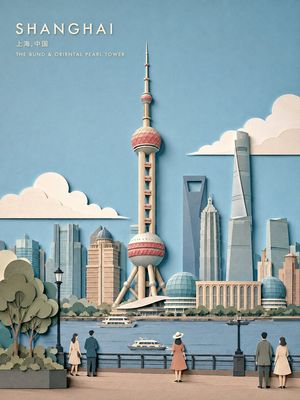
1930s Art Deco travel poster recreated as dimensional paper cut: "Visit the Swiss Alps" — stylized mountain peaks in layered white and cool grey papers with glacier crevasse cuts. Alpine village in warm cream paper with red paper roof tiles, each chimney emitting individual paper smoke rings. Pine forests in graduated green papers, each tree individually cut. Sky: gradient from pale blue to deep indigo papers with gold foil sun bursting through peaks. Border: geometric Art Deco pattern laser-cut in metallic silver paper. Distressed paper edges, vintage texture. Master retro paper poster, 8K, aspect ratio 2:3
Choose the primary action to open PicX Studio with the available template settings. Review the model and format, personalize the creative direction, and generate when ready.
Yes. You can change the subject, setting, lighting, mood, format, and available model controls before creating your image.
This template is free to open and customize. Generation usage is shown in PicX Studio before you create.
Choose a compatible model in PicX Studio based on the style, speed, and output controls your project needs.
Follow a topic to a crawlable collection of related PicX Studio templates.