How do I use the AI Puppy Acting Challenge Scene Script template?
Edit the prompt in the box under the preview — the template's model and format are already selected — and press Generate. Your version appears right on this page.
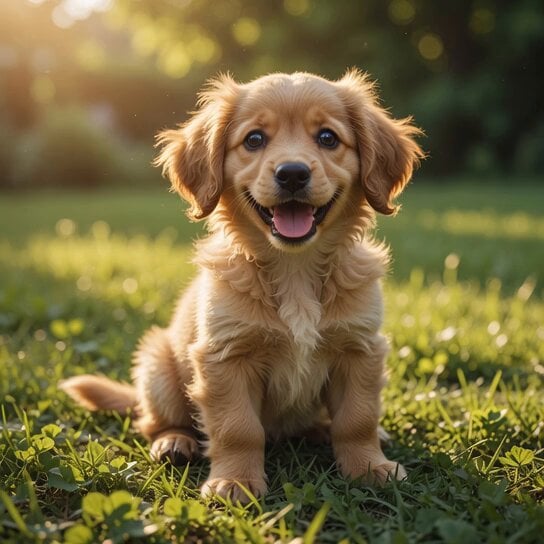
A detailed multi-scene prompt script for creating a humorous acting video of puppies in a rural setting, featuring specific camera movements and expressive character reactions.
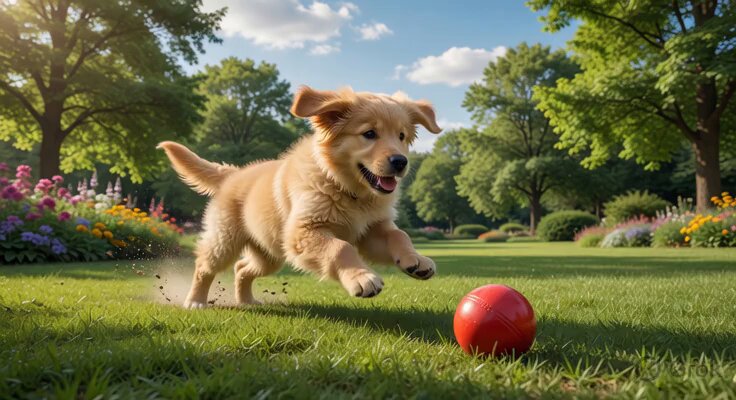
视频时长:10 秒 画面比例:16:9 核心主题:田园背景下三只幼犬的幽默 “演戏” 挑战 分镜 1:[0-1 秒] 镜头指令: 中特写 (Medium Close-up),水平固定视角。 画面描述: 背景是色彩饱和度极高的郁郁葱葱的玉米地,叶片纹理清晰可见。两只胖乎乎的幼犬并排坐在干燥的泥地上。一只人类的手突然入镜,对准左侧的花白小狗比出 “手枪” 手势。 动作 / 视觉效果: 听到模拟枪声后,花白小狗配合地向后翻倒,展示出毛茸茸的白色肚皮,动作憨态可掬,伴随轻微的泥土扬尘。 分镜 2:[1-3 秒] 镜头指令: 中特写 (Medium Close-up),镜头平滑向右横移 (Pan Right)。 画面描述: 手势移向中间的浅黄色小狗。 动作 / 视觉效果: 随着手势发出指令,浅黄色小狗闭上眼睛,顺势向后仰倒。此时,镜头右侧露出了第三只黑色幼犬(小黑),它紧闭双眼,表情严肃且纹丝不动,呈现出一种 “拒不配合” 的滑稽感。 分镜 3:[3-8 秒] 镜头指令: 特写 (Close-up),固定镜头聚焦于 “小黑”。 画面描述: “小黑” 处于画面中心,它的毛发在自然的阴天柔光下泛着微光。它原本紧闭双眼,倔强地保持坐姿。 动作 / 视觉效果: 当它听到旁白提到的 “鸡腿威胁” 时,瞳孔瞬间发生微细的收缩并猛地睁大眼睛,眼神从迷茫瞬间转化为充满渴望的惊讶,这是表演转折的核心点,表情极具拟人化张力。 分镜 4:[8-10 秒] 镜头指令: 特写 (Close-up),固定视角。 画面描述: “小黑” 为了美食决定展现极致演技。 动作 / 视觉效果: 手势再次发出 “Biū” 的指令,黑色小狗张大嘴巴做出夸张的惨叫状,全身肌肉紧绷,以一种充满戏剧性的张力向后翻滚。动作与前两只狗形成鲜明对比,充满了表演的热情与喜剧冲突。 场景风格总结: 视觉纹理: 极致细腻的幼犬毛发质感,背景玉米地的绿色要清新明亮,与泥土地的土褐色形成对比。 灯光: 自然明亮的户外柔光,模拟阴天环境,避免生硬的阴影,确保聚焦于小狗的面部微动作。 氛围: 幽默诙谐的纪实风格,强调宠物与人之间的戏剧互动
视频时长:10 秒 画面比例:16:9 核心主题:田园背景下三只幼犬的幽默 “演戏” 挑战 分镜 1:[0-1 秒] 镜头指令: 中特写 (Medium Close-up),水平固定视角。 画面描述: 背景是色彩饱和度极高的郁郁葱葱的玉米地,叶片纹理清晰可见。两只胖乎乎的幼犬并排坐在干燥的泥地上。一只人类的手突然入镜,对准左侧的花白小狗比出 “手枪” 手势。 动作 / 视觉效果: 听到模拟枪声后,花白小狗配合地向后翻倒,展示出毛茸茸的白色肚皮,动作憨态可掬,伴随轻微的泥土扬尘。 分镜 2:[1-3 秒] 镜头指令: 中特写 (Medium Close-up),镜头平滑向右横移 (Pan Right)。 画面描述: 手势移向中间的浅黄色小狗。 动作 / 视觉效果: 随着手势发出指令,浅黄色小狗闭上眼睛,顺势向后仰倒。此时,镜头右侧露出了第三只黑色幼犬(小黑),它紧闭双眼,表情严肃且纹丝不动,呈现出一种 “拒不配合” 的滑稽感。 分镜 3:[3-8 秒] 镜头指令: 特写 (Close-up),固定镜头聚焦于 “小黑”。 画面描述: “小黑” 处于画面中心,它的毛发在自然的阴天柔光下泛着微光。它原本紧闭双眼,倔强地保持坐姿。 动作 / 视觉效果: 当它听到旁白提到的 “鸡腿威胁” 时,瞳孔瞬间发生微细的收缩并猛地睁大眼睛,眼神从迷茫瞬间转化为充满渴望的惊讶,这是表演转折的核心点,表情极具拟人化张力。 分镜 4:[8-10 秒] 镜头指令: 特写 (Close-up),固定视角。 画面描述: “小黑” 为了美食决定展现极致演技。 动作 / 视觉效果: 手势再次发出 “Biū” 的指令,黑色小狗张大嘴巴做出夸张的惨叫状,全身肌肉紧绷,以一种充满戏剧性的张力向后翻滚。动作与前两只狗形成鲜明对比,充满了表演的热情与喜剧冲突。 场景风格总结: 视觉纹理: 极致细腻的幼犬毛发质感,背景玉米地的绿色要清新明亮,与泥土地的土褐色形成对比。 灯光: 自然明亮的户外柔光,模拟阴天环境,避免生硬的阴影,确保聚焦于小狗的面部微动作。 氛围: 幽默诙谐的纪实风格,强调宠物与人之间的戏剧互动
Edit the prompt in the box under the preview — the template's model and format are already selected — and press Generate. Your version appears right on this page.
Yes. You can change the subject, setting, lighting, mood, format, and available model controls before creating your video.
Opening and editing this template is free. Generating uses credits, shown on the Generate button when you are signed in.
Start with Seedance 2.0, which is the model associated with this template. You can compare another compatible model for a different finish.
Follow a topic to a crawlable collection of related PicX Studio templates.