How do I use the Divine Fashion Editorial in White Feathers template?
Choose the primary action to open PicX Studio with the available template settings. Review the model and format, personalize the creative direction, and generate when ready.
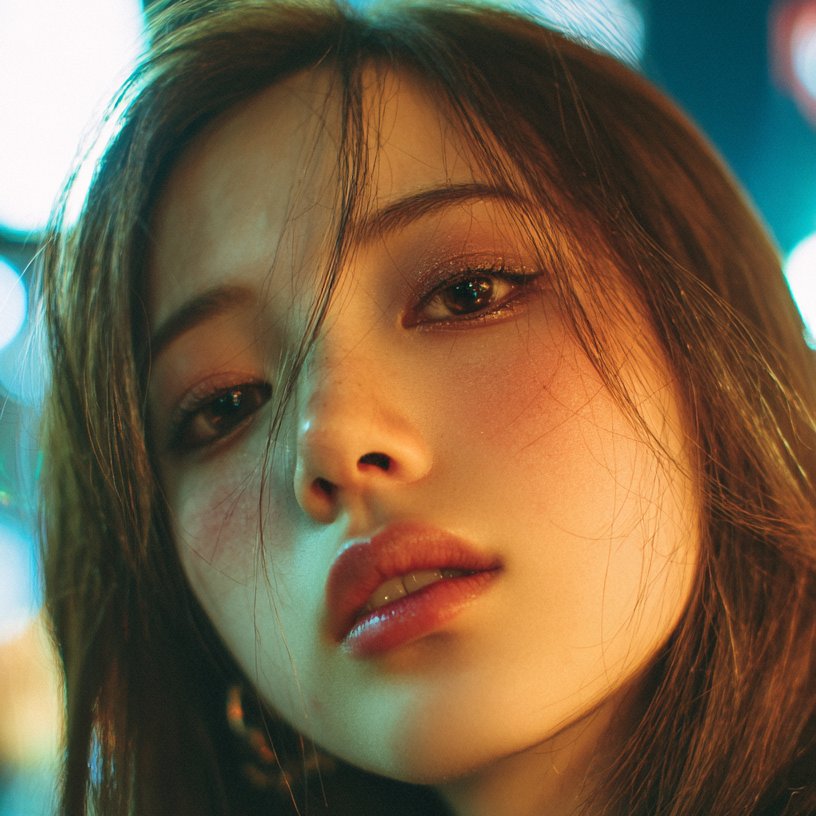
A detailed prompt for generating a hyper-realistic, high-definition cinematic image of a stunning woman (using specific facial features) lying gracefully on a luxurious bed of oversized white feathers. The subject wears a sculpted white bodysuit resembling petals, creating a surreal, goddess-like fashion editorial aesthetic. (free to use) — Free AI image template on PicX Studio.
Use the facial features in the image uploaded an 8k high image resolution, Create Hyper-realistic ,a stunning woman lying gracefully on a luxurious bed of oversized white feathers, captured in ultra-realistic, high-definition cinematic lighting. She recline with her arms extended outward, one hand gently touching the side of her face, the other resting elegantly above her head. Her eyes are closed, giving a serene, divine, almost ethereal presence. Her posture is relaxed and statuesque, emphasizing the curves and lines of her body against the feathered background.” Outfit: She wears a sculpted white bodysuit made of textured, leaf-like appliqué, resembling hand-carved petals or intricate featherwork. The design hugs her body with a deep, sculptural neckline and organic shapes that blend seamlessly into the surrounding feathers, creating a surreal goddess-like aesthetic. Hair: Her hair is styled sleek and smooth, pulled back to accentuate her bone structure and facial symmetry. The clean hairstyle enhances the elegance and clarity of the composition. Accessories: Minimal accessories—subtle, elegant earrings barely visible through the feathers. The focus remains on her glowing skin, couture bodysuit, and the dramatic feather arrangement. Makeup: Ultra-glamorous and editorial: bronze luminous skin, golden highlight on the cheekbones, bold defined brows, winged eyeliner, long lashes, and glossy deep nude lips. Her makeup enhances the contrast between her skin and the white feathers, giving a striking, high-fashion visual impact. Environment & Mood: She is surrounded by billowing white feathers, arranged like an angelic aura radiating outward. The lighting is soft but dramatic, highlighting the contours of her face and body while creating depth in the feather textures. The overall scene feels like a surreal, divine fashion editorial, blending elegance, fantasy, and ultra-realism. Image ratio 2:3
Use Divine Fashion Editorial in White Feathers to plan an AI image around nano-banana-2 generation. Match the preview's composition first, then personalize the subject, setting, and mood for your own project.
Use the primary action to load the template settings in PicX Studio.
Adjust the subject and creative details for your destination.
Create the image, compare the result with the preview, and refine one variable at a time.
A continuous mix — similar concepts first, woven with same-model prompts and fresh picks from the catalog.
Choose the primary action to open PicX Studio with the available template settings. Review the model and format, personalize the creative direction, and generate when ready.
Yes. You can change the subject, setting, lighting, mood, format, and available model controls before creating your image.
This template is free to open and customize. Generation usage is shown in PicX Studio before you create.
Start with nano-banana-2, which is the model associated with this template. You can compare another compatible model for a different finish.
Follow a topic to a crawlable collection of related PicX Studio templates.
39,155 public templates available. Verified via the PicX Studio public templates API; refreshed hourly.
A continuous mix — similar concepts first, woven with same-model prompts and fresh picks from the catalog.