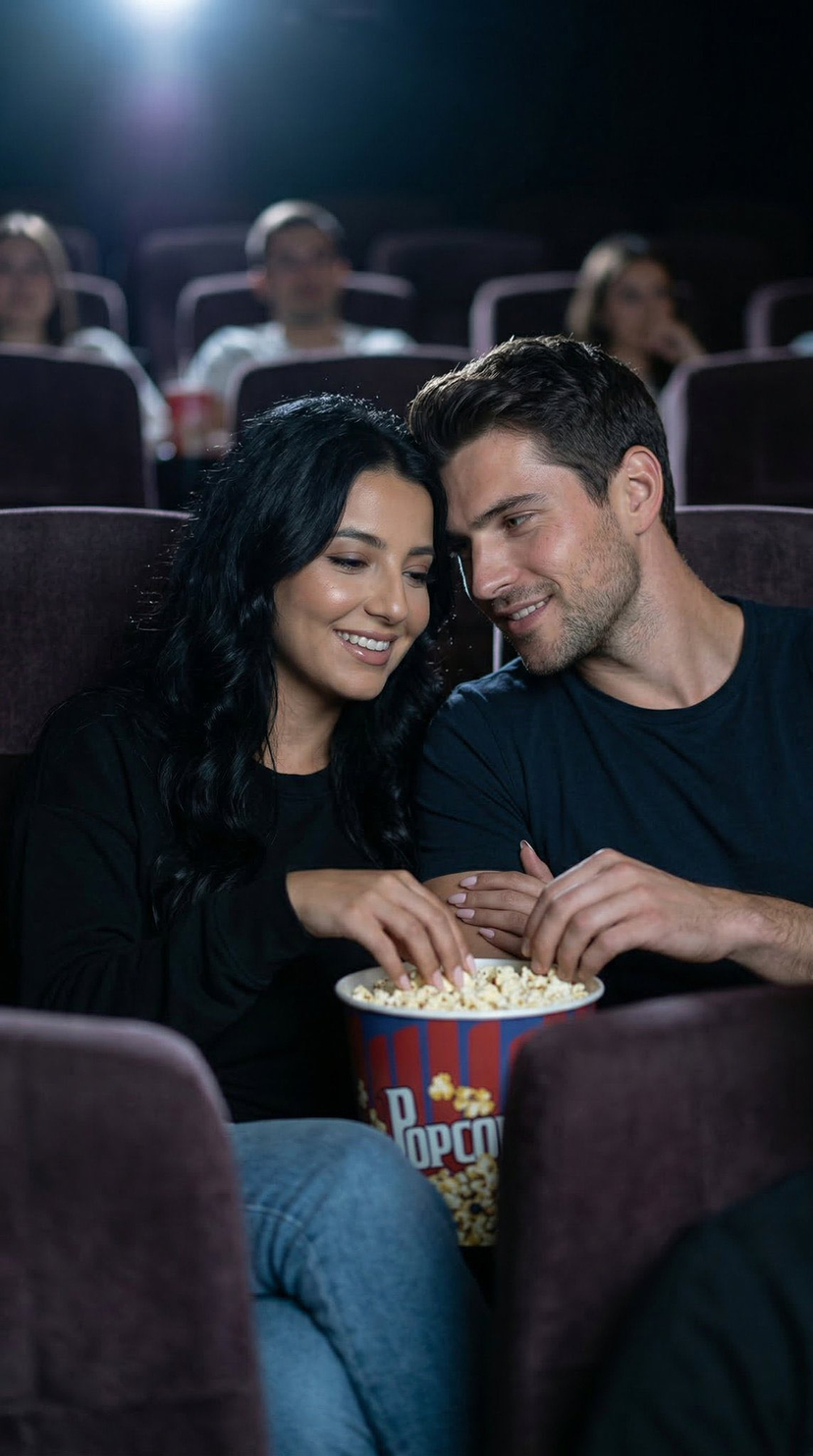
38-cinema-date-popcorn-realistic-by-nano-ba
{
"generation_request": {
"meta_data": {
"tool": "Nano Banana 2",
"task_type": "cinema_date_popcorn_realistic",
"version": "LOVE_Cinema"
},
"input": {
"mode": "text_to_image",
"notes": "Ultra photoreal candid moment of a couple sitting together in a movie theater, eating popcorn. Must feel warm, intimate, natural, and real, like a quiet cinema date captured spontaneously, not staged. No text anywhere."
},
"scene": {
"location": "movie theater",
"time": "night",
"environment": "dark cinema interior, soft screen glow, subtle audience blur, cozy theater atmosphere, no readable movie content on screen"
},
"subjects": {
"interaction": "they sit close together in cinema seats, sharing popcorn naturally, shoulders lightly touching, one of them reaching into the popcorn while the other smiles softly or looks toward the screen",
"emotion": "cozy connection, comfort, romance, playful tenderness, quiet happiness",
"micro_expression": "small genuine smiles, relaxed eyes, calm affectionate expressions, no exaggerated reactions",
"body_language": "natural seated posture, slight lean toward each other, relaxed shoulders, comfortable closeness, unposed intimacy"
},
"styling": {
"woman": "casual chic cinema-date outfit, same established hair color, open softly wavy hair with natural texture, realistic makeup",
"man": "casual but neat outfit such as a shirt or t-shirt with jeans, natural fit, relaxed appearance"
},
"camera": {
"lens": "50mm low-light lifestyle lens",
"aperture": "f1.8",
"depth_of_field": "soft shallow depth of field with subtle theater blur",
"framing": "medium shot focused on both of them in their seats with popcorn visible",
"angle": "slightly side angle or front three-quarter angle, as if quietly captured from a nearby row",
"motion": "still, natural, candid capture"
},
"lighting": {
"type": "cinema screen glow mixed with low ambient theater light",
"behavior": "soft flickering screen light across faces, gentle shadows, no harsh contrast, no studio effect",
"skin_response": "natural skin texture, believable low-light rendering, no smoothing, no plastic finish"
},
"color": {
"palette": "soft dark neutrals, muted red or brown seat tones, gentle cool screen light, warm skin tones, popcorn highlights",
"grade": "cinematic but restrained, realistic low-light balance, no HDR, no oversaturation"
},
"realism": {
"faces": "fully natural human faces, realistic proportions, no AI beauty filter, no over-perfect symmetry",
"skin": "visible pores, subtle natural imperfections, believable cinema lighting interaction",
"hair": "natural strands, soft realistic texture, not overstyled",
"hands": "correct popcorn holding and reaching gestures, natural finger placement, no extra fingers, no warped hands, no fused fingers",





![118-google-nano-banana-pro-skincare-product- — A professional skincare shot of a [product container] with [cap/lid], labeled [brand, product, descriptor, volume](/_next/image?url=https%3A%2F%2Fcdn.picxstudio.com%2Fuploads%2Fpost118_img0_332898b8-29ea-42a9-87ab-9ed746a3f944.jpg&w=828&q=100)



![69-untitled — FORMAT: 15s / 145 BPM / 14 SHOTS
SUBJECT: @[image1]
WARDROBE: Clean modern outfit
ENVIRONMENT: Street / indoor transitions
MOOD: Discovery → contr](/_next/image?url=https%3A%2F%2Fcdn.picxstudio.com%2Fuploads%2Fpost69_img0_d45faecf-38c3-4bcb-81a4-f6eb1cf42bb2.jpg&w=828&q=100)











![Naive doodle-style subject illustration — A doodle-style {argument name="subject" default="[subject]"}, naive lines, humorous shape exaggeration](https://pbs.twimg.com/media/G6Wl2YxbsAARB2b.jpg)


















![Combustion Freeze: Object Frozen at Ignition — A single {argument name="object" default="[OBJECT]"} suspended in space, frozen at the moment of ign…](https://pbs.twimg.com/media/G_ZgT6XXoAAYqfN.jpg)