⛏️ 10 Best Minecraft AI Prompts
The original 10 hand-picked Minecraft prompts — voxel restyles, photoreal composites, and world-building scenes.
 PicX Studio4 min read10 prompts
Ten copy-ready Minecraft prompts in two styles: voxel restyles that turn a person into a blocky Minecraft character, and photoreal composites that keep you real while the world around you turns into Minecraft. Most are image-to-image prompts: upload a photo, open a prompt in PicX Studio and generate. Your first image is free.
Prompt 1: Authentic Minecraft Character
Full voxel restyle of a person while locking facial identity, hair, clothes, and pose — great for avatars and character art.
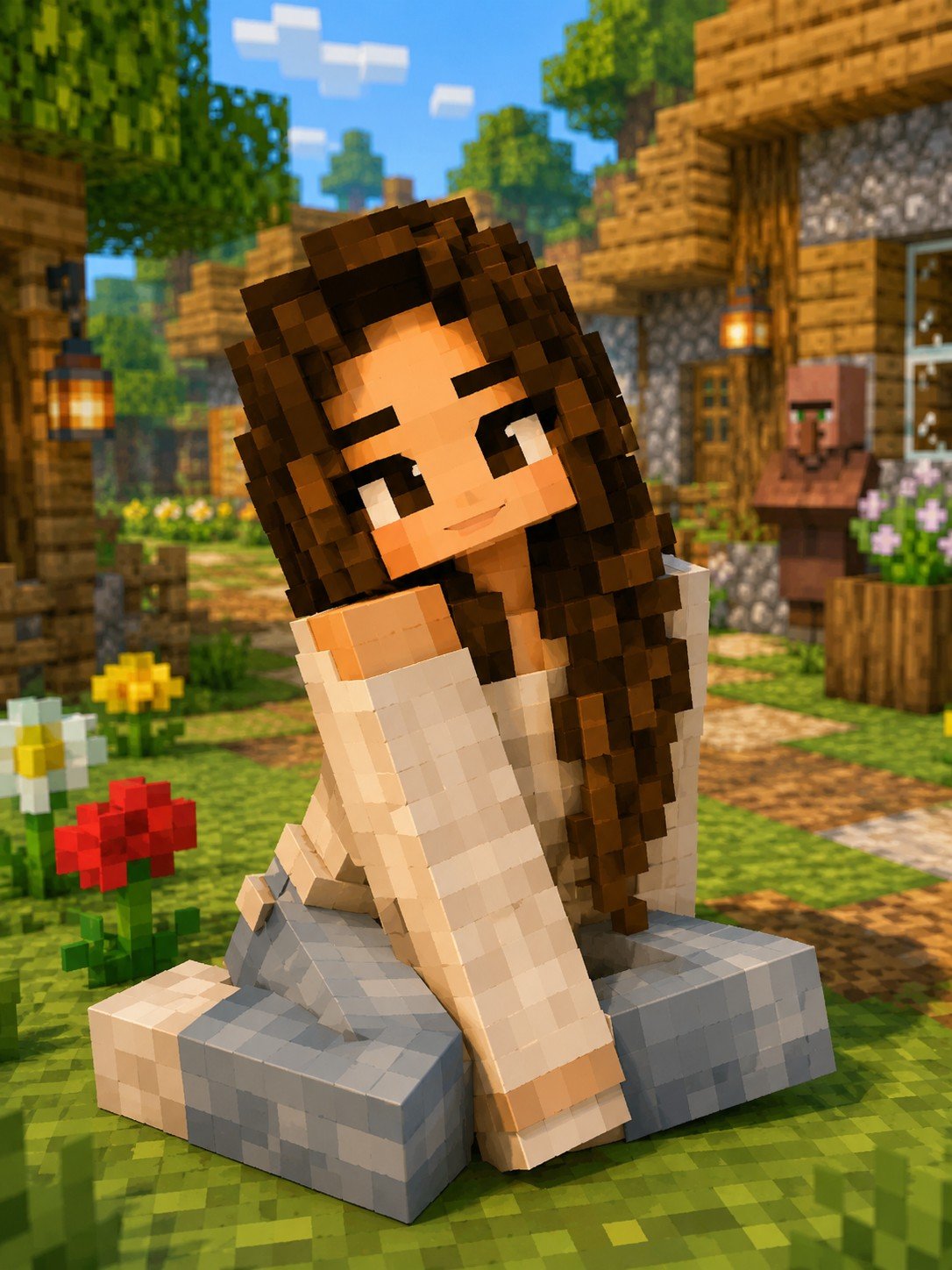
Transform this image into an authentic Minecraft-style character while preserving the person's facial identity, hairstyle, clothing colors, and overall pose. Recreate the entire subject using perfectly cubic voxel blocks with pixel-art textures, square facial features, blocky hands, simplified clothing details, and Minecraft's signature low-resolution aesthetic. Place the character inside a bright Minecraft village with trees, wooden houses, grass blocks, flowers, and soft daytime lighting. Highly detailed, vibrant colors, game-accurate textures, ultra-clean rendering.
Prompt 2: Voxel Fantasy Kingdom
Epic environment prompt for pure world-building — castles, floating islands, dragons — all in detailed voxel blocks.

Create a breathtaking Minecraft-inspired fantasy kingdom built entirely from detailed voxel blocks. Massive castles, glowing rivers, floating islands, enchanted forests, magical waterfalls, medieval towers, dragons flying overhead, colorful skies, and cinematic lighting. Every structure should look handcrafted using Minecraft blocks while maintaining realistic environmental depth and dramatic atmosphere. Highly detailed, 8K quality.
Prompt 3: Photoreal Person in Minecraft Village
Keeps the person fully human and photoreal while the world turns Minecraft — plus Ghast and Java UI overlay for thumbnail energy.

Transform this image into a breathtaking Minecraft-inspired scene, placing the person at the center of a vibrant, handcrafted Minecraft village. The subject must remain completely human and photorealistic, preserving their original facial identity, clothing, and proportions without any blocky stylization. To the right, construct an old, messy church featuring weathered stone blocks, cracked textures, and overgrown vines. In the far background, render massive, cinematic mountains with jagged peaks and realistic snow-covered summits. Floating in the upper right sky is a large, pixel-accurate friendly Ghast with soft, glowing features. At the bottom of the frame, overlay a detailed Minecraft Java Edition user interface, including a high-resolution item bar and a green experience bar clearly displaying level 22. Blend the realistic subject seamlessly into the voxel environment with accurate lighting, soft shadows, and a wide-angle DSLR perspective. Ultra-detailed, 8K quality, vibrant and atmospheric daytime lighting.
Prompt 4: Minecraft Background, Person Unchanged
Strict person-preservation: only the environment becomes Java-style blocks. Perfect when likeness must stay untouched.

Transform the background into a Minecraft Java Edition world, replacing all environment elements ground, grass, soil, plants, trees, terrain, and structures with blocky voxel-style Minecraft blocks such as grass, dirt, stone, wood, lanterns, and cubic vegetation. The background must clearly look like Minecraft, featuring sharp-edged blocks, clean voxel geometry, and consistent scale. Person Preservation: Keep the person completely unchanged, photorealistic, ultra-sharp, and natural, with no edits to their face, skin, body, hair, clothes, colors, or proportions. Do not stylize, alter, or convert the person in any way. Blend the person seamlessly into the Minecraft scene by accurately matching lighting, shadows, and perspective. Include cinematic depth of field, soft fog, atmospheric lighting, high-quality shadows, and ultra-detailed Minecraft terrain.
Prompt 5: You Died Winter Scene
Cinematic top-down winter death-screen meme energy with floating items and retro UI buttons.

Use 100% of the face and body from my reference image. Create a cinematic top-down winter scene inspired by a Minecraft death screen. The person is lying spread out on snow. Wearing casual winter clothes, realistic pose, cold atmospheric lighting, slightly desaturated tones, footprints visible in the snow. Surround the person with floating or placed pixelated Minecraft-style items, including a diamond sword, bow, pickaxe, emerald, steak, and Ender eye music disc and spider mob. Add a realistic Minecraft 'You Died!' game over overlay at the top with pixel font, including score - 0, crosshair symbol, and two retro UI buttons labeled 'Respawn' and 'Title Screen'. Blend realistic Photography with pixel-art game elements naturally. Soft shadows, moody winter aesthetic, ultra detailed, vertical composition, DSLR realism, subtle depth of field, high contrast, 9:16 ratio.
Prompt 6: Snowy Landscape + Name Tag
Photoreal subject in a snow biome with classic floating name tag and Java item bar — strong social/IG format.

Transform this image into a breathtaking Minecraft-inspired scene, placing the person at the center of a serene, snow-covered landscape. The subject must remain completely human and photorealistic, occupying about 1/3rd of the frame, preserving their original facial identity, clothing, and natural proportions. To the right, render a majestic, handcrafted snowy pine tree with individual voxel needles weighted by thick blankets of pixel-perfect snow. In the background, construct massive, cinematic mountains with jagged peaks and realistic snow-covered summits stretching into a cloudy, atmospheric sky. Floating precisely above the subject is a Minecraft-style floating name tag reading 'Caitlin' in the classic game font. At the bottom of the frame, overlay a detailed Minecraft Java Edition user interface, including a high-resolution item bar stocked with survival essentials. Blend the realistic subject seamlessly into the voxel environment with accurate lighting, soft shadows, and a wide-angle DSLR perspective, while a gentle, cinematic snowfall fills the air. Ultra-detailed, 8K quality, Instagram-ready format with moody, atmospheric winter lighting.
Prompt 7: Lantern Village Daylight
Warm photoreal composite in a lush village with glowing lanterns — clean daytime Instagram look.

Transform this image into a breathtaking Minecraft-inspired scene, placing the person at the center of a lush, handcrafted village. The subject must remain completely human and photorealistic, occupying about 1/3rd of the frame, preserving their original facial identity, clothing, and natural proportions. Throughout the environment, render glowing lanterns hanging from blocky wooden structures, casting warm, pixel-perfect light onto vibrant green grass blocks and cubic vegetation. In the background, construct a sprawling, detailed village with weathered stone and wood textures stretching into a clear, atmospheric sky. Blend the realistic subject seamlessly into the voxel environment with accurate lighting, soft shadows, and a wide-angle DSLR perspective. Ultra-detailed, 8K quality, Instagram-ready format with vibrant, atmospheric daytime lighting.
Prompt 8: Minecraft Selfie with Steve
A real selfie with Steve and a blocky wolf in a golden-hour voxel valley: the person stays photoreal.
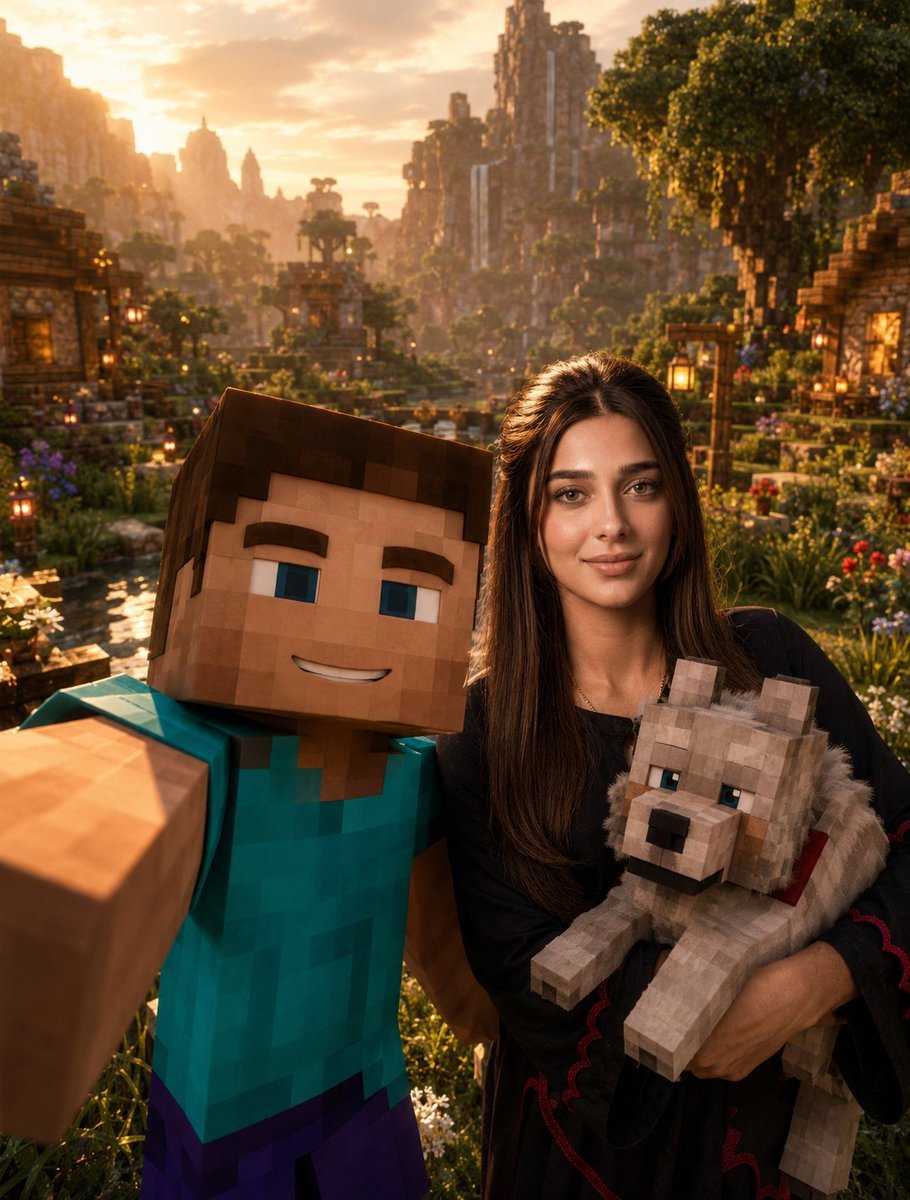
Use the provided {argument name="person name" default="Rafa Franco"} reference photo as the highest-priority facial reference. Preserve {argument name="person name" default="Rafa Franco"}’s facial identity exactly. The viewer must instantly recognize {argument name="person name" default="Rafa Franco"}. Preserve his exact hairstyle, facial proportions, beard shadow, eyebrows, eye shape, nose, lips, jawline, skin texture, and all unique facial characteristics. {argument name="person name" default="Rafa Franco"} must remain fully photorealistic. Vertical composition — 1080×1350. Create an ultra-cinematic Minecraft-inspired selfie scene. The selfie is being taken by Steve from Minecraft, who occupies the foreground and holds the camera with one arm fully extended toward the viewer, creating the exact perspective of a real smartphone selfie. Steve smiles directly at the camera with a fun, friendly, and adventurous expression. Behind Steve stands {argument name="person name" default="Rafa Franco"}, fully photorealistic and naturally integrated into the Minecraft universe through realistic lighting, atmosphere, and cinematic color grading. {argument name="person name" default="Rafa Franco"} smiles naturally while holding a Minecraft wolf comfortably in his arms. The wolf appears relaxed, friendly, and secure, creating a wholesome and memorable moment. The scene takes place in a breathtaking Minecraft valley during golden hour sunset. The environment is rich with detail, featuring lush green grass, beautiful rivers, wooden Minecraft houses, hanging lanterns, charming bridges, colorful flowers, giant trees, distant mountains, waterfalls, and a peaceful village atmosphere. The camera angle must feel exactly like a real group selfie. Steve dominates the foreground because he is holding the camera, while {argument name="person name" default="Rafa Franco"} appears slightly behind him but remains clearly visible, recognizable, and well-lit. The wolf becomes an important secondary focal point, positioned naturally within {argument name="person name" default="Rafa Franco"}’s arms. Warm golden sunset light bathes the entire scene. Beautiful volumetric god rays pass through the trees and mountains. Floating fireflies, subtle voxel particles, atmospheric dust, and soft environmental haze add life, depth, and realism. The image should feel joyful, adventurous, cinematic, and authentic, like a behind-the-scenes photograph taken during an epic Minecraft movie adventure. The environment must feel alive and immersive rather than resembling a gameplay screenshot. Visual style: Minecraft Movie × Pixar-level storytelling × Unreal Engine 5 cinematic lighting × AAA game promotional artwork. Ultra-realistic photography, masterpiece composition, cinematic depth of field, ray tracing, global illumination, volumetric lighting, realistic skin texture, realistic clothing folds, atmospheric perspective, highly detailed Minecraft environment, blockbuster movie quality, 8K resolution, ultra-sharp focus, visually unforgettable, premium Instagram cover quality.Prompt 9: Your Voxel Doppelgänger
Stands you next to your own voxel twin, matching outfit and colours, in a snowy mountain scene.
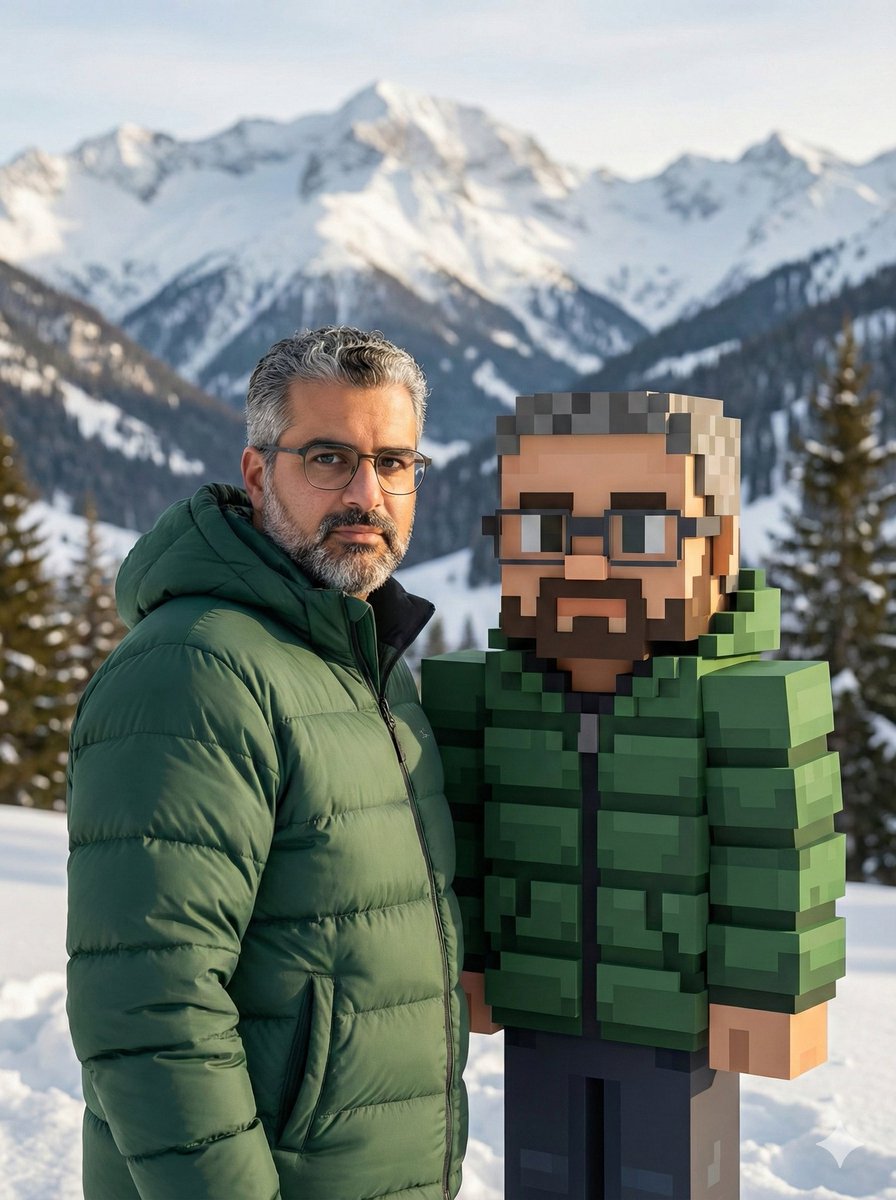
Use the attached reference image to create a realistic photo of the same person, with identity perfectly preserved and no facial changes.
The person is standing in a snowy mountain landscape, without sunglasses, wearing a thick puffer jacket in a {argument name="jacket color" default="random color"}.
Beside him stands a life-size 3D Minecraft-style character version of the same person, made entirely of blocks (voxel style), wearing the exact same puffer jacket in the same {argument name="jacket color 2" default="random color"}, perfectly matching the real outfit.
The lighting is cinematic and natural, with realistic shadows and highlights.
High resolution, 8K quality.
Photorealistic style for the real person, contrasted with clean voxel art for the Minecraft character.
Sharp focus, professional color grading.Prompt 10: Fishing at a Voxel Lake
A calm photoreal figure fishing at a blocky lake: shows the real-person-in-a-voxel-world look without a selfie.
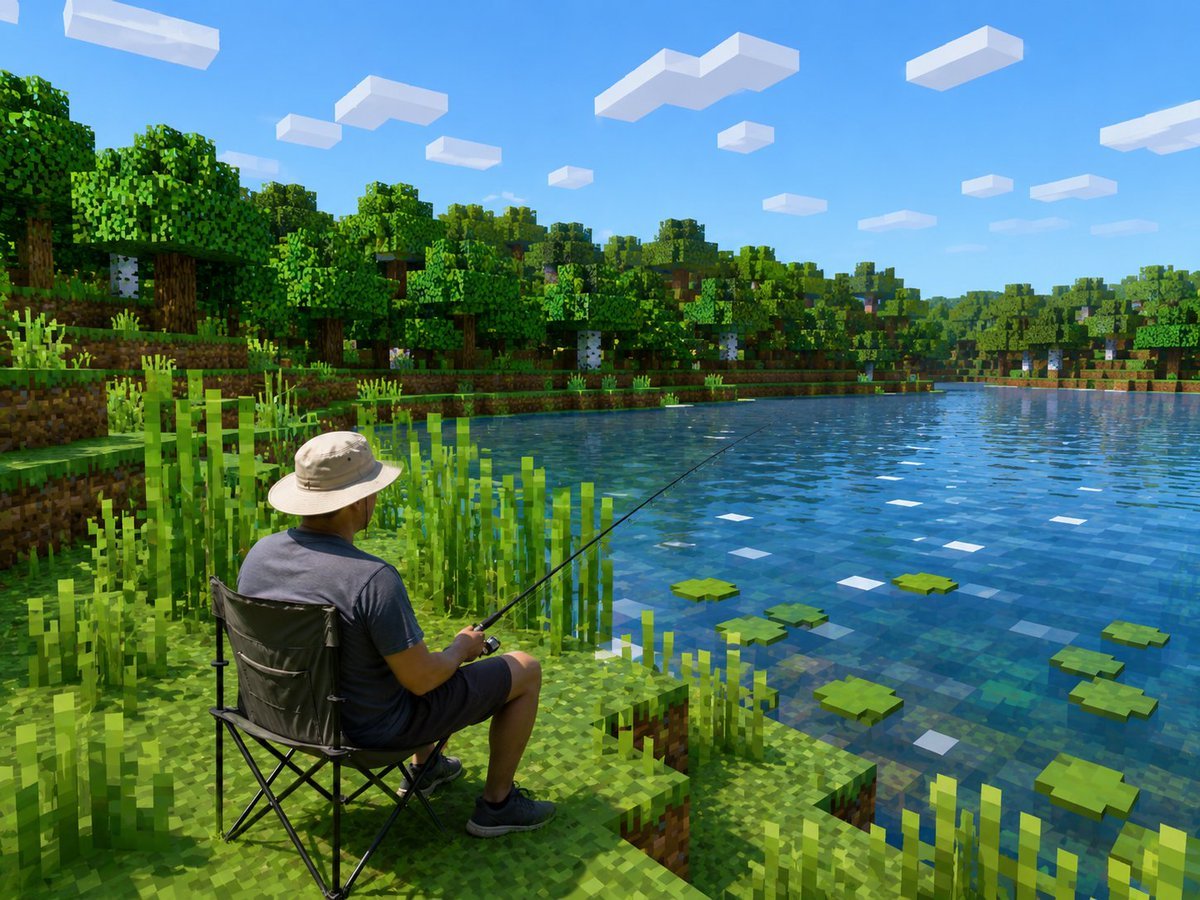
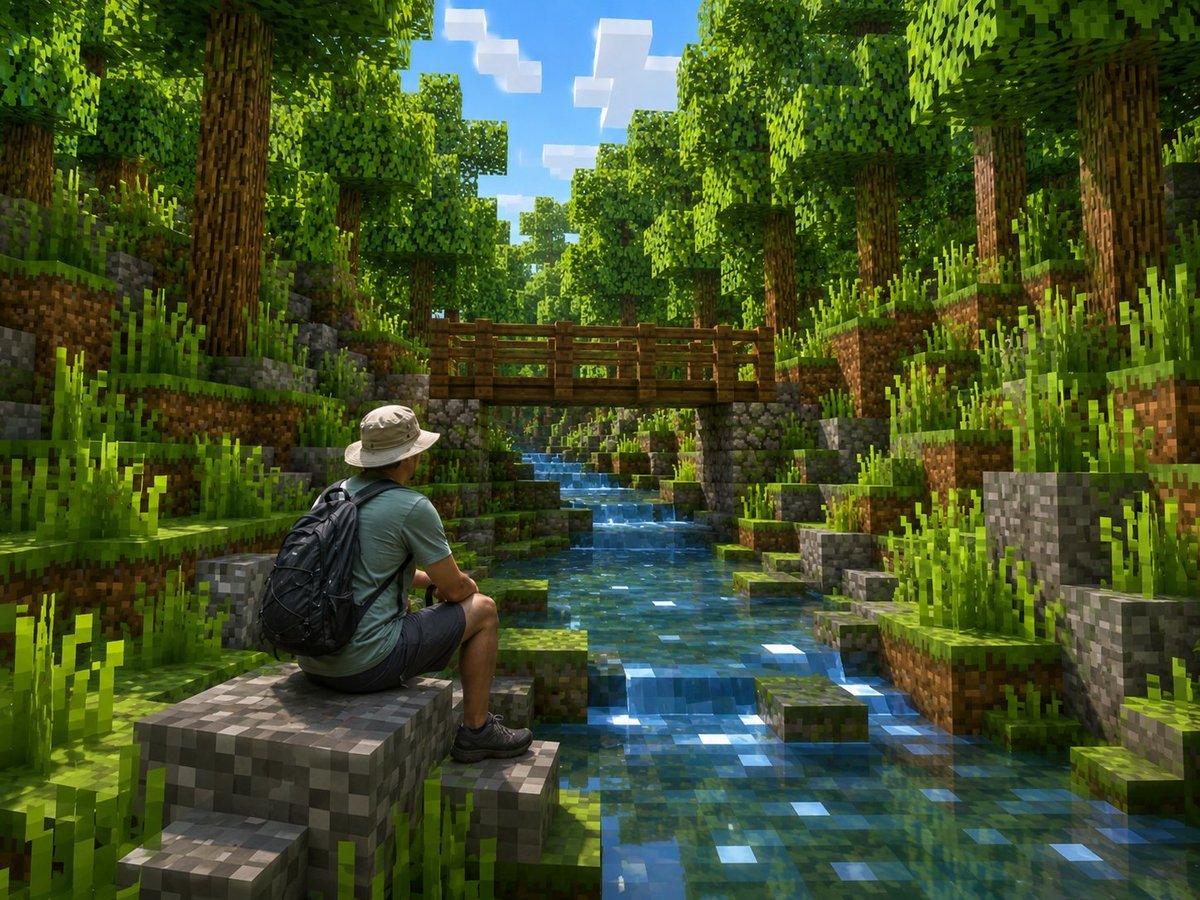
Create a photorealistic Minecraft-style screenshot showing {argument name="main subject" default="an adult man fishing from a folding camping chair"} beside a calm lake. Keep the human subject realistic and unchanged in proportions and clothing, but transform the entire environment into a bright blocky voxel world inspired by Minecraft. The scene is viewed from behind and slightly above the seated person on the lower left foreground: he wears a light beige wide-brim sun hat, dark gray T-shirt, dark shorts, and black sneakers, holding a long thin fishing rod angled diagonally out over the water. He sits on a black collapsible camping chair on a stepped grassy dirt block shoreline. Surround him with tall square reeds and pixelated grass. The lake fills the right half of the image, with transparent blue blocky water, subtle square reflections, exactly 7 visible green lily pads scattered on the surface, and small white square highlights. Across the lake is a dense voxel forest with oak and birch trees, layered grassy banks, dirt blocks, trunks, leaves, and undergrowth. The sky is vivid clear blue with exactly 13 rectangular white block clouds at different sizes and distances. Use crisp sunlight, saturated greens and blues, realistic lighting and shadows, high-resolution game screenshot quality, strong contrast between the realistic person and the fully Minecraft-like environment, no UI, no text, no watermark.