How do I use the Upside-Down Flash Photo on Beach at Night template?
Choose the primary action to open PicX Studio with the available template settings. Review the model and format, personalize the creative direction, and generate when ready.
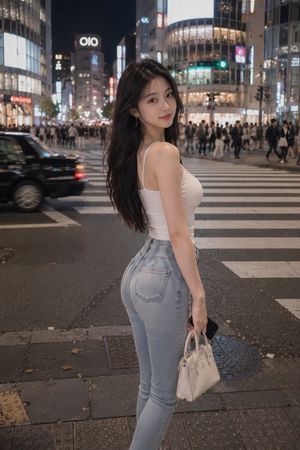
A creative prompt for generating a vertical, high-angle flash photograph taken on a sandy beach at night, utilizing an 'upside-down' composition where the subject's head is at the bottom of the frame. It details the subject's bob cut, specific outfit (tropical bikini top, denim shorts), and the harsh, high-contrast lighting typical of direct flash photography. (free to use) — Free AI image template on PicX Studio.
(Vertical 4:5 aspect ratio). A creative, high-angle "upside-down" flash photograph taken on a sandy beach at night. Composition (The Upside-Down Illusion): The image is framed "upside-down" from the viewer's perspective. * The Subject's Head is positioned at the BOTTOM of the frame. * Her Body extends upwards towards the TOP of the frame. * She is lounging on a vintage blue wooden beach chair. Subject: A cool young woman with a short, ash-brown bob cut. Because her head is at the bottom, her hair fans out naturally onto the sand/chair (gravity effect). She wears "dewy" makeup with glossy pink lips that shine under the flash. * Tattoo: A delicate crescent moon tattoo with script is visible on her collarbone. * Pose: She lies flat on her back. One hand rests on her stomach; the other hand is raised near her face, fingers playfully touching her lips. Outfit: She wears a white spaghetti-strap bikini top with a blue tropical palm tree print and light-wash denim shorts. On her feet (at the top of the frame) are light blue rubber flip-flops. She wears a gold sunburst pendant necklace (which falls towards her neck due to gravity). Lighting & Setting: Direct, harsh "Flash Photography". The flash illuminates her brightly against the dark night, casting sharp, crisp shadows of the chair and her body onto the textured dry sand below. The chair has colorful rainbow-striped fabric, adding a pop of nostalgic color.
Use Upside-Down Flash Photo on Beach at Night to plan an AI image around nano-banana-2 generation. Match the preview's composition first, then personalize the subject, setting, and mood for your own project.
Use the primary action to load the template settings in PicX Studio.
Adjust the subject and creative details for your destination.
Create the image, compare the result with the preview, and refine one variable at a time.
A continuous mix — similar concepts first, woven with same-model prompts and fresh picks from the catalog.
Choose the primary action to open PicX Studio with the available template settings. Review the model and format, personalize the creative direction, and generate when ready.
Yes. You can change the subject, setting, lighting, mood, format, and available model controls before creating your image.
This template is free to open and customize. Generation usage is shown in PicX Studio before you create.
Start with nano-banana-2, which is the model associated with this template. You can compare another compatible model for a different finish.
Follow a topic to a crawlable collection of related PicX Studio templates.
39,155 public templates available. Verified via the PicX Studio public templates API; refreshed hourly.
A continuous mix — similar concepts first, woven with same-model prompts and fresh picks from the catalog.