How do I use the Rooftop Skyline Mirror Selfie Prompt template?
Choose the primary action to open PicX Studio with the available template settings. Review the model and format, personalize the creative direction, and generate when ready.
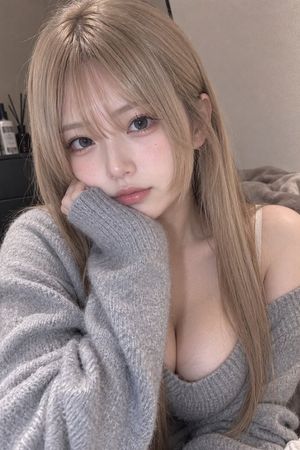
A detailed JSON prompt for generating a seductive mirror selfie on a high-rise rooftop overlooking a city skyline at night. The prompt specifies the subject's features, outfit (oversized knit sweater, mini shorts, cat ear headband), pose (shoulder twist, sideboob reveal), and lighting conditions (cold city lights and warm rooftop lamps). (free to use) — Free AI image template on PicX Studio.
{ "scene_type": "rooftop skyline mirror selfie, glass-walled terrace, cold night wind, seductive calm energy", "aspect_ratio": "9:16", "subject": { "demographics": "young woman, pale skin, Eurasian features", "hair": { "color": "platinum blonde", "style": "long and windswept, strands moving with the rooftop breeze" }, "facial_features": { "expression": "over-shoulder half-smirk, eyes slightly narrowed with city-light reflection", "makeup": "soft glam, glossy lips, shimmering highlighter" } }, "pose_and_body": { "orientation": "back fully turned to the mirror, shoulder twist revealing clean sideboob", "upper_body": { "posture": "slight arch in lower back, relaxed confident stance" }, "arms": { "right_arm": "raised holding iPhone at ear-level", "left_arm": "hand resting at lower back, thumb hooked into waistband" }, "legs": { "pose": "one knee bent inward, subtle hip pop" } }, "outfit": { "top": { "type": "oversized cream knit sweater falling dramatically off one shoulder", "underneath": "no bra, loose slip reveals natural sideboob" }, "bottom": { "type": "ultra mini lounge shorts", "color": "light grey", "fit": "thin fabric riding up from twist + wind" }, "accessories": { "headwear": "pink fuzzy cat ear headband" } }, "environment": { "setting": "high-rise rooftop terrace overlooking city skyline", "lighting": "cold white city lights mixed with warm rooftop lamps"
Use Rooftop Skyline Mirror Selfie Prompt to plan an AI image around nano-banana-2 generation. Match the preview's composition first, then personalize the subject, setting, and mood for your own project.
Use the primary action to load the template settings in PicX Studio.
Adjust the subject and creative details for your destination.
Create the image, compare the result with the preview, and refine one variable at a time.
A continuous mix — similar concepts first, woven with same-model prompts and fresh picks from the catalog.
Choose the primary action to open PicX Studio with the available template settings. Review the model and format, personalize the creative direction, and generate when ready.
Yes. You can change the subject, setting, lighting, mood, format, and available model controls before creating your image.
This template is free to open and customize. Generation usage is shown in PicX Studio before you create.
Start with nano-banana-2, which is the model associated with this template. You can compare another compatible model for a different finish.
Follow a topic to a crawlable collection of related PicX Studio templates.
39,155 public templates available. Verified via the PicX Studio public templates API; refreshed hourly.
A continuous mix — similar concepts first, woven with same-model prompts and fresh picks from the catalog.