How do I use the Futuristic hovercraft savanna chase template?
Edit the prompt in the box under the preview — the template's model and format are already selected — and press Generate. Your version appears right on this page.
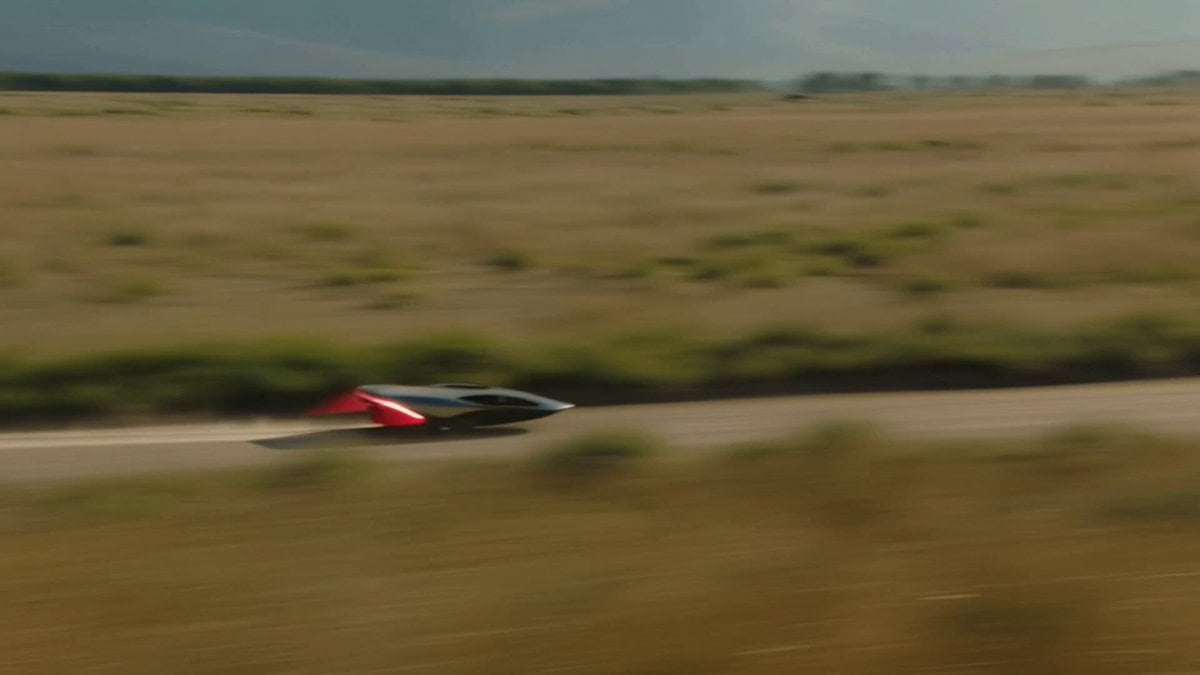
A dynamic aerial-to-ground chase sequence involving a futuristic obsidian hovercraft on a savanna, featuring complex camera movements and environmental interaction.
Start high above a vast savanna as the camera dives in a fast circling orbit. Below, a futuristic hovercraft-spacecraft hybrid streaks along a pale hardpack trail, skimming just above the ground. Its design is sleek and unforgettable: obsidian body, razor-curved wings, glowing red energy seams, and a luminous anti-gravity core that ripples the air beneath it. Dust devils twist across the plains while tall grass bends in its pressure wake. Without a cut, the camera drops from a wide aerial orbit into a tight diagonal chase, revealing heat shimmer, micro-stabilization flickers, and clean sheets of dust peeling from the hull. It slingshots briefly in front for a head-on pass, then whips to the side and spirals toward the rear vents as grit and dust erupt into a glowing tunnel. For the climax, two dust devils collide ahead, forming a violent spinning vortex over the track. The pilot accelerates straight into it. The craft knifes through the storm and bursts out the top in a shower of red-lit dust and sunlight. The camera rises with it into one final epic spiral reveal over the glowing savanna.
Start high above a vast savanna as the camera dives in a fast circling orbit. Below, a futuristic hovercraft-spacecraft hybrid streaks along a pale hardpack trail, skimming just above the ground. Its design is sleek and unforgettable: obsidian body, razor-curved wings, glowing red energy seams, and a luminous anti-gravity core that ripples the air beneath it. Dust devils twist across the plains while tall grass bends in its pressure wake. Without a cut, the camera drops from a wide aerial orbit into a tight diagonal chase, revealing heat shimmer, micro-stabilization flickers, and clean sheets of dust peeling from the hull. It slingshots briefly in front for a head-on pass, then whips to the side and spirals toward the rear vents as grit and dust erupt into a glowing tunnel. For the climax, two dust devils collide ahead, forming a violent spinning vortex over the track. The pilot accelerates straight into it. The craft knifes through the storm and bursts out the top in a shower of red-lit dust and sunlight. The camera rises with it into one final epic spiral reveal over the glowing savanna.
Edit the prompt in the box under the preview — the template's model and format are already selected — and press Generate. Your version appears right on this page.
Yes. You can change the subject, setting, lighting, mood, format, and available model controls before creating your video.
Opening and editing this template is free. Generating uses credits, shown on the Generate button when you are signed in.
Start with Seedance 2.0, which is the model associated with this template. You can compare another compatible model for a different finish.
Follow a topic to a crawlable collection of related PicX Studio templates.