How do I use the Flash Nightlife Fashion Portrait template?
Choose the primary action to open PicX Studio with the available template settings. Review the model and format, personalize the creative direction, and generate when ready.
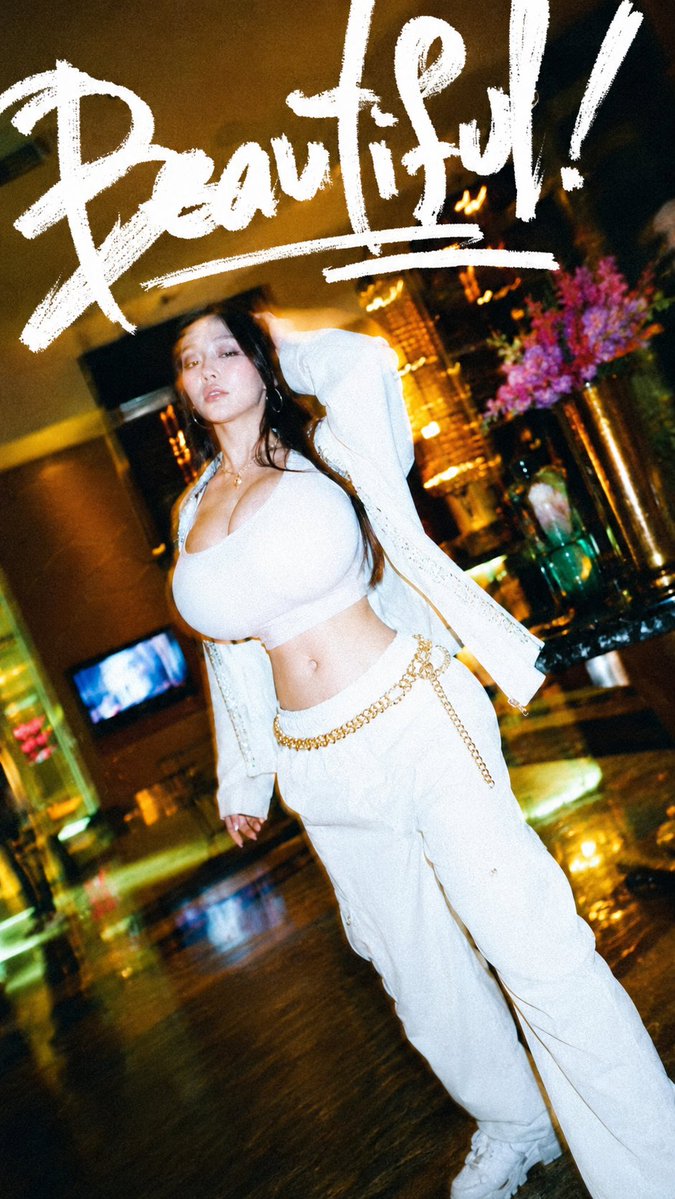
Generates a glamorous vertical nightlife fashion photo with bold brush-script headline text for editorial or social media visuals. (free to use) — Free AI image template on PicX Studio.
Create a vertical 9:16 flash-photography fashion nightlife shot in a luxurious dim lounge or hotel lobby, tilted with a dynamic Dutch angle and a gritty disposable-camera look. The subject is a curvy young woman posing full-body slightly off-center, walking toward the camera with one arm raised behind her head; her face is intentionally anonymized with a soft square blur. She has long dark wavy hair and wears an all-white streetwear outfit consisting of exactly 5 visible clothing pieces: a tight low-cut crop tank top, an open lightweight knit cardigan, loose white cargo pants, white sneakers, and a gold chain belt draped across the waist. Include exactly 3 visible accessories: a delicate gold necklace, large hoop earrings, and a small navel piercing. The background should be a glossy dark floor reflecting warm lights, a bar or lounge interior with golden ambient lighting, a small glowing screen on the left wall, and a tall vase of vivid purple flowers on the right. Add a huge hand-painted white brush-script word {argument name="headline text" default="Beautiful!"} across the top third of the image, with an energetic underline stroke beneath it, like a bold marker or paint pen. Use high contrast, motion blur, slight grain, oversaturated warm highlights, deep shadows, and paparazzi-style direct flash. Customize the outfit color with {argument name="outfit color" default="white"}, the belt color with {argument name="belt color" default="gold"}, the background setting with {argument name="background setting" default="luxury nightlife lounge"}, and the flower color with {argument name="flower color" default="purple"}. Keep the composition vertical, glamorous, candid, and editorial; no extra text, no watermark.
Use Flash Nightlife Fashion Portrait to plan an AI image around gpt-image-2 generation, themes such as en and gpt-image-2. Match the preview's composition first, then personalize the subject, setting, and mood for your own project.
Use the primary action to load the template settings in PicX Studio.
Adjust the subject and creative details for your destination.
Create the image, compare the result with the preview, and refine one variable at a time.
A continuous mix — similar concepts first, woven with same-model prompts and fresh picks from the catalog.
Choose the primary action to open PicX Studio with the available template settings. Review the model and format, personalize the creative direction, and generate when ready.
Yes. You can change the subject, setting, lighting, mood, format, and available model controls before creating your image.
This template is free to open and customize. Generation usage is shown in PicX Studio before you create.
Start with gpt-image-2, which is the model associated with this template. You can compare another compatible model for a different finish.
A continuous mix — similar concepts first, woven with same-model prompts and fresh picks from the catalog.
Follow a topic to a crawlable collection of related PicX Studio templates.
28,443 public templates available. Verified via the PicX Studio public templates API; refreshed hourly.