How do I use the Cinematic Foundation series salt plain template?
Edit the prompt in the box under the preview — the template's model and format are already selected — and press Generate. Your version appears right on this page.
A cinematic sci-fi prompt featuring a massive geometric structure on a flat salt plain, inspired by the Foundation series.

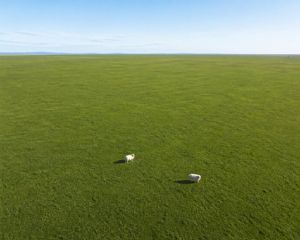
Vast, completely flat {argument name="terrain" default="salt crust plain"} stretching to a sharp horizon. Overcast, low-contrast daylight filtered through a thick, {argument name="sky color" default="dusty orange sky"}. Hazy, dim sun casting long, faint, diffuse shadows. A single, tiny human figure standing isolated at the base of the {argument name="structure" default="Vault from the Foundation series"}. The Vault is a gargantuan, miles-high asymmetric geometric polyhedron with a dark matte obsidian texture reflecting a dull, oily sheen. The scale ratio minimizes the human figure into a minute speck against the structure's massive vertical facets. Shot on a wide-angle anamorphic lens with deep depth of field, keeping both the cracked texture of the salt ground and the top of the polyhedron in sharp focus. Color palette restricted to industrial monochrome: deep slate greys, matte carbon black, and muted sandy ochre dust. Wide-angle sci-fi film still, production concept art plate. Lens flare, glowing neon lines, high-contrast cinematic bloom, motion blur, vignette, watermarks, extra background figures, organic landscapes.
Vast, completely flat {argument name="terrain" default="salt crust plain"} stretching to a sharp horizon. Overcast, low-contrast daylight filtered through a thick, {argument name="sky color" default="dusty orange sky"}. Hazy, dim sun casting long, faint, diffuse shadows. A single, tiny human figure standing isolated at the base of the {argument name="structure" default="Vault from the Foundation series"}. The Vault is a gargantuan, miles-high asymmetric geometric polyhedron with a dark matte obsidian texture reflecting a dull, oily sheen. The scale ratio minimizes the human figure into a minute speck against the structure's massive vertical facets. Shot on a wide-angle anamorphic lens with deep depth of field, keeping both the cracked texture of the salt ground and the top of the polyhedron in sharp focus. Color palette restricted to industrial monochrome: deep slate greys, matte carbon black, and muted sandy ochre dust. Wide-angle sci-fi film still, production concept art plate. Lens flare, glowing neon lines, high-contrast cinematic bloom, motion blur, vignette, watermarks, extra background figures, organic landscapes.
Edit the prompt in the box under the preview — the template's model and format are already selected — and press Generate. Your version appears right on this page.
Yes. You can change the subject, setting, lighting, mood, format, and available model controls before creating your image.
Opening and editing this template is free. Generating uses credits, shown on the Generate button when you are signed in.
Start with GPT Image 2, which is the model associated with this template. You can compare another compatible model for a different finish.
Follow a topic to a crawlable collection of related PicX Studio templates.