How do I use the Rainy Tokyo Anime Figure Display template?
Choose the primary action to open PicX Studio with the available template settings. Review the model and format, personalize the creative direction, and generate when ready.
Generates a cinematic neon street product showcase featuring a wet anime-style collectible figure with matching Japanese price signage. Change the subject, setting, or lighting one variable at a time.
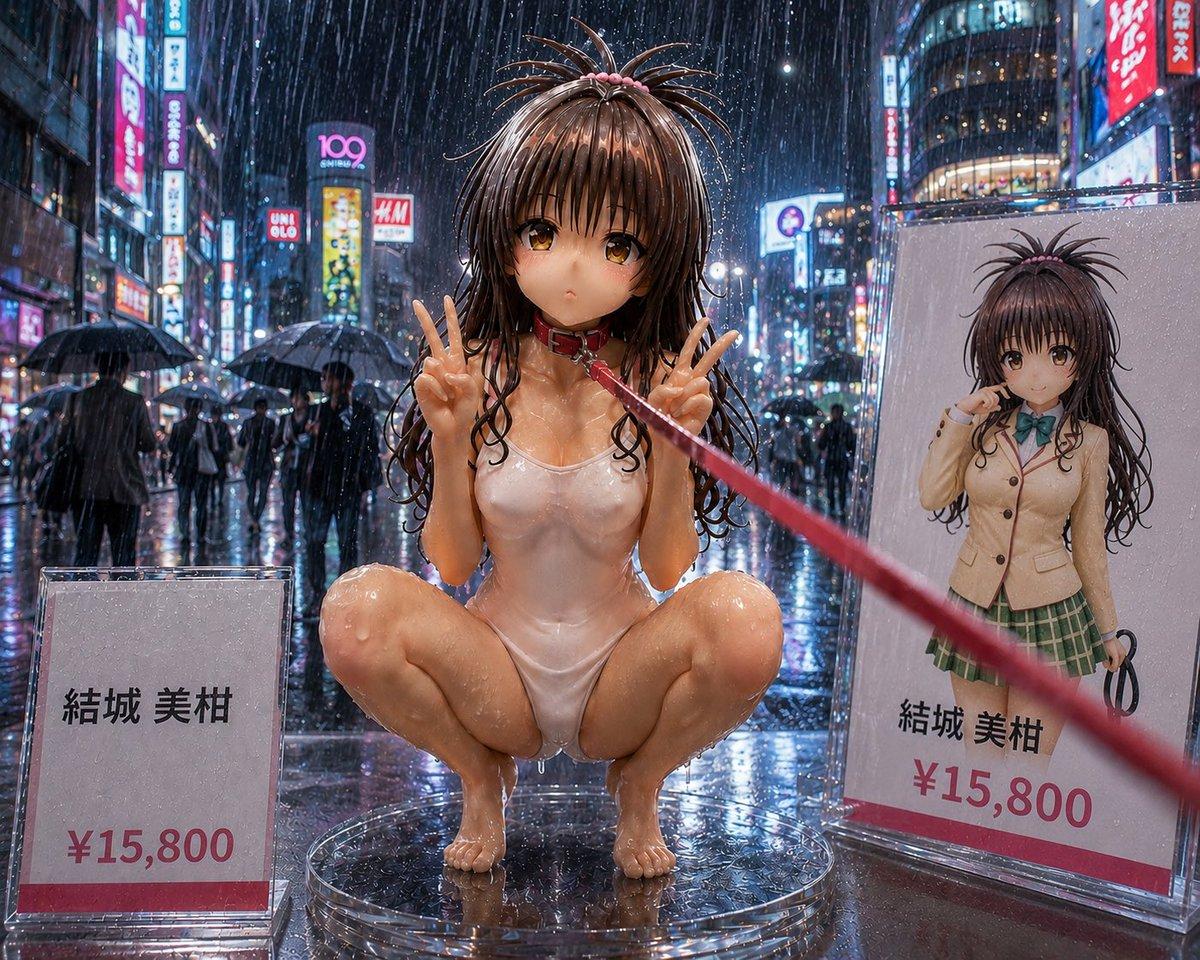
Create a highly detailed photorealistic product-display scene of an adult anime-style collectible figure in a rainy neon Tokyo shopping street at night. The main subject is {argument name="character name" default="Yuki Miho"}, shown as a glossy 1/6 scale figurine squatting on a transparent circular acrylic stand in the center foreground, wearing a wet white one-piece swimsuit, long soaked dark brown twin-tail hair with small pink ties, and holding both hands up in double peace signs. Her face is deliberately obscured by a smooth square blur/censor block. A red leash or ribbon is attached near her neck and stretches diagonally from her collar toward the right foreground, creating a dramatic perspective line. The environment is a rainstorm with visible raindrops, wet reflective pavement, umbrellas, blurred pedestrians, and dense neon signs reminiscent of Shibuya or Akihabara; use cinematic depth of field, high contrast reflections, and ultra-real resin/plastic surface detail. Include exactly two price display elements: 1) a clear acrylic sign on the lower left reading 「結城 美柑」 and 「¥15,800」 with a red bottom stripe, and 2) a large product card or box panel on the right showing the same character in a beige school uniform jacket, green plaid skirt, teal bow, long twin-tail hair, with her face also blurred, plus the printed text 「結城 美柑」 and 「¥15,800」. Keep the scene wet, glossy, and commercial like a premium figure showcase photographed at street level; no extra characters in the foreground, no watermark, no additional price tags.
Choose the primary action to open PicX Studio with the available template settings. Review the model and format, personalize the creative direction, and generate when ready.
Yes. You can change the subject, setting, lighting, mood, format, and available model controls before creating your image.
This template is free to open and customize. Generation usage is shown in PicX Studio before you create.
Start with GPT Image 2, which is the model associated with this template. You can compare another compatible model for a different finish.
Follow a topic to a crawlable collection of related PicX Studio templates.
43,474 public templates available. Verified via the PicX Studio public templates API; refreshed hourly.













![Minimalist Flat Vector Travel Poster — Premium minimalist flat-vector travel poster for {argument name="city name" default="[CITY_NAME]"}, 3:4 vertical format.](https://cms-assets.youmind.com/media/1787917359711_3ug846_HQX205cbMAA6F6S-300x400.jpg)





















![High-End Sports Graphic Poster Template — [PERSON NAME].
Act as a high-end sports graphic designer creating a conceptual tribute poster. The style is a complex](https://pbs.twimg.com/media/G-ZgPqOaAAADhy4.jpg)