

How do I use the Seoul Rainy Day Lookbook template?
Choose the primary action to open PicX Studio with the available template settings. Review the model and format, personalize the creative direction, and generate when ready.
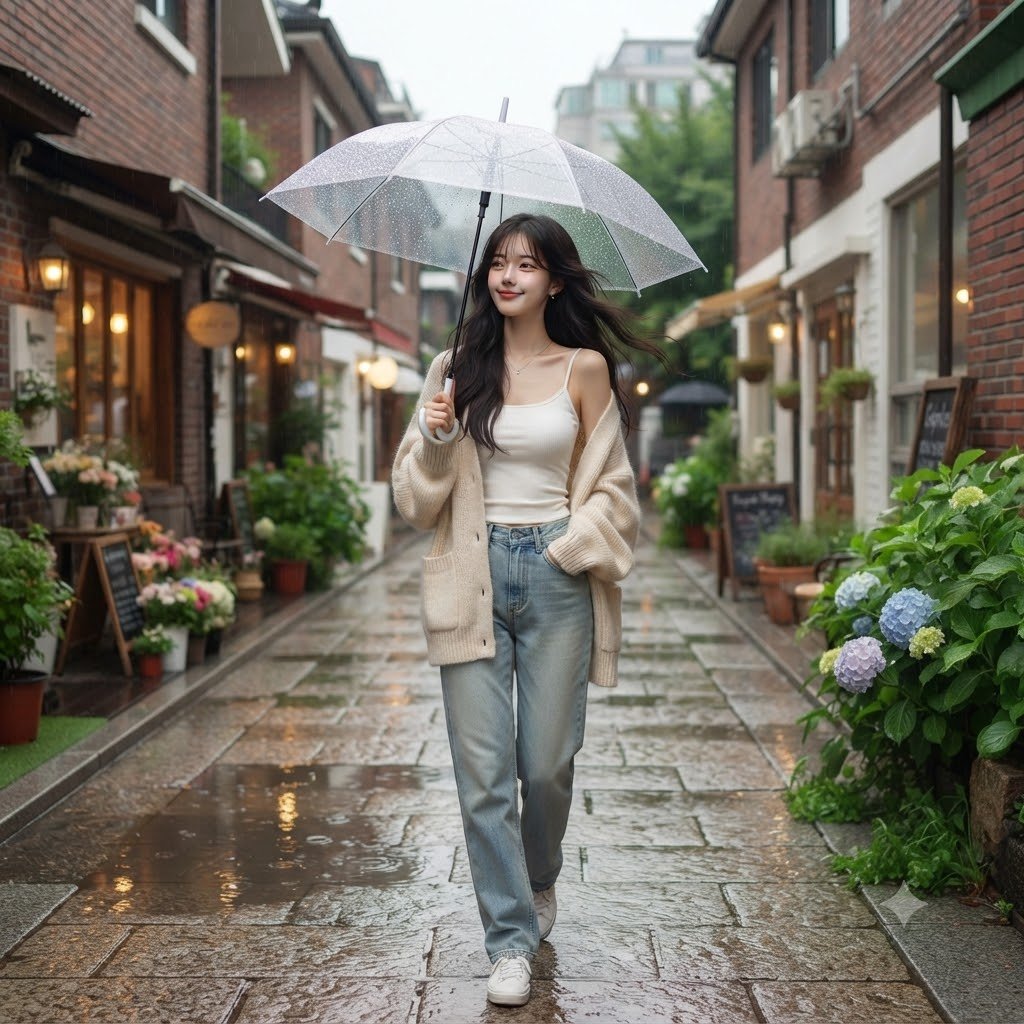
An ultra-realistic Korean lookbook-style photo of a woman walking through a Seoul alleyway in the rain. (free to use) — Free AI image template on PicX Studio.
Create one single square (1:1)ultra-realistic editorial photograph featuring an original {argument name="subject" default="young Korean woman"} enjoying a quiet rainy afternoon. She is walking naturally through a charming {argument name="location" default="Seoul alleyway"} beneath a transparent umbrella. She glances toward the camera with a soft smile as if someone just called her name. Her long hair gently moves with the breeze while tiny raindrops sparkle on the umbrella. One hand holds the umbrella while the other casually slips into the pocket of her {argument name="outfit" default="oversized cream knit cardigan"}. Outfit: Oversized cream knit cardigan, White fitted camisole, Relaxed light-wash denim jeans, White sneakers, Small pearl earrings, Delicate silver necklace. Environment: Quiet Seoul neighborhood, Small flower shop, Traditional brick buildings, Cozy cafés, Wet stone pathway, Hydrangeas, Warm window lights, Fresh greenery, Light summer rain, Soft puddle reflections. Photography Style: Trending Korean lookbook aesthetic, Gen Z fashion campaign, Pinterest-inspired lifestyle photography, Vogue Korea editorial, Sony A7R V, 35mm lens, f/2.0, natural overcast lighting, realistic rain droplets, creamy pastel color palette, cinematic composition, realistic skin texture, shallow depth of field, premium magazine photography, masterpiece, 8K.
Use Seoul Rainy Day Lookbook to plan an AI image around nano-banana-2 generation. Match the preview's composition first, then personalize the subject, setting, and mood for your own project.
Use the primary action to load the template settings in PicX Studio.
Adjust the subject and creative details for your destination.
Create the image, compare the result with the preview, and refine one variable at a time.
A continuous mix — similar concepts first, woven with same-model prompts and fresh picks from the catalog.
Choose the primary action to open PicX Studio with the available template settings. Review the model and format, personalize the creative direction, and generate when ready.
Yes. You can change the subject, setting, lighting, mood, format, and available model controls before creating your image.
This template is free to open and customize. Generation usage is shown in PicX Studio before you create.
Start with nano-banana-2, which is the model associated with this template. You can compare another compatible model for a different finish.
A continuous mix — similar concepts first, woven with same-model prompts and fresh picks from the catalog.
Follow a topic to a crawlable collection of related PicX Studio templates.
32,032 public templates available. Verified via the PicX Studio public templates API; refreshed hourly.


