How do I use the Cinematic Intense Gym Session Portrait template?
Choose the primary action to open PicX Studio with the available template settings. Review the model and format, personalize the creative direction, and generate when ready.
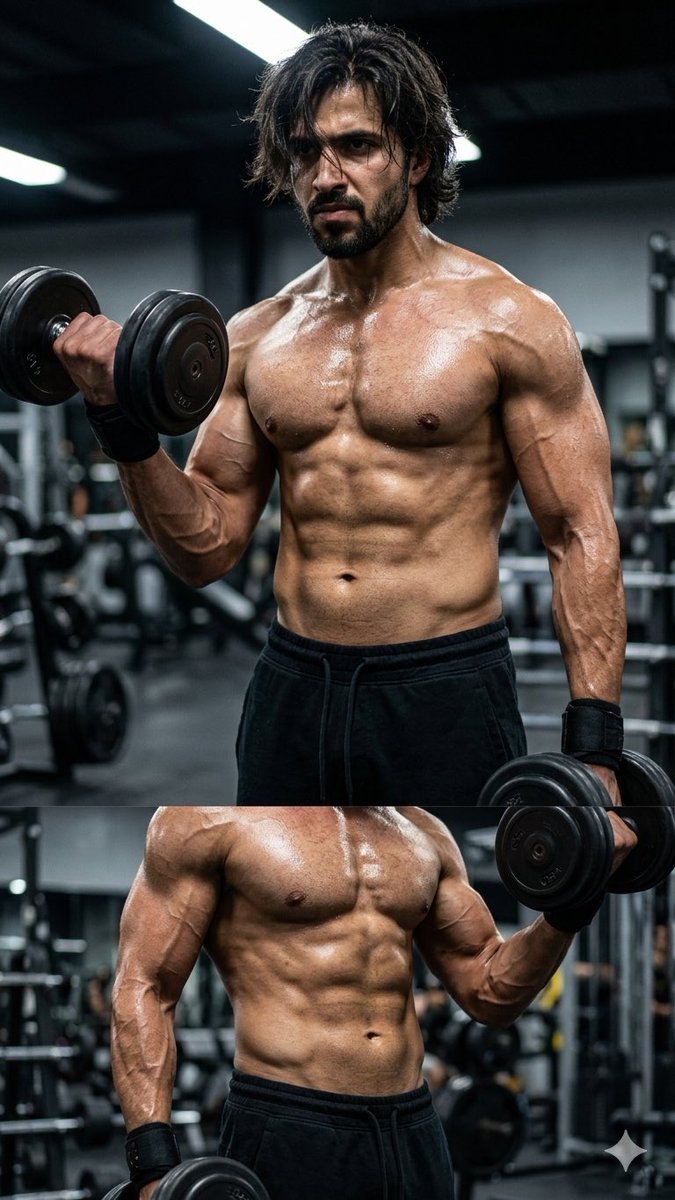
An ultra-realistic fitness photography prompt for a cinematic close-up of a man lifting weights with dramatic lighting and high-contrast muscle definition. (free to use) — Free AI image template on PicX Studio.
A cinematic close-up shot of a {argument name="subject" default="fit young man lifting heavy dumbbells"} in an intense gym session, {argument name="attire" default="shirtless, wearing black joggers and wrist wraps"}. His muscles are fully engaged—veins visible across his arms, sharply defined abs, chest, and shoulders under strain. His messy medium-length dark hair is slightly damp with sweat, partially covering his eyes, giving a focused, determined expression. One frame captures him mid-rep during a dumbbell curl, biceps flexed at peak contraction. The gym environment is {argument name="lighting" default="dimly lit with dramatic overhead lighting"}, creating strong shadows and highlights that sculpt his physique. Sweat glistens on his skin, emphasizing realistic texture and muscle definition. Blurred background with gym equipment like racks and plates faintly visible. Subtle haze in the air for a cinematic atmosphere. Shallow depth of field, editorial fitness photography style, ultra-realistic, natural but high contrast color grading. Face 100% same as reference photo.
Use Cinematic Intense Gym Session Portrait to plan an AI image around nano-banana-2 generation. Match the preview's composition first, then personalize the subject, setting, and mood for your own project.
Use the primary action to load the template settings in PicX Studio.
Adjust the subject and creative details for your destination.
Create the image, compare the result with the preview, and refine one variable at a time.
A continuous mix — similar concepts first, woven with same-model prompts and fresh picks from the catalog.
Choose the primary action to open PicX Studio with the available template settings. Review the model and format, personalize the creative direction, and generate when ready.
Yes. You can change the subject, setting, lighting, mood, format, and available model controls before creating your image.
This template is free to open and customize. Generation usage is shown in PicX Studio before you create.
Start with nano-banana-2, which is the model associated with this template. You can compare another compatible model for a different finish.
A continuous mix — similar concepts first, woven with same-model prompts and fresh picks from the catalog.
Follow a topic to a crawlable collection of related PicX Studio templates.
32,032 public templates available. Verified via the PicX Studio public templates API; refreshed hourly.


