How do I use the Blonde Bedroom Flash Portrait template?
Edit the prompt in the box under the preview — the template's model and format are already selected — and press Generate. Your version appears right on this page.
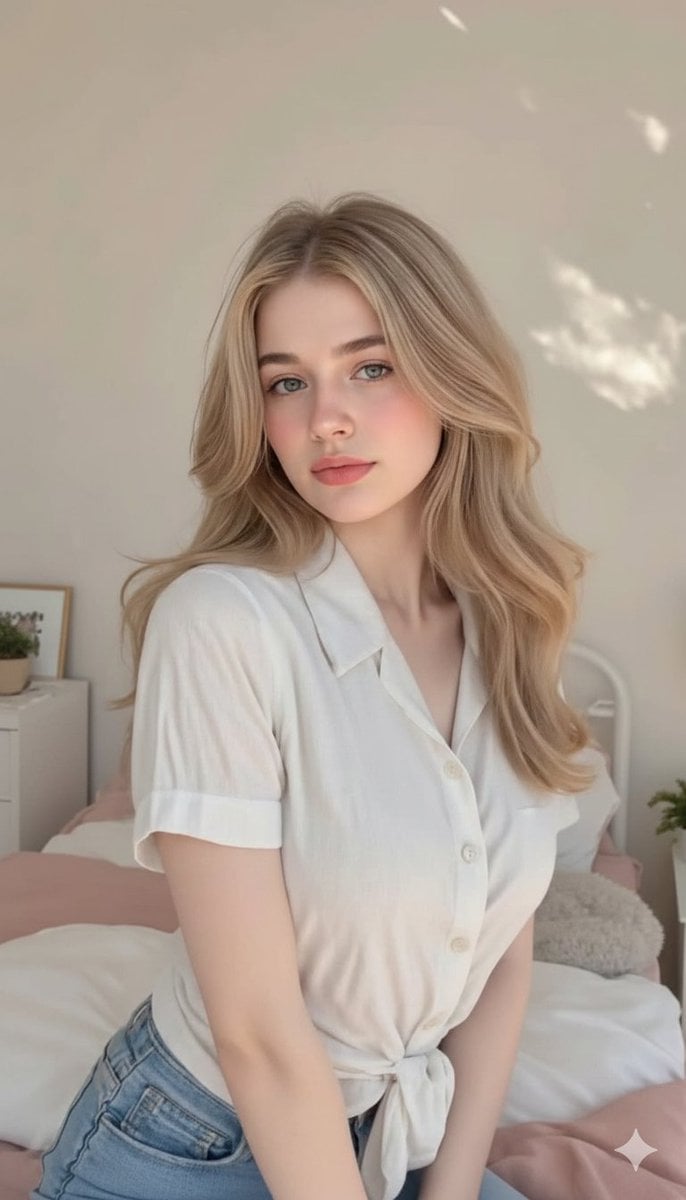
A realistic flash photography prompt for a young woman in a cozy bedroom setting, capturing a candid early-2000s digital camera aesthetic.

Ultra-realistic flash photography portrait of a young {argument name="hair color" default="blonde"} woman standing in a cozy bedroom at night. Extremely long straight platinum-blonde hair, silky texture, center part, holding sections of her hair out to both sides playfully. Soft pink lips, clear blue eyes, natural makeup, luminous skin with realistic texture and subtle blush. Wearing a matching cream-colored floral lounge set consisting of a fitted long-sleeve cropped cardigan and high-waisted shorts with delicate tiny flower prints. Layered gold necklaces with a small cross pendant. Direct flash aesthetic creating crisp shadows and a candid early-2000s digital camera vibe. Modern bedroom with {argument name="wall color" default="sage-green"} walls, white plantation shutters, wooden nightstand, skincare products, hairbrush, and personal items visible in the background. Authentic bedroom selfie atmosphere, lifestyle photography, realistic skin texture, casual home aesthetic, photorealistic, highly detailed, social media influencer style, premium lifestyle campaign.
Ultra-realistic flash photography portrait of a young {argument name="hair color" default="blonde"} woman standing in a cozy bedroom at night. Extremely long straight platinum-blonde hair, silky texture, center part, holding sections of her hair out to both sides playfully. Soft pink lips, clear blue eyes, natural makeup, luminous skin with realistic texture and subtle blush. Wearing a matching cream-colored floral lounge set consisting of a fitted long-sleeve cropped cardigan and high-waisted shorts with delicate tiny flower prints. Layered gold necklaces with a small cross pendant. Direct flash aesthetic creating crisp shadows and a candid early-2000s digital camera vibe. Modern bedroom with {argument name="wall color" default="sage-green"} walls, white plantation shutters, wooden nightstand, skincare products, hairbrush, and personal items visible in the background. Authentic bedroom selfie atmosphere, lifestyle photography, realistic skin texture, casual home aesthetic, photorealistic, highly detailed, social media influencer style, premium lifestyle campaign.
Edit the prompt in the box under the preview — the template's model and format are already selected — and press Generate. Your version appears right on this page.
Yes. You can change the subject, setting, lighting, mood, format, and available model controls before creating your image.
Opening and editing this template is free. Generating uses credits, shown on the Generate button when you are signed in.
Start with Nano Banana 2, which is the model associated with this template. You can compare another compatible model for a different finish.
Follow a topic to a crawlable collection of related PicX Studio templates.