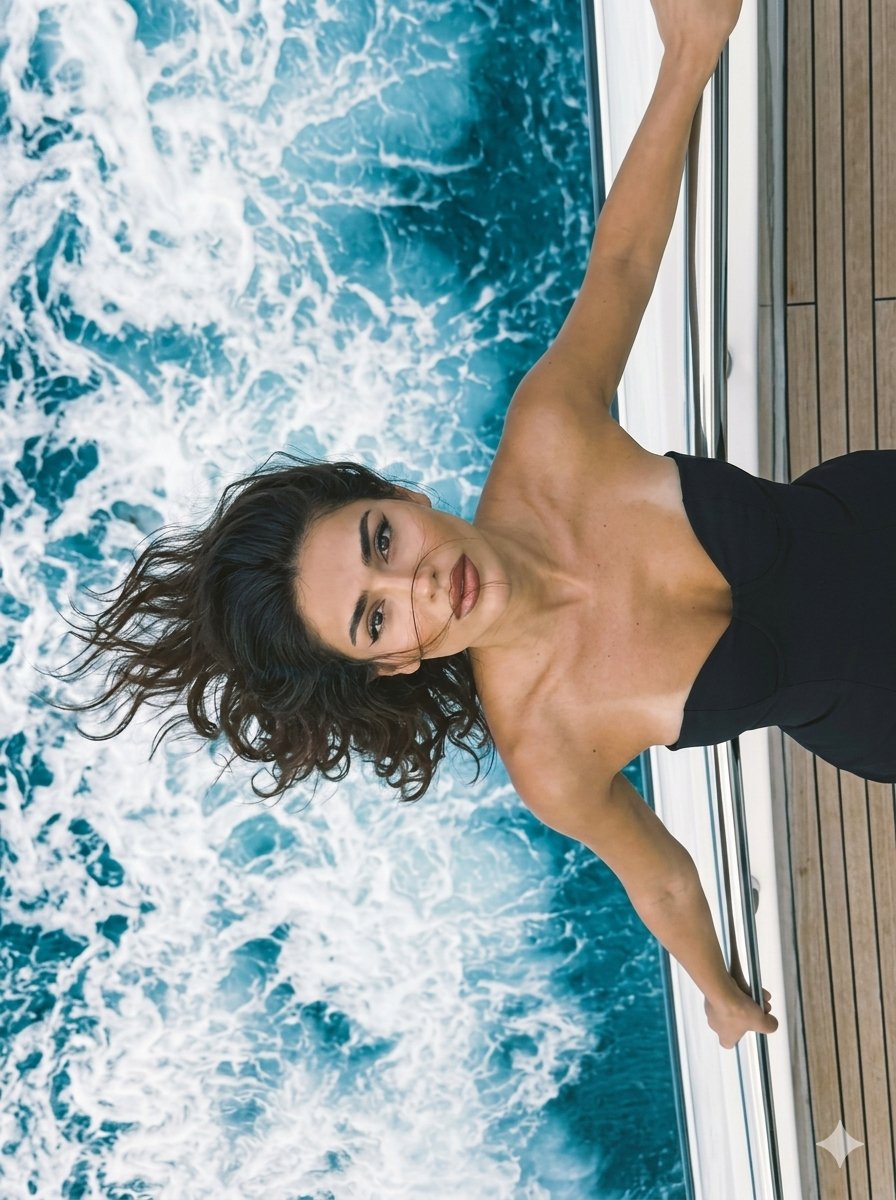


How do I use the Luxury Yacht Top-Down Portrait template?
Choose the primary action to open PicX Studio with the available template settings. Review the model and format, personalize the creative direction, and generate when ready.
A high-end fashion prompt designed to use a reference photo for face preservation, placing the subject on a moving luxury yacht with dramatic lighting. (free to use) — Free AI image template on PicX Studio.
use my reference photo, transfer the face from the photo without changing it, preserve exact identity, facial features, body proportions and natural skin tone with 100% similarity. Ultra-realistic {argument name="location" default="luxury yacht photo"}, vertical 3:4. Close waist-up crop only, no full body, no legs visible. Camera directly above from a dramatic top-down angle over the edge of a moving yacht. Woman occupies the right side, leaning backward over the stainless-steel railing toward the sea, both arms extended and gripping the rail, shoulders pulled back, chest lifted, head tilted up, intense confident gaze into camera.Left side filled with vivid turquoise seawater and powerful white foam wake from the yacht. Right edge shows teak deck and polished metal railing. Asymmetrical composition, ocean dominates.Elegant {argument name="outfit" default="long black strapless dress"}, smooth matte fabric, no straps, no sleeves, no hardware, no embellishments, deep sweetheart neckline, fitted corset-style upper body, clean luxury silhouette. Hair styling only: {argument name="hair style" default="soft waves swept completely to one side by strong sea wind"}, voluminous flowing movement, glossy texture, several wind-blown strands across forehead, cheeks and cat-eye eyeliner, feline gaze, long lashes, glossy lips with transparent gloss and darker lip contour. Natural daylight over open water, no flash, realistic sea reflections. Shot on iPhone 16 Pro Max, subtle grain, no HDR
Use Luxury Yacht Top-Down Portrait to plan an AI image around nano-banana-2 generation. Match the preview's composition first, then personalize the subject, setting, and mood for your own project.
Use the primary action to load the template settings in PicX Studio.
Adjust the subject and creative details for your destination.
Create the image, compare the result with the preview, and refine one variable at a time.
A continuous mix — similar concepts first, woven with same-model prompts and fresh picks from the catalog.
Choose the primary action to open PicX Studio with the available template settings. Review the model and format, personalize the creative direction, and generate when ready.
Yes. You can change the subject, setting, lighting, mood, format, and available model controls before creating your image.
This template is free to open and customize. Generation usage is shown in PicX Studio before you create.
Start with nano-banana-2, which is the model associated with this template. You can compare another compatible model for a different finish.
A continuous mix — similar concepts first, woven with same-model prompts and fresh picks from the catalog.
Follow a topic to a crawlable collection of related PicX Studio templates.
32,032 public templates available. Verified via the PicX Studio public templates API; refreshed hourly.


